
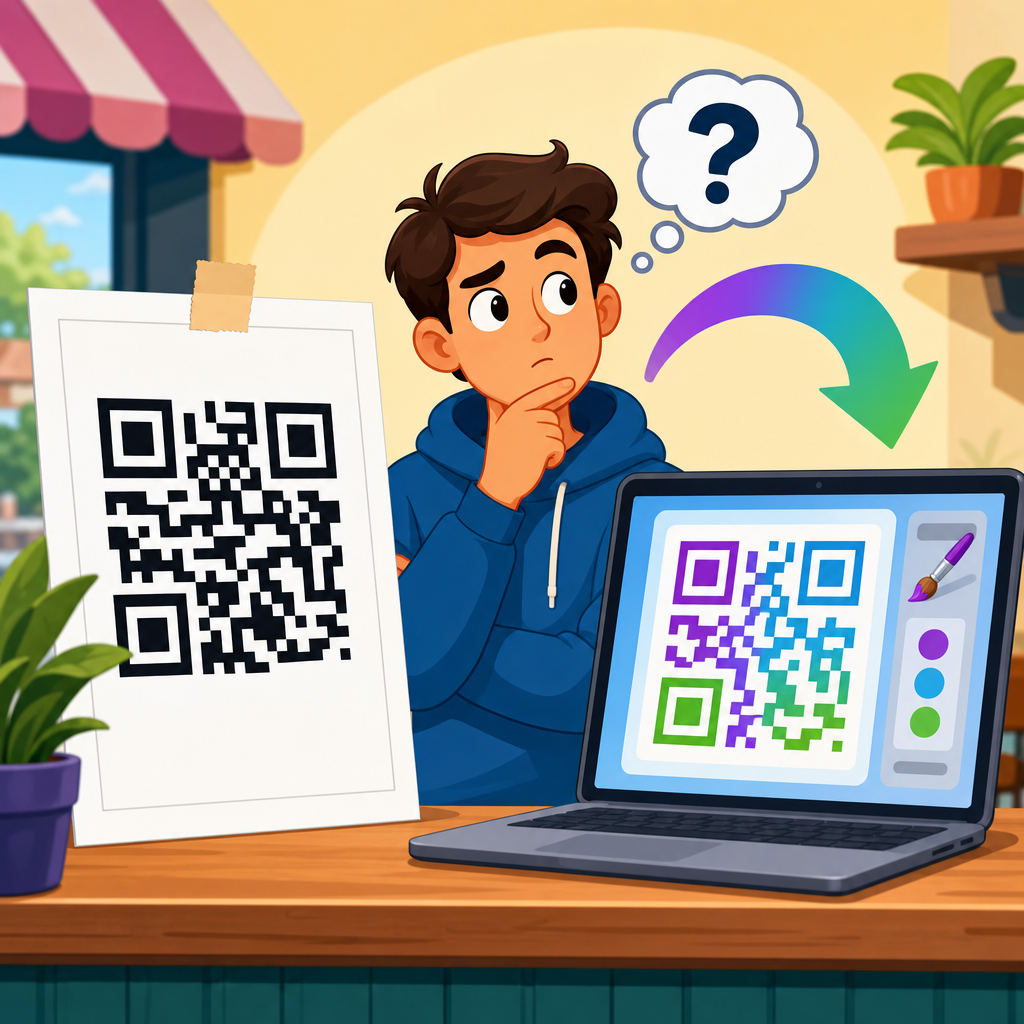
Can you edit a QR code after printing? The accurate answer is yes, but only if the code is dynamic. A static QR code, once created and printed, permanently stores its destination data and cannot be changed without replacing the printed material. A dynamic QR code works differently: the printed pattern points to a short redirect URL managed by a QR code platform, which means you can update the final destination later without changing the visible code on the poster, package, flyer, sign, or label.
That distinction matters because printed marketing assets are expensive to rework. I have seen businesses discover a broken landing page after thousands of brochures were already distributed, and the difference between static and dynamic QR codes determined whether the campaign was salvageable in minutes or required a full reprint. For retail packaging, restaurant menus, event signage, real estate boards, and direct mail, the ability to edit a QR code after printing is often the deciding factor between operational flexibility and sunk cost.
In practical terms, a QR code is a machine-readable matrix barcode defined under ISO/IEC 18004. Smartphones decode the symbol and open the encoded payload, which may be a URL, plain text, Wi-Fi credentials, vCard data, or another supported format. With static QR codes, that payload sits directly inside the symbol. With dynamic QR codes, the symbol usually contains a short tracking URL that forwards users to a destination you control in a dashboard. Because the redirect target lives outside the printed symbol, you can edit the content later.
This article explains exactly when a QR code can be edited after printing, how dynamic QR codes work, what changes are possible, what limitations apply, and how to choose the right setup for long-term use. As the central guide for dynamic QR codes within QR code creation and tools, it also clarifies best practices for campaign management, analytics, security, testing, and print design so you can avoid the common mistakes that make editable QR projects fail.
Static vs. dynamic QR codes: the core difference
The simplest way to understand editability is to ask where the destination lives. In a static QR code, the final information is encoded directly in the symbol. If you generate a code for https://example.com/sale, that exact URL is baked into the printed pattern. If the page changes, the QR code still sends users to the old address. There is no dashboard switch, no silent update, and no way to alter the destination without creating and printing a new code.
In a dynamic QR code, the printed symbol contains an intermediate URL controlled by a QR code generator or redirect service. When someone scans it, the service receives the request and forwards the user to the current destination. Because the redirect target is stored on the service side, you can edit it after printing. This is why dynamic QR codes are widely used for menus that change seasonally, product packaging that later points to support content, and multi-location campaigns where one printed asset needs different destinations over time.
From an operational perspective, static codes are appropriate when the encoded information will never change, such as permanent contact details, a stable public homepage, or offline text. Dynamic codes are the better default for any printed QR code tied to marketing, product lifecycle communication, customer support, events, or compliance updates. In my experience, teams often choose static codes to save a small monthly fee, then lose far more money when a URL changes or tracking becomes necessary.
How dynamic QR codes work after printing
A dynamic QR code remains editable after printing because the visible pattern is only the first step in a redirect chain. The code sends the scanner to a short URL, sometimes on a custom domain and sometimes on the platform’s domain. The QR management platform then issues an HTTP redirect, commonly a 301 or 302, to the current destination page. Editing the QR code does not alter the printed modules; it changes the redirect record associated with that short URL.
This architecture creates several important advantages. First, you can replace a landing page URL if a campaign slug changes, a product page moves, or a ticketing link expires. Second, you can add analytics, including scans by date, device type, approximate location, and operating system, depending on the platform and privacy settings. Third, you can route users based on conditions such as language, country, time of day, or scan count, which is useful for international packaging and time-sensitive promotions.
Not every change happens instantly everywhere. Browsers, apps, and content delivery networks may cache redirects for a period, especially if a platform uses aggressive caching rules. In most well-built systems, destination updates propagate quickly, but teams running paid ads, packaging launches, or event check-ins should still test the live code after any change. The printed code does not need reprinting, yet the redirect environment still requires disciplined release management.
What you can edit, and what you cannot
When people ask whether they can edit a QR code after printing, they usually mean one of several different changes. The destination URL is the most common editable element, but dynamic QR code platforms often allow more than that. Depending on the service, you may be able to change the destination type, switch from one landing page to another, modify UTM parameters, pause the code, password-protect access, update the custom short link, or enable scan notifications and expiration rules.
What you generally cannot change after printing is the appearance of the already printed symbol itself. If the code was printed too small, placed on a reflective surface, distorted by poor design choices, or produced with insufficient contrast, making the destination editable will not solve the scanning problem. You also cannot recover editability from a static code that was originally generated without a redirect layer. If the payload is directly encoded, the symbol is fixed by design.
The table below summarizes the difference clearly.
| Feature | Static QR Code | Dynamic QR Code |
|---|---|---|
| Editable after printing | No | Yes, destination can be updated |
| Analytics | Usually none | Commonly includes scan tracking |
| Best for | Permanent information | Marketing, packaging, support, events |
| Risk if URL changes | Requires reprint | Update in dashboard |
| Dependency on provider | Low | High, redirect service must stay active |
| Typical ongoing cost | One-time or free | Subscription or managed service |
Real-world use cases for editable QR codes
Dynamic QR codes are most valuable where printed materials outlive the first destination. Consumer packaged goods are a strong example. A food brand may print one QR code on millions of units, then update the destination over time from launch video, to nutrition updates, to a rebate form, and later to customer support. The packaging remains unchanged while the brand preserves a working scan experience throughout the product’s shelf life.
Restaurants rely on editable QR codes for digital menus, especially when seasonal items, prices, allergens, or legal notices change. During the rapid menu digitization cycle in 2020 and 2021, many businesses learned that static codes created hidden maintenance debt. When PDF links moved or menu vendors changed domains, tables were left with dead scans. Restaurants using dynamic QR code platforms could fix the issue from a dashboard in minutes and continue service without replacing table tents.
Events and ticketing are another common case. A conference badge or poster can link first to registration, then to the live agenda, and later to on-demand session recordings. Real estate agents use a single printed sign rider to switch from a property listing to a virtual tour, then to an open-house registration page, and eventually to a lead capture form for similar homes after the property sells. In each case, the value comes from keeping the printed code in place while the business need evolves.
Benefits beyond editability: tracking, testing, and optimization
The strongest argument for dynamic QR codes is not just that they can be edited after printing. It is that they turn printed media into measurable, optimizable touchpoints. A good platform records scan volume over time, helping you compare locations, creative versions, and campaign windows. If one shelf talker gets far more scans than another, or one mailer design underperforms, you can identify the difference and improve future print runs using evidence rather than guesswork.
A/B testing becomes possible when the destination can change without replacing the code. For example, a retailer might send scan traffic to a product page for two weeks, then to a shorter landing page with a coupon, and compare conversion rates in analytics tools such as Google Analytics 4 using tagged URLs. In-store signage can also be redirected by region or store cluster. That flexibility makes dynamic QR codes especially effective in omnichannel campaigns where print, web, and app journeys need to align.
There is also a customer-experience benefit. If a page is down, you can redirect scans to a backup destination immediately. If a campaign ends, you can point users to a relevant evergreen page instead of letting them hit a 404 error. From a brand perspective, preserving continuity matters. A broken QR code on packaging or a poster signals poor maintenance, while a maintained dynamic code extends the useful life of every printed asset you have already paid to produce.
Risks, limitations, and provider dependency
Editable QR codes are not risk-free. The main tradeoff is dependency on the platform that manages the redirect. If the subscription lapses, the provider shuts down, the account is suspended, or the service experiences an outage, your printed code may stop working even though the symbol itself is intact. This is the most overlooked downside of dynamic QR codes, and it is why vendor selection matters as much as code design.
To reduce this risk, choose a provider with a clear uptime record, export options, custom domain support, and transparent policies on inactive accounts. A custom domain is particularly valuable because it gives you branding control and a migration path. Instead of printing a code that points to a generic short URL owned entirely by a vendor, you can point the code to your own domain and manage redirects with greater independence. Platforms such as Bitly, QR Code Generator Pro, Flowcode, Beaconstac, and Uniqode offer variations of this model, though features differ.
Privacy and compliance also matter. If you collect scan analytics, you may process IP-derived location data, device information, or tagged traffic behavior. Organizations in regulated sectors should review privacy disclosures, consent requirements, and data retention settings. Editable QR codes are powerful, but they should be deployed with the same governance standards used for any other customer-facing digital tracking technology.
Best practices before you print
If you want a QR code you can edit after printing, build the project correctly before the first file goes to press. Start by confirming that the code is dynamic, not merely styled or shortened. I always test by changing the destination in the dashboard before approving print. If the scan still resolves to the updated URL with the same symbol, the setup is genuinely editable. That simple verification prevents expensive misunderstandings.
Use a high-contrast design, maintain a proper quiet zone around the code, and print at a size appropriate for the scanning distance. A common field rule is roughly one inch of code size for every ten inches of scan distance, though environment and camera quality can shift that. Avoid placing codes on curved surfaces without testing, and be careful with glossy packaging, dark backgrounds, and overdesigned frames that interfere with recognition. Editability does not compensate for poor scannability.
Plan governance as well. Document who owns the destination, who can change it, how redirects are tested, and what happens when a campaign ends. Add UTM parameters consistently. Keep a destination inventory tied to asset IDs, print dates, and markets. The most successful teams treat dynamic QR codes as managed infrastructure, not throwaway graphics. If your business depends on printed codes for sales, support, or compliance communication, that discipline will save time, protect attribution, and prevent dead links.
How to decide whether a dynamic QR code is worth it
Choose a dynamic QR code whenever the printed asset will remain in circulation longer than the certainty of its destination. That includes packaging, menus, trade show graphics, direct mail, manuals, stickers, storefront signs, and any campaign where you care about analytics. Static QR codes still have a place for permanent content, but they are best reserved for situations where the data truly will not change and measurement is unnecessary.
The cost decision should be based on replacement risk, not just subscription price. If reprinting even one batch of materials would cost more than a year of dynamic QR service, the economics usually favor dynamic. The same is true if a broken destination could disrupt customer support, delay product onboarding, or waste paid campaign spend. Editable QR codes are ultimately an insurance policy plus a measurement layer. They protect physical media from digital change while giving marketers and operators control after launch.
The key takeaway is straightforward: you can edit a QR code after printing only when it is dynamic, because the printed symbol points to a redirect you can manage. For most business uses, that flexibility is worth the added platform dependency and governance. If you are creating printed QR assets under the broader QR code creation and tools workflow, make dynamic your default, test before production, and choose a provider you trust. Then review every printed code currently in circulation and identify which ones should be upgraded before the next URL change turns into a reprint.
Frequently Asked Questions
Can you edit a QR code after it has already been printed?
Yes, but only if the QR code is dynamic. A dynamic QR code does not permanently store the final website, file, video, menu, or landing page inside the printed pattern itself. Instead, the printed code contains a short redirect link controlled through a QR code management platform. That setup allows you to change where the code sends people even after it has been printed on a poster, brochure, product label, sign, or package. In contrast, a static QR code cannot be edited after printing because the destination data is directly embedded into the code pattern. Once a static code is created and printed, its content is fixed for good. If you need flexibility after distribution, dynamic QR codes are the only practical option.
What is the difference between a static QR code and a dynamic QR code?
The main difference is where the destination information is stored. A static QR code directly encodes the final content, such as a URL, text, phone number, email address, or Wi-Fi credentials, into the QR image itself. Because that information is built into the pattern, it cannot be changed later without generating a brand-new code and reprinting the material. A dynamic QR code works differently. It typically encodes a short tracking or redirect URL that points to a service managed by a QR code platform. When someone scans the code, that platform forwards the user to the current destination you have set in your dashboard. This means you can update the target page, swap out promotions, fix a broken link, or redirect traffic to a new campaign without altering the printed code. Dynamic QR codes also often include extra features such as scan analytics, device tracking, time-based redirects, and campaign management, which static codes generally do not provide.
How can you tell whether a printed QR code is dynamic or static?
In many cases, you cannot tell just by looking at the printed QR code. Both static and dynamic QR codes can look nearly identical to the eye, and the visible pattern alone does not reliably reveal whether the code can be edited later. The most dependable way to know is to check how the code was created. If it was generated through a QR code platform that offers editable destinations and scan tracking, it is likely dynamic. If it was created as a one-time code containing a direct URL or other fixed data, it is likely static. Another clue is what happens when you scan it. Dynamic QR codes often pass through a short branded or platform-managed link before loading the final page, while static codes usually resolve directly to the final destination. Still, the surest answer comes from the original creator or the QR code dashboard where the code was generated and managed.
What happens if you need to change the destination of a static QR code?
If the QR code is static, the destination cannot be changed after printing. That means if the linked page changes, the URL becomes outdated, the promotion ends, or there is an error in the encoded information, you will need to create a completely new QR code and replace the printed material wherever it appears. Depending on where the code was used, that can be a minor inconvenience or a significant expense. Reprinting menus, packaging, labels, retail displays, event signage, direct mail pieces, or large-format posters can quickly add up in cost and time. This is one reason businesses often choose dynamic QR codes for campaigns that may evolve. If there is any chance the landing page, offer, contact information, or content may need updating in the future, using a dynamic QR code from the start can help avoid wasted print runs and operational headaches.
Why are dynamic QR codes usually the better choice for printed marketing materials?
Dynamic QR codes are often the smarter option because they give you control long after the item has been printed and distributed. With a dynamic code, you can update the destination to reflect a new promotion, seasonal campaign, product page, app download link, registration form, PDF, or location-specific landing page without touching the physical print piece. That flexibility is especially valuable for businesses using QR codes on packaging, storefront signs, trade show displays, restaurant tables, shipping inserts, and long-term promotional materials. Beyond editability, dynamic QR codes commonly provide analytics that show how many scans occurred, when they happened, and sometimes where or on what type of device they were made. That data can help you measure campaign performance and improve future marketing decisions. In short, if you want a QR code that can adapt over time and support better tracking, dynamic is usually the best choice for anything that will remain in circulation after printing.





