
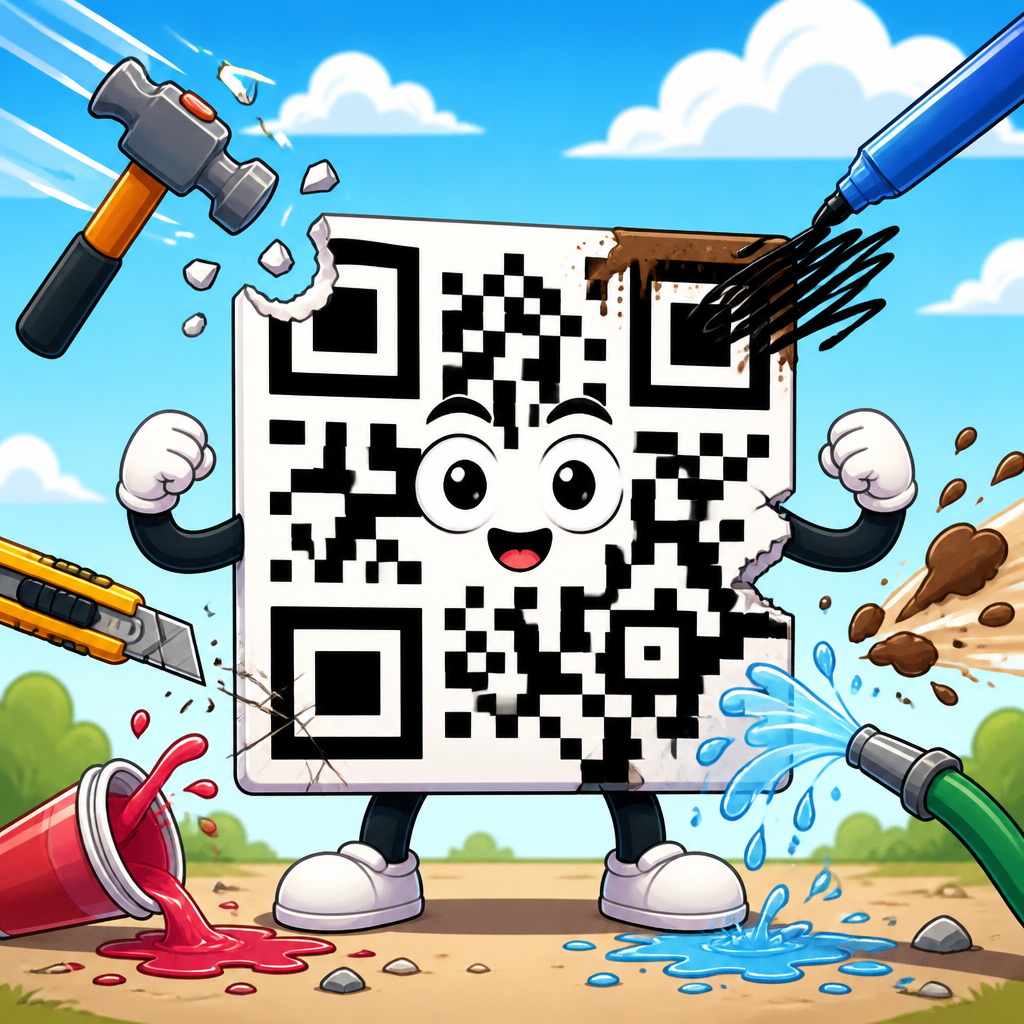
QR codes are remarkably resilient, but they are not indestructible, and understanding how much damage a QR code can handle starts with one core concept: error correction levels. In practical terms, a QR code can often remain scannable even when part of the symbol is scratched, smudged, obscured by a logo, printed on rough material, or slightly distorted by use. I have tested codes on packaging, menus, event badges, warehouse labels, and storefront decals, and the same lesson comes up every time: durability depends less on luck than on how the code was built. The amount of recoverable damage is governed by the QR standard, the chosen error correction level, the size and density of the data, print quality, contrast, and the way modern camera-based scanners interpret the symbol.
Error correction is the mechanism that allows a scanner to reconstruct missing or corrupted parts of a QR code. The standard uses Reed-Solomon error correction, a well-established mathematical method also used in storage media and telecommunications. Instead of storing only raw data, a QR code adds redundant codewords. Those extra codewords act like a backup layer. If part of the symbol is damaged, the scanner can infer the missing information as long as the damage stays within the recoverable range. This is why some QR codes still scan after a coffee spill, a fold in a flyer, or a small sticker partially covering the center.
This matters because QR codes increasingly live in harsh real-world conditions. They appear on shipping boxes exposed to rain, manufacturing labels exposed to abrasion, product packaging curved around bottles, and restaurant tables wiped dozens of times a day. Marketers also place logos inside QR codes, often assuming any customization will be safe. Sometimes it is, sometimes it is not. If you choose the wrong error correction level, crowd too much data into a small symbol, or print at low resolution, the margin for damage shrinks fast. A code that looks clean on a laptop screen can fail instantly when reduced for print or viewed under glare.
For anyone managing QR code technology and development, error correction is the foundation for durability planning. It affects scan reliability, design freedom, minimum size, and even campaign analytics, because a code that does not scan cannot convert. This hub article explains what each error correction level means, how much damage a QR code can realistically handle, what tradeoffs come with higher redundancy, and how to design for real scanning conditions rather than ideal lab conditions.
What Error Correction Levels Mean in QR Codes
QR codes support four standard error correction levels: L, M, Q, and H. These levels represent how much of the symbol can be restored if data becomes unreadable. Level L restores about 7 percent of codewords, M about 15 percent, Q about 25 percent, and H about 30 percent. These figures are widely quoted, but they need careful interpretation. They do not mean any random 30 percent of the visible image can be destroyed at level H and the code will always scan. They refer to recoverable codeword loss under conditions the error correction algorithm can resolve. Damage pattern, location, print fidelity, and scanner quality all influence the outcome.
In day-to-day implementation, level L is best when maximizing data capacity is the priority and the environment is controlled. A simple payment URL on a clean digital display can often use L or M without issue. Level M is a common default because it balances capacity and resilience. Level Q is useful when moderate physical wear is likely or some branding will be added. Level H is the usual choice for codes expected to take abuse, such as on industrial labels, outdoor signage, or heavily branded consumer packaging with center logos.
The key tradeoff is straightforward: higher error correction improves fault tolerance but consumes more symbol space. If the data stays the same and error correction goes up, the QR version usually increases, meaning more modules are required. More modules make the pattern denser. Denser patterns can become harder to scan at small printed sizes or from a distance. I have seen teams raise a code from M to H to support a logo, then accidentally create a symbol too dense for a bottle neck label. The code became theoretically more resilient to damage yet practically less scannable because the modules printed too small.
| Error Correction Level | Approximate Recovery Capacity | Best Use Cases | Main Tradeoff |
|---|---|---|---|
| L | 7% | Clean digital displays, short URLs, controlled environments | Lowest damage tolerance |
| M | 15% | General marketing, menus, business cards, standard packaging | Moderate redundancy only |
| Q | 25% | Branded designs, moderate wear, curved surfaces | Larger or denser symbol |
| H | 30% | Industrial labels, logos, outdoor use, abrasion risk | Highest density and least capacity |
Another point often missed is that QR codes contain function patterns that are not safely expendable. The three large finder patterns in the corners help the scanner locate the symbol. Alignment patterns, timing patterns, format information, and quiet zones also matter. If damage hits these critical structures, the code can fail even if the total damaged area seems below the advertised percentage. In other words, a code may survive a torn corner poorly but survive a small central obstruction surprisingly well, depending on version and layout.
How Much Damage a QR Code Can Really Handle
The practical answer is that a well-made QR code can usually survive light wear at level M, moderate obstruction at level Q, and fairly aggressive obstruction at level H, but only when the rest of the implementation is sound. In field testing, minor scratches, smears, and print voids rarely cause trouble if contrast is high and the quiet zone remains intact. Problems begin when several weaknesses stack together: low contrast, glossy reflections, tiny modules, poor focus, and localized damage in a structurally important area.
Consider a common example: a menu QR code printed on a table tent. If it uses a short URL, black on matte white stock, adequate size, and M or Q correction, it may continue scanning after months of handling. Now consider a shipping label printed with thermal transfer ribbon on corrugate. If abrasion is expected, H correction may be justified, but the print process and substrate become equally important. A high correction level cannot rescue a symbol that prints with broken edges, ink spread, or inadequate quiet zone because the scanner first has to identify the module grid accurately.
Damage also behaves differently depending on whether it is random or concentrated. Random speckling from dust or minor surface wear is easier for error correction to absorb. A solid sticker covering one region, a fold across timing patterns, or a logo placed too large over data modules creates a concentrated loss. Concentrated damage is more dangerous because it can eliminate adjacent codewords and confuse pattern detection. This is why many branded QR code generators produce attractive but fragile designs. They may technically use H correction yet still cover too much central area or alter module shapes so aggressively that the safety margin disappears.
Scanner sophistication matters as well. A flagship smartphone camera with strong autofocus, computational sharpening, and modern decoding software can recover symbols that a lower-end device misses. Lighting conditions change outcomes too. I have watched the same printed QR code scan instantly under diffuse office light and fail under direct overhead glare. When teams ask how much damage a QR code can handle, the honest answer is not a single number. It is a system-level threshold shaped by encoding, artwork, print production, environment, and scanner capability.
Why Higher Error Correction Is Not Always Better
It is tempting to assume level H should be used for every QR code, but that is not best practice. Higher correction reduces available data capacity and often increases symbol version. A larger version means more modules across the same physical area. If the print size does not increase, each module becomes smaller, and small modules are vulnerable to blur, dot gain, low-resolution printing, and camera motion. In many real deployments, a simple level M code printed larger will outperform a cramped level H code printed too small.
This tradeoff is especially important when encoding long URLs with tracking parameters. Marketing teams frequently paste a full campaign URL directly into a generator, then select H correction and insert a logo. The resulting code may jump several versions larger than necessary. A better approach is usually to use a short redirect URL, preserve analytics on the destination side, and keep the QR pattern simpler. That single change reduces density, improves scan speed, and leaves more room for error correction to work effectively.
There is also a misconception that high correction guarantees logo safety. It does not. Safe logo insertion depends on logo size, placement, surrounding contrast, border treatment, and the version of the code. Most reliable implementations keep the logo modest, avoid touching finder or timing patterns, and test across multiple devices and distances. As a rule, customization should consume less of the symbol than designers first request. The code is a machine-readable asset before it is a branding canvas.
For this reason, experienced developers select error correction based on use case, not aesthetics alone. Indoor poster viewed once from close range? M is often enough. Product box likely to scuff in retail handling? Q may be smarter. Factory asset label exposed to grime and abrasion? H is justified, but only with durable print, strong contrast, and generous physical size. The best setting is the one that maintains reliable scanning under the expected conditions with room for normal variation.
Design Factors That Change Damage Tolerance
Error correction levels do not operate in isolation. Quiet zone size is one of the most decisive factors. The QR standard calls for a clear margin around the symbol, typically four modules wide. When designers crop that border to save space, scanners may struggle to separate the code from the background. A code with pristine data modules but no quiet zone can fail before error correction even gets a chance to help. This is one of the most common production mistakes I see on packaging artwork.
Contrast is equally nonnegotiable. Dark modules on a light background are still the safest choice. Reversed codes, gradients, metallic inks, and patterned backgrounds can work, but they demand careful testing. Camera systems do not read style; they read luminance contrast and geometric consistency. If shadows, glare, or substrate texture reduce that contrast, recoverable damage shrinks sharply. The same is true for custom module shapes. Rounded dots can scan well when used conservatively, but extreme stylization erodes decoding reliability.
Physical size, viewing distance, and data density form another linked set of variables. A QR code that stores only a short domain can remain simple and robust. One that stores vCard data, Wi-Fi credentials, or long multilingual text becomes denser. Dense codes need either more physical space or better print resolution. On corrugated boxes, flexible films, woven labels, and etched metal plates, that requirement becomes stricter because the substrate itself introduces visual noise and distortion.
Finally, the environment matters. Outdoor sunlight, condensation, abrasion, cleaning chemicals, and curved application surfaces all affect long-term readability. If a code will be laminated, embossed, screen printed, laser marked, or digitally printed, test the actual production method. Laboratory-perfect vector artwork does not guarantee field performance. The damage a QR code can handle is not defined only at generation time; it is shaped throughout the entire lifecycle from design to print to scan.
Best Practices for Building QR Codes That Survive Real Use
Start by reducing unnecessary data. Use short URLs, avoid bloated parameters, and prefer redirects where appropriate. Then choose the lowest error correction level that still fits the environment. For most general business uses, M is a strong baseline. Move to Q when moderate wear, curvature, or branding is involved. Use H for harsh conditions or carefully tested logo treatments. After that, size the symbol generously enough that each module prints cleanly on the intended substrate.
Keep the quiet zone intact, preserve standard finder patterns, and maintain strong contrast. If adding a logo, center it carefully, keep it smaller than the design team wants, and add a clean buffer around it. Test printed samples, not just on-screen previews. Scan with iPhone and Android devices, in bright and dim light, at expected user distances, and after simulated wear such as smudging or partial obstruction. For industrial or compliance-critical uses, verify with standards-based barcode grading tools from vendors such as Zebra, Cognex, or Axicon where available.
Most importantly, treat scannability as a measurable performance requirement. A QR code is successful when ordinary users can scan it quickly under normal conditions, not when it merely passes one office test. Teams that document data length, error correction choice, print method, substrate, minimum size, and test results consistently produce codes that survive the real world.
The amount of damage a QR code can handle depends first on its error correction level, but the full answer is broader. Level L offers limited recovery, M covers many common uses, Q supports tougher conditions and moderate branding, and H provides the strongest redundancy at the cost of capacity and density. Those percentages are useful guides, not guarantees. Real-world survivability depends on where the damage occurs and whether the code was designed, printed, and placed well in the first place.
If you remember one principle, make it this: a robust QR code is a system, not a setting. Error correction, data length, physical size, quiet zone, contrast, substrate, and scanner conditions all work together. Get those basics right, and a QR code can tolerate surprising abuse while staying easy to scan. Get them wrong, and even an undamaged code can fail.
Use this page as your hub for error correction levels, then audit your current QR codes with a practical eye. Shorten the data, choose the right correction level, test real samples, and build for the environment your users actually face.
Frequently Asked Questions
How much physical damage can a QR code handle before it stops working?
A QR code can often keep working even when a noticeable portion of it is damaged, but the exact limit depends on how the code was generated and how it is being used in the real world. The key factor is the QR code’s error correction level, which determines how much missing or corrupted data the symbol can tolerate and still remain readable. In general, QR codes can be created with four error correction levels: Level L, which recovers about 7% of data loss; Level M, about 15%; Level Q, about 25%; and Level H, about 30%. That is why some codes still scan after being scratched, smudged, worn, or partially covered, while others fail much sooner.
In practice, though, “30% damage” does not mean any random 30% of the image can disappear and the code will always scan. Damage location matters. If the finder patterns in the corners are blocked, if the quiet zone around the code is interrupted, or if the overall shape becomes too distorted, scanning can fail even when only a small section is affected. By contrast, a code with a scuff across a less critical area may still scan instantly. Real-world variables like print quality, lighting, contrast, camera focus, and surface texture also influence the outcome. So while QR codes are impressively resilient, the safest answer is that they can handle moderate damage well, especially at higher error correction settings, but they are not indestructible and should always be tested in their final form.
What are QR code error correction levels, and why do they matter so much?
Error correction levels are the reason QR codes are known for durability. A QR code does not simply store data in a fragile visual grid; it also includes built-in redundancy. That extra redundancy allows scanning software to reconstruct missing or damaged portions of the code. The four standard levels are L, M, Q, and H, each offering increasing protection against damage. Level L provides the least redundancy and is best when maximizing data capacity is more important than durability. Level H provides the most protection and is often the preferred choice when the code may be exposed to wear, design overlays, rough handling, or imperfect printing.
This matters because every use case places different demands on the code. A QR code on a clean digital display may not need high error correction, but one printed on a takeout menu, shipping box, warehouse label, event badge, or storefront decal probably does. The higher the error correction level, the more forgiving the code becomes when exposed to scratches, ink spread, folds, glare, dirt, and partial obstruction. The tradeoff is that higher error correction can make the code denser, which may require a larger print size or a shorter data payload to preserve easy scanning. That is why selecting the right error correction level should be a deliberate decision, not an afterthought. It directly affects how much real-world abuse the code can take before users start encountering scan failures.
Can a QR code still scan if part of it is covered by a logo or design element?
Yes, a QR code can often remain scannable when part of it is covered by a logo, icon, or branded design element, especially if it was created with a higher error correction level. This is one of the most common and practical applications of QR code resilience. Many branded QR codes place a logo in the center because central coverage is often less disruptive than damage to the three large finder patterns in the corners. With proper design, the scanner can still identify the code structure and reconstruct the obscured data. This is why logo QR codes are so widely used in marketing materials, product packaging, menus, business cards, and retail displays.
That said, successful logo placement depends on more than just adding an image on top of the code. The logo should not be too large, the code should use strong contrast, the quiet zone must remain intact, and the design should avoid interfering with critical positioning patterns. A common mistake is assuming that if a code technically scans on one phone under perfect conditions, it is safe for production. In reality, you want reliable performance across different devices, camera qualities, lighting situations, and user angles. A good rule is to keep the logo modest in size, use high error correction, and test the final design on multiple devices before publishing or printing at scale. Done correctly, a logo can coexist with strong scan reliability. Done carelessly, it can push the code past its tolerance threshold.
What kinds of damage are most likely to make a QR code unreadable?
The most serious damage is not always the largest damage. A QR code is most vulnerable when critical structural elements are affected. The three large finder patterns in the corners are essential because they help the scanner detect orientation and identify the symbol as a QR code. If one or more of those areas are obscured, torn, or heavily distorted, scan reliability drops quickly. The quiet zone, which is the blank margin around the code, is also extremely important. If background graphics, borders, folds, or nearby text interfere with that margin, many scanners struggle to isolate the code properly. Severe low contrast, such as light gray modules on a white background, can also make even a technically undamaged code hard to read.
Other failure points include warping, overcompression, tiny print size, glossy glare, and poor surface materials. A code printed on curved packaging may become stretched or bent enough to confuse some scanners. A storefront decal may look sharp up close but fail when sunlight reflects across it. A warehouse label may accumulate grime, scratches, or abrasion in high-contact areas. Menus and event badges often suffer from repeated handling, creases, and moisture exposure. Even when the code itself is not badly damaged, these environmental factors can reduce readability. In short, the biggest risks are obstruction of key patterns, loss of quiet space, weak contrast, and physical distortion. Those issues often matter more than a simple smudge in a noncritical area.
How can I make sure a QR code survives real-world use on packaging, menus, labels, or decals?
The best way to improve real-world durability is to combine high-quality generation with practical production choices. Start by using an appropriate error correction level, often Q or H for printed materials that may be worn, scratched, or partially blocked. Keep the encoded data as short as possible so the pattern does not become unnecessarily dense. Make the code physically large enough for the expected scanning distance, and always preserve a clean quiet zone around it. Use dark modules on a light background for strong contrast, and avoid overly stylized shapes or colors that reduce clarity. If you want to include a logo, keep it conservative and test extensively before rollout.
Material and placement matter just as much as digital settings. On packaging, avoid seams, folds, and highly textured areas. On menus, place the code where it will not be constantly touched, stained, or creased. On event badges, keep it away from lanyard clips, badge holders, or curved corners. On warehouse labels, choose print methods and label stock that can withstand abrasion, dust, and temperature changes. On storefront decals, account for sunlight, glare, weather, and viewing angle. Most importantly, test the final code in the exact environment where people will use it. Scan it on older phones and newer phones, in bright light and low light, at close range and normal user distance. A QR code that survives those conditions is far more likely to perform reliably after weeks or months of real-world wear.





