
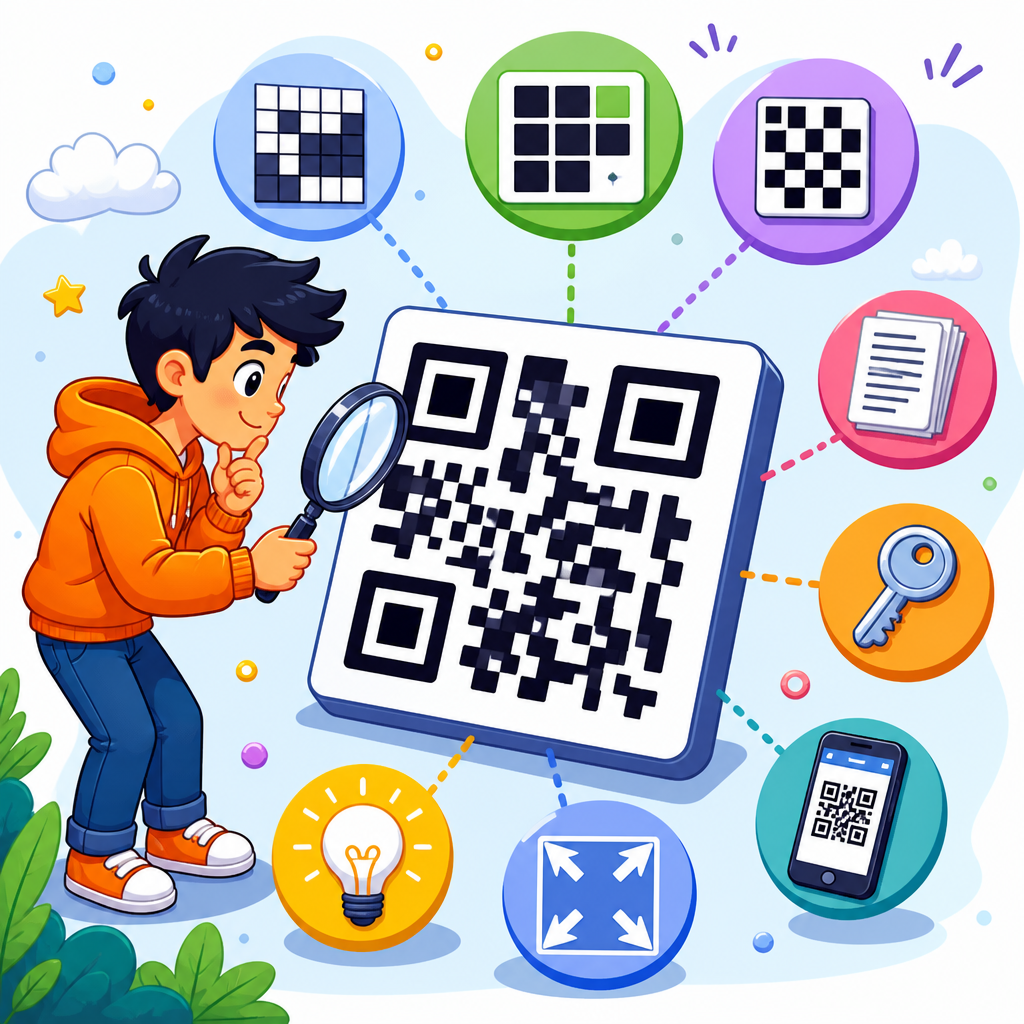
QR code capacity is determined by a small set of technical rules that control how much information a symbol can store, how reliably it can be scanned, and how large it must become to remain readable. In practice, capacity is not just a question of “how many characters fit.” It depends on the QR Code standard in use, the version number that defines the grid size, the data mode selected for encoding, the error correction level, and the complexity of the content itself. I have worked with QR implementations for packaging, industrial labels, mobile tickets, and marketing redirects, and the same lesson comes up every time: a QR code that looks simple on screen can fail in production if capacity decisions are made too late.
Within QR Code standards and formats, capacity refers to the maximum amount of data a symbol can represent after accounting for structural overhead. That overhead includes mode indicators, character count indicators, terminator bits, padding, format information, and Reed-Solomon error correction codewords. The practical outcome is that two QR codes with the same printed dimensions can hold very different amounts of information depending on how they are encoded. A short numeric payload can fit comfortably in a small symbol, while a long mixed-case URL with punctuation may require a larger version even before error correction is increased.
This matters because capacity affects user experience, print cost, scan speed, and resilience. A restaurant menu code needs enough redundancy to survive scratches and grease. A direct part mark on metal may need a different symbol family altogether. A vCard, Wi-Fi credential, or payment string can exceed the limits of a design concept if the chosen standard is misunderstood. As the hub for QR Code standards and formats, this article explains what determines QR code capacity, how the main formats differ, and how to choose a structure that balances storage, size, and scan reliability.
How the QR Code standard sets the capacity ceiling
The first determinant of capacity is the symbol standard itself. Most people mean Model 2 QR Code, standardized in ISO/IEC 18004, when they say “QR code.” Model 2 is the dominant format used by phones, payment apps, packaging, and web links. It supports 40 versions, from Version 1 with a 21 by 21 module grid to Version 40 with a 177 by 177 grid. Each step adds four modules in both directions, increasing the number of available codewords and therefore the storage ceiling.
Micro QR is a related format designed for very small items where available print area is limited. It uses smaller symbol sizes and lower overhead, but that efficiency comes with a much lower maximum capacity. Rectangular Micro QR, defined later for narrow spaces, trades the square footprint for a rectangular one and is useful on labels, medical devices, and small components. There is also rMQR, standardized in ISO/IEC 23941, which further expands rectangular options for constrained layouts. These alternatives matter because “capacity” is never abstract; it is tied to the geometry and rule set of the chosen symbol family.
Standard QR Code can store up to 7,089 numeric characters, 4,296 alphanumeric characters, 2,953 bytes of binary data, or 1,817 Kanji characters at the lowest error correction level. Those headline numbers are real but often misused. They represent ideal maxima at Version 40, with carefully matched encoding modes and without design compromises such as oversized logos, low contrast, or poor quiet zones. In production, the usable ceiling is usually lower because robust scanning requires margin.
Another standard-level factor is support across scanners. If a format is technically efficient but poorly supported by target devices, its effective capacity is zero for that use case. I have seen teams choose compact variants to save label space only to discover older Android scanning libraries rejected them. For broad compatibility, Model 2 remains the safest default, even when a niche standard could store data more efficiently in theory.
Version, modules, and error correction decide usable space
Once the format is selected, the next determinant is version size and error correction level. A QR code version defines the matrix dimensions and, by extension, the total number of modules available. Some modules are reserved for finder patterns, timing patterns, alignment patterns, format information, and version information. The remaining modules become codewords for data and error correction. As versions increase, capacity rises, but not perfectly linearly, because larger symbols also require more structural patterns.
Error correction is the most important tradeoff. QR codes use Reed-Solomon error correction with four common levels: L, M, Q, and H. Level L restores about 7 percent of codewords, M about 15 percent, Q about 25 percent, and H about 30 percent. Higher protection means more error correction codewords and fewer data codewords. If you raise a symbol from level M to H while keeping the same content, you may need to jump to a larger version to fit the payload.
| Factor | Effect on capacity | Typical reason to choose it |
|---|---|---|
| Lower version | Less total storage | Small labels, short URLs, simple IDs |
| Higher version | More total storage | Long payloads, vCards, payment strings |
| Error correction L | Highest data capacity | Clean print conditions, digital display |
| Error correction M | Balanced capacity and resilience | General marketing and packaging use |
| Error correction Q | Reduced capacity, stronger recovery | Harsh handling, moderate branding overlays |
| Error correction H | Lowest capacity, strongest recovery | Damaged surfaces, heavy wear, risky artwork |
In real deployments, I usually start from scanning conditions rather than maximum storage. A warehouse label exposed to abrasion may justify level Q or H. A QR code shown on a boarding pass inside a mobile app often performs well at M because the display is high contrast and undamaged. Capacity planning works best when physical conditions are defined first, then the payload is fitted to the smallest reliable version.
Data mode and character set have the biggest impact on efficiency
The same text can consume very different amounts of space depending on the encoding mode. Standard QR Code supports numeric, alphanumeric, byte, and Kanji modes, and implementations can switch between segments to improve efficiency. Numeric mode is the most compact because it encodes three digits in 10 bits. Alphanumeric mode supports digits, uppercase letters, space, and a limited symbol set such as dollar sign, percent sign, asterisk, plus, hyphen, period, slash, and colon, packing two characters into 11 bits. Byte mode typically uses 8 bits per byte and is the usual choice for URLs, mixed-case text, UTF-8 strings, and binary payloads.
This is why content design matters as much as symbol design. A numeric order ID like 987654321012 can fit into a far smaller code than a mixed-case tracking URL with query parameters such as example.com/track?order=987654321012&src=email. The second string not only requires byte mode for lowercase letters and punctuation, but also includes protocol, domain, path, and parameter overhead. Redirect architecture often solves this. A short domain and compact path can reduce symbol size dramatically while preserving analytics and routing on the server side.
Kanji mode is highly efficient for Shift JIS character pairs in Japanese workflows, which is why QR codes gained traction early in Japan for industrial and consumer applications. However, not all non-Latin scripts benefit equally. Modern multilingual payloads are often encoded in UTF-8 byte mode, and that can increase size quickly. If a business wants a QR code to hold a complete multilingual product description, a direct embedded payload may be less practical than a short URL that resolves to localized web content.
Segment optimization also affects capacity. Strong encoders split data into numeric, alphanumeric, and byte segments when beneficial. Weak encoders may place everything into byte mode, inflating the result. Libraries such as ZXing, Zint, and commercial SDKs differ in optimization quality, so testing matters. I have measured cases where a better encoder dropped a symbol by one full version for the same payload simply by segmenting efficiently.
Structural overhead, masks, and format rules reduce raw storage
People often assume every open square in the matrix stores user data, but much of a QR code is infrastructure. Finder patterns in three corners help scanners locate the symbol. Timing patterns establish the grid. Alignment patterns improve decoding on larger versions by correcting distortion. Format information stores the error correction level and mask pattern, while version information appears on versions 7 through 40. The quiet zone around the symbol, typically four modules wide, does not store data at all, yet it is essential for detection.
Then there is bitstream overhead. Every encoded payload includes a mode indicator, a character count indicator whose length varies by mode and version range, the actual data bits, a terminator when needed, zero padding to reach a codeword boundary, and pad codewords to fill remaining space. If multiple segments are used, each segment brings its own header overhead. Small symbols feel this overhead most sharply, which is why a very short payload can still require more space than expected.
Masking also plays a role, not by changing nominal capacity, but by affecting readability. QR standards define mask patterns that invert selected modules to avoid problematic visual patterns such as large blank areas or misleading alignment-like shapes. The encoder evaluates penalty scores and chooses the best mask. A poor mask can scan worse even when the payload fits. High-quality generators do this automatically, but if you are comparing software, mask evaluation quality is part of the capacity conversation because a barely fitting symbol with a weak visual pattern may fail under real camera conditions.
Structured Append is another standards feature worth noting. It allows a long message to be split across multiple QR symbols, each carrying sequence information. This can extend total message length beyond a single symbol, but it increases user friction because all symbols must be captured. It is useful in controlled industrial processes and less attractive in consumer scanning journeys.
Real-world capacity planning across QR Code formats
Capacity decisions become clearer when tied to actual use cases. For a plain web redirect on retail packaging, the best practice is usually a short HTTPS URL under byte mode, error correction M, and the smallest version that still scans consistently from expected distances. For event ticketing, the payload may include a signed token or compressed identifier. Here the symbol often grows because security data increases length, but shortening visible fields and moving lookups server-side can keep the code manageable.
For Wi-Fi onboarding, the common string format includes authentication type, SSID, and password. A long SSID plus a complex passphrase can push a symbol higher than expected, especially when escaping punctuation. For contact sharing, vCard payloads are notoriously bulky. A full vCard with name, organization, multiple phone numbers, email, address, website, and notes can exceed the comfort zone for small print. MeCard is more compact, but support and field richness differ. In these cases, a landing page or downloadable contact card often delivers a better experience than embedding every field directly.
Payment codes illustrate the importance of standards beyond generic QR capacity. EMVCo merchant-presented payment QR uses a tagged data structure that can become lengthy as more merchant, currency, tip, and reference fields are added. National schemes often layer additional requirements on top. A technically valid code that approaches capacity may still perform poorly on glossy countertop displays or low-cost thermal prints, so operational testing matters more than theoretical maxima.
For this standards and formats hub, the core rule is simple: choose the narrowest payload, the most efficient encoding mode, the lowest safe error correction level, and the smallest compatible format that survives the physical environment. Capacity is determined as much by restraint as by specification. If you are building deeper content under QR Code Technology and Development, the next logical topics are version tables, error correction math, Micro QR versus standard QR, byte mode versus alphanumeric optimization, and print quality requirements by scanner class.
QR code capacity is determined by five interacting variables: the symbol standard, the version size, the error correction level, the encoding mode, and the real-world conditions in which the code must scan. The standard defines the overall rule set and maximum geometry. The version controls how many modules and codewords are available. Error correction trades storage for recovery. Encoding mode determines how efficiently characters are packed. Physical realities such as print quality, damage, contrast, and scanner support decide whether a theoretically valid payload is usable.
The main benefit of understanding capacity is better design discipline. Teams that know these constraints early avoid oversized symbols, failed scans, and expensive reprints. They also make better architectural choices, such as using short redirect URLs instead of embedding long strings, selecting Model 2 for broad compatibility, and reserving higher error correction for genuinely harsh environments. In my experience, the best QR implementations are rarely the ones that cram in the most data; they are the ones that store only what is necessary and leave enough tolerance for imperfect conditions.
If you manage QR code standards and formats, audit your current payloads, test multiple encoders, and map each use case to the smallest reliable symbol. That one step will improve scan performance, preserve design flexibility, and give every downstream article in this subtopic a stronger technical foundation.
Frequently Asked Questions
What are the main factors that determine QR code capacity?
QR code capacity is mainly determined by five technical variables: the QR Code standard being used, the version number, the data encoding mode, the error correction level, and the actual structure of the content being stored. Together, these define how many usable data bits are available inside the symbol and how efficiently those bits can be assigned to your message.
The version number controls the physical grid size of the code. As the version increases, the symbol gains more modules, which creates more room for data and error correction codewords. The encoding mode also matters because numeric data, alphanumeric data, binary data, and kanji data are all stored with different levels of efficiency. Numeric data is typically the most compact, while arbitrary binary content often consumes more space.
Error correction has a direct tradeoff with capacity. Higher error correction levels improve scan reliability when codes may be damaged, printed poorly, or viewed in less-than-ideal conditions, but they also reserve more space for redundancy and reduce the amount of room left for payload data. Finally, content complexity matters because capacity is not simply about character count. Two strings of the same length may require different amounts of storage depending on whether they can be encoded in a compact mode or must be stored in byte mode. In real implementations, capacity is always the result of these rules working together rather than a single fixed limit.
How does QR code version affect how much data a QR code can hold?
The version of a QR code defines its dimensions, and that directly affects data capacity. Standard QR Codes range from Version 1 to Version 40. A Version 1 symbol is a 21 by 21 module grid, and each higher version increases the grid by 4 modules in both width and height. By the time you reach Version 40, the code is much larger and can hold significantly more information.
As versions increase, more modules become available for both data and error correction. That means larger versions can store longer messages, more complex payloads, or the same content with stronger error correction. However, a larger version is not always better. As the symbol grows denser, each individual module becomes smaller at a fixed print size, which can make scanning less reliable if the code is physically too small, poorly printed, or displayed on a low-resolution screen.
In practice, version choice is a balancing decision. If the content fits in a smaller version, that often leads to a cleaner and more easily scanned result. If the content requires more space, the generator must move to a larger version. This is why version affects not only raw storage capacity but also final usability. Capacity on paper is useful, but scan performance in real-world conditions is what ultimately determines whether a QR code succeeds.
Why does the type of data inside a QR code change its capacity?
The type of data matters because QR codes do not store every character with the same efficiency. Instead, they use different encoding modes designed for different character sets. Numeric mode is very compact and is ideal for digits only. Alphanumeric mode supports a specific set of letters, numbers, and a few symbols with better efficiency than general byte mode. Byte mode is more flexible because it can store arbitrary text and binary data, but that flexibility usually comes at the cost of higher bit usage per character.
This is why the same QR code version can hold very different character counts depending on the content. A code containing only numbers can often store far more characters than a code containing a URL with mixed case letters, punctuation, and special symbols. Likewise, text that includes accented characters, non-Latin scripts, or binary attachments may force a less efficient encoding path and reduce total capacity.
There is also overhead involved in how the content is packaged. The QR symbol must include mode indicators, character count indicators, and sometimes multiple data segments if the encoder switches between modes. That means content complexity affects storage even before the actual payload is fully counted. From an implementation standpoint, capacity is really about bit efficiency, not just visible text length, which is why content type is such a decisive factor.
How does error correction reduce QR code capacity, and why is it still important?
Error correction reduces QR code capacity because part of the symbol must be reserved for redundancy instead of user data. QR Codes use Reed-Solomon error correction to help scanners recover data when a code is damaged, partially obscured, distorted, or printed under imperfect conditions. The more redundancy you add, the more resilient the code becomes, but the less room remains for the actual payload.
Standard QR Codes typically use four error correction levels: L, M, Q, and H. Lower levels preserve more room for data but provide less recovery capability. Higher levels provide stronger protection but reduce capacity. This tradeoff is one of the most important practical decisions in QR generation. A code intended for a clean digital screen may work well with a lower level, while a code printed on packaging, labels, posters, or outdoor materials often benefits from stronger protection.
Even though higher error correction reduces capacity, it is often worth it because an unreadable QR code has no practical value. Capacity should never be optimized in isolation. In real use, successful scanning depends on print quality, available contrast, viewing distance, camera quality, glare, and physical wear. Stronger error correction can compensate for many of these issues, making the code more dependable in everyday conditions. The best capacity choice is usually the one that leaves enough room for the content while still preserving reliable scan performance.
Is QR code capacity just about character count, or are there other practical limits?
QR code capacity is not just about character count. While published capacity tables are useful reference points, they represent theoretical limits under specific assumptions. In practice, usable capacity is shaped by how the data is encoded, how much error correction is required, and whether the final symbol can still be printed or displayed at a size that scanners can read consistently.
For example, a large block of text may technically fit into a high-version QR code, but the resulting symbol could become too dense for practical use if it is printed too small. The same issue appears on screens when pixel density, glare, or scaling artifacts interfere with the module pattern. Quiet zone size, contrast, logo overlays, and design modifications can also reduce real-world readability even if the payload fits mathematically.
This is why experienced implementers usually focus on effective capacity rather than maximum capacity. Often, the best approach is to store less data directly in the code and instead encode a short URL or identifier that points to external content. That keeps the symbol smaller, easier to scan, and more tolerant of production variables. So while character count is part of the story, practical QR code capacity is really the intersection of encoding rules, error tolerance, physical size, and scan reliability.





