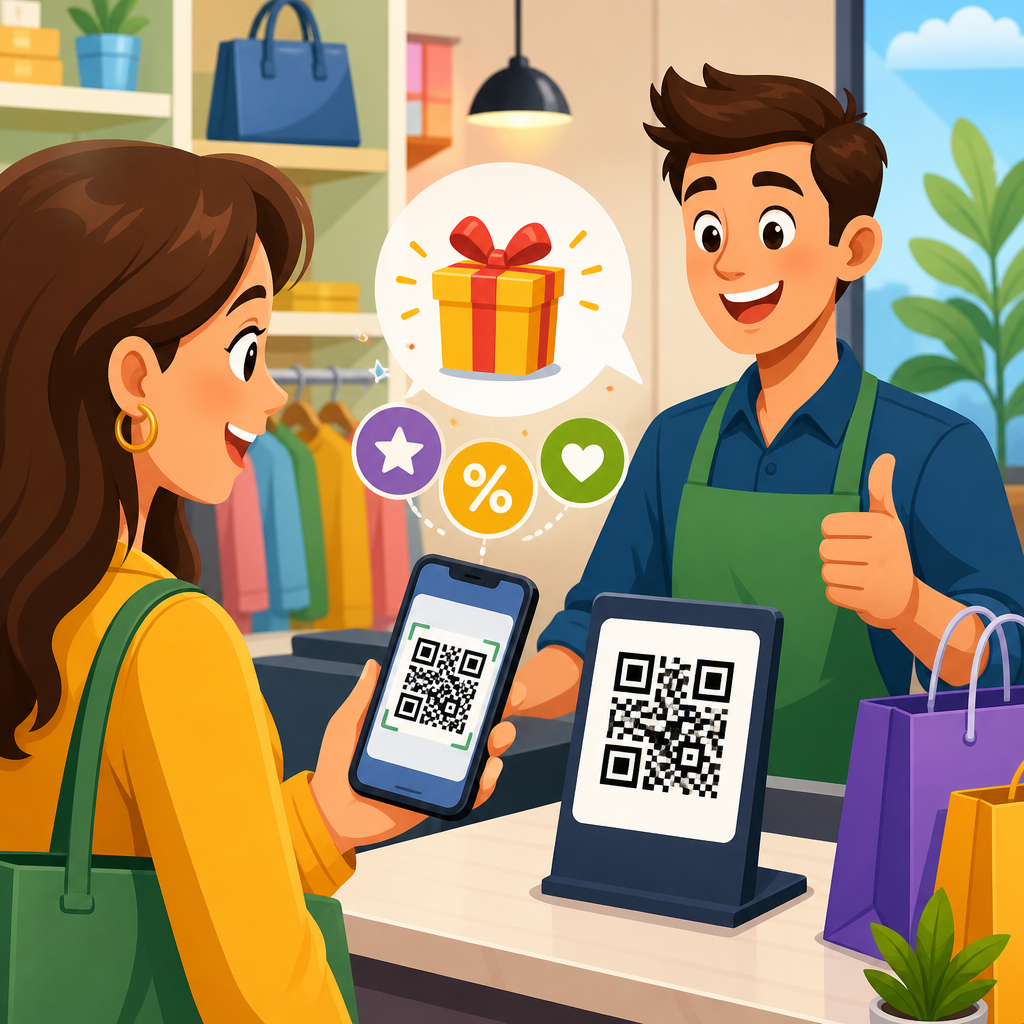
QR codes have become one of the most practical tools for connecting physical retail spaces with digital shopping journeys, and when used well, they can turn in-store promotions into measurable, personalized, and low-friction customer experiences. In retail and e-commerce, a QR code is a scannable two-dimensional barcode that opens a digital destination such as a product page, coupon, loyalty signup, review form, payment screen, or augmented experience. For store operators, that simple scan solves a persistent problem I have seen across campaigns: shoppers notice signage, packaging, shelf talkers, or window displays, but they do not always take the next step unless the path is immediate. A QR code creates that path without requiring manual URL entry, app search, or staff assistance.
This matters because retail now depends on blended behavior. Customers research online before visiting a store, compare prices from the aisle, expect real-time promotions, and often complete purchases across both physical and digital channels. A promotion that lives only on a poster is hard to track and hard to personalize. A promotion tied to a QR code can route shoppers to a landing page with a discount, capture first-party data, assign traffic to a campaign, and reveal exactly which placement generated engagement. That makes QR codes useful for independent boutiques, big-box chains, pop-up shops, grocery stores, beauty counters, and e-commerce brands running offline activations.
Used strategically, QR codes support more than discounting. They can educate shoppers, increase basket size, reduce decision friction, and extend the life of store materials. A code beside a premium coffee maker can open a quick comparison guide, answer common objections, and offer a bundle with filters and cleaner. A code on a fitting-room mirror can let customers request another size or save items to a wish list. A code on a receipt can encourage a review or loyalty enrollment after purchase. In each case, the promotion is not only an offer; it is a targeted customer action.
The best in-store QR promotions share five traits: a clear value exchange, mobile-friendly destination, visible call to action, accurate tracking, and staff awareness. Without those elements, scans drop and conversion suffers. I have audited campaigns where beautifully printed codes went almost unused because the sign said only “Scan me,” the landing page loaded slowly, or cellular service was weak in the back of the store. By contrast, campaigns that spelled out the reward, such as “Scan for 15% off today’s bundle,” consistently produced stronger engagement because customers knew exactly why they should use their phones.
Why QR codes work so well in retail and e-commerce
QR codes perform well in retail because they shorten the distance between intent and action. In e-commerce, a click is enough. In a store, a shopper has to move from noticing an item to asking a question, finding product information, comparing alternatives, or redeeming an offer. Every extra step creates drop-off. A scannable code removes friction by placing the next action on a device the customer already has in hand. Smartphone adoption and native camera scanning on iOS and Android made this behavior mainstream, which is why QR codes became a standard retail utility rather than a novelty.
They also fit the economics of merchandising. Printed signs, shelf labels, endcaps, product inserts, and packaging have limited space. Retailers cannot place every feature, review, promotion, and warranty detail in that footprint. A QR code acts as a compact bridge to richer content without redesigning the fixture. This is especially useful for high-consideration products such as electronics, cosmetics, furniture, sporting goods, and appliances, where customers need more assurance before buying. One specialty retailer I worked with added QR codes to mattress displays linking to firmness guides and financing offers; scans were highest on weekends when shoppers wanted to self-educate before speaking with associates.
For e-commerce brands, QR codes also bring online attribution into offline environments. A direct-to-consumer brand opening a temporary showroom can use unique codes by fixture, city, or store partner to learn what messages drive scans, signups, and purchases. That helps answer practical questions: Did the window decal outperform the checkout sign? Did a gift-with-purchase message beat a percentage discount? Did customers who scanned in store buy immediately or later online? When every code points to a tagged destination using UTM parameters or platform-specific campaign links, offline promotion becomes measurable in familiar analytics tools.
Best use cases for in-store QR code promotions
The strongest QR code use cases in retail align with moments of customer hesitation or opportunity. The first and most common is instant offers. Shelf signs, aisle displays, and entrance posters can deliver limited-time discounts, category coupons, or bundle savings. The offer should match context. In grocery, “Scan for this week’s recipe and ingredient savings” works better than a generic discount because it ties the promotion to meal planning. In beauty retail, “Scan to find your shade and unlock a sample offer” converts because it solves a real selection problem.
A second use case is product education that leads to promotion. This is effective for technical, premium, or unfamiliar items. A home improvement store can place codes beside smart thermostats linking to installation videos, compatibility checkers, and rebate information. A wine shop can connect bottle neck tags to tasting notes and case discounts. In these examples, the promotional value is not separated from the educational value; the customer learns, gains confidence, and receives a reason to buy now.
The third use case is loyalty and retention. QR codes at checkout counters, receipts, shopping bags, and fitting rooms can route shoppers into loyalty enrollment, app downloads, referral offers, or post-purchase review flows. This is valuable because acquiring first-party customer data has become more important as third-party tracking has declined. If a code captures email or phone consent in exchange for a reward, the store creates a durable remarketing relationship rather than a one-time transaction. Retailers should make that exchange transparent and comply with privacy and messaging consent rules.
A fourth use case is omnichannel conversion. Stores can use QR codes to save products to a digital cart, access online-only sizes, or trigger buy online, pick up in store journeys. This is particularly useful when a location has limited inventory. Rather than losing the sale, a customer scans a display item, chooses the correct variation, and checks out digitally. I have seen apparel brands recover otherwise missed revenue by using rack tags that linked directly to out-of-stock colors and extended-size assortments online.
| Use case | Best placement | Primary goal | Typical destination |
|---|---|---|---|
| Instant discount | Entrance sign, endcap, shelf talker | Drive immediate purchase | Coupon landing page or wallet pass |
| Product education plus offer | Packaging, display card, demo station | Reduce hesitation | Video, FAQ, comparison page, rebate form |
| Loyalty signup | Checkout, receipt, shopping bag | Capture first-party data | Enrollment form or app page |
| Endless aisle | Rack tag, sample display, window | Recover lost sales | Preloaded product page or cart |
| Review and referral | Receipt, package insert | Increase advocacy | Review page or referral offer |
How to plan a high-converting QR promotion
Start with one business goal and one customer action. If the campaign tries to educate, discount, recruit to loyalty, and collect reviews at once, the message becomes muddy. A better structure is single-purpose creative with campaign-specific destinations. For example, a footwear retailer running a weekend promotion might set the goal as increasing average order value. The customer action becomes scanning a code on a display that opens a bundle page pairing shoes with socks and care products at a fixed discount. The creative promise and the landing page are aligned, so conversion friction is low.
Next, define the offer mechanics. Decide whether the promotion is public or gated, one-time or repeatable, storewide or limited to a category. Dynamic QR codes are preferable because the destination can be updated without reprinting materials, and scan analytics can be segmented by location or placement. Most enterprise and mid-market teams use generators that support editable links, campaign folders, password protection where needed, and export formats suitable for print. Common options include Bitly, QR Code Generator, Beaconstac, and Uniqode. The tool matters less than disciplined tagging, naming conventions, and governance.
Destination design is where many campaigns fail. The landing page must load fast, render well on mobile, and keep the promised action above the fold. If the sign says “Scan for 20% off cookware sets,” the first screen should show cookware sets and the discount instructions, not a generic homepage. Use concise copy, large tap targets, and minimal form fields. If redemption happens in store, show the barcode, coupon code, or wallet pass immediately. If purchase happens online, pre-apply the discount where possible. Every additional tap reduces completion rates.
Operational planning matters as much as creative planning. Store associates should know what the code does, how to redeem it, and what to do if a customer has trouble. Cashiers need a simple protocol for scanning a coupon from a phone screen. Managers should check signs daily for damage, placement drift, and glare. Testing must include different phone models, operating systems, camera apps, lighting conditions, and network strength in the exact fixture location. In practice, these small details often decide whether a promotion scales smoothly or creates checkout confusion.
Placement, design, and measurement best practices
Placement determines discoverability. Put QR codes where customers naturally pause: store entrances, product comparison zones, fitting rooms, checkout queues, demo areas, and windows visible to foot traffic. Eye-level placement works best for signs, while shelf-level placement should not force awkward bending or block pricing information. Leave enough quiet space around the code for clean scanning, and maintain print contrast, usually dark code on a light background. Stylized branded codes can work, but excessive design treatment lowers readability, especially under reflective retail lighting.
The call to action should state the benefit, urgency, and result in plain language. “Scan for styling ideas” is weaker than “Scan to see three outfit combos and get 10% off accessories today.” Customers need to know what happens after the scan. Adding a small line such as “No app required” can remove hesitation. If the promotion has terms, keep them short on the sign and put full details on the destination page. For accessibility, pair the code with a short URL or near-field assistance from staff so the experience is not limited to one scanning method.
Measurement should connect scans to commercial outcomes, not vanity metrics alone. Track scan volume, unique scanners, landing-page engagement, coupon redemption, assisted revenue, and downstream behaviors such as email signup or repeat purchase. In Google Analytics 4, create campaign parameters for each code placement and monitor session quality by source. In Shopify, Adobe Commerce, or other commerce platforms, attribute redemptions through discount codes, cart links, or dedicated product collections. For physical point of sale, map digital coupon IDs to POS promotion records so store revenue can be tied back to specific materials and locations.
Benchmarking improves future campaigns. Compare by store format, daypart, category, and creative message. You may find that window QR codes generate many scans but low conversion because passersby browse without purchase intent, while fitting-room codes drive fewer scans but higher average order value because customers are close to decision. Those insights help allocate print space and promotional budget more effectively. Over time, QR programs mature from isolated tests into repeatable merchandising assets that support launches, clearance events, education, and omnichannel recovery.
Common mistakes and how to avoid them
The most common mistake is offering too little value. Customers will not scan a code just to land on a homepage or read generic brand copy. The second mistake is poor mobile execution, including slow load times, pop-ups that cover the offer, and forms that ask for unnecessary data. Third is weak in-store execution: signs placed where signal is poor, codes printed too small, or staff unaware of the promotion. Fourth is broken attribution, which leaves marketing teams unable to prove which locations or messages worked.
Another recurring issue is ignoring trust. Some shoppers are cautious about scanning unknown codes, particularly in public spaces. Branded signage, clear destination descriptions, and visible retailer logos reduce that concern. If the campaign collects data, explain what the customer receives and how information is used. Comply with SMS, email, privacy, and promotional disclosure requirements in the relevant market. Finally, avoid overusing QR codes. Not every fixture needs one. Use them where digital content clearly improves the buying experience or where measurable promotion adds value.
QR codes work best when they make shopping easier, not noisier. For retail and e-commerce teams, they offer a rare combination of low production cost, fast deployment, measurable attribution, and flexible customer experience design. The key lessons are straightforward: give shoppers a concrete reason to scan, send them to a fast and relevant mobile destination, train staff on redemption, and track outcomes all the way to revenue. When those basics are handled well, QR codes can support discounts, education, loyalty, endless aisle selling, and post-purchase retention without adding operational complexity.
As the hub for retail and e-commerce QR code strategies, this topic connects directly to shelf signage, packaging, loyalty programs, product launches, pop-up activations, buy online pickup workflows, and review generation. Each tactic builds on the same principle: bridge the physical and digital journey at the exact moment a customer is ready to act. Start with one promotion in one zone of the store, instrument it carefully, and compare scan behavior with sales results. Then expand the formats and placements that prove their value. A well-planned QR code program does not just modernize signage; it turns in-store promotions into a measurable growth channel.
Frequently Asked Questions
1. How can QR codes improve in-store promotions?
QR codes improve in-store promotions by creating a direct bridge between a physical retail environment and a digital action. Instead of asking shoppers to remember a website, type in a long URL, or speak with staff before taking the next step, a QR code lets them scan and instantly access an offer, product detail page, limited-time coupon, loyalty program signup, giveaway entry form, review page, or mobile checkout experience. That reduction in friction matters because the easier it is for customers to act in the moment, the more likely they are to engage.
They also make promotions more measurable. A printed sign on its own may attract attention, but it does not reveal how many shoppers were interested enough to act. A QR code can show scan volume, time of day, device type, location-based performance, and conversion behavior after the scan, depending on the platform used. This gives store operators a much clearer view of which displays, offers, and messages are actually working.
Another major advantage is flexibility. Retailers can use QR codes on shelf talkers, window displays, packaging, receipts, endcaps, fitting room signage, product tags, and checkout counters. A single campaign can support multiple customer goals, such as driving app downloads, collecting first-party data, increasing loyalty enrollment, or moving shoppers toward complementary products. When used strategically, QR codes turn static promotional materials into interactive sales tools that support both customer convenience and marketing performance.
2. What are the best ways to use QR codes in a retail store?
The best uses for QR codes in retail are the ones that match shopper intent at specific moments in the store. For example, near product shelves, QR codes can link to product specifications, how-to videos, customer reviews, ingredient or sourcing information, size guides, or side-by-side comparisons. This is especially useful for categories where customers want more confidence before buying, such as electronics, beauty, home goods, and apparel.
For promotion-focused campaigns, QR codes work well when tied to a clear and immediate benefit. A sign that says “Scan for 15% off today,” “Scan to unlock bundle pricing,” or “Scan to join and save” gives customers a compelling reason to take action. At the entrance, QR codes can welcome shoppers with a weekly deal or store event page. In fitting rooms, they can suggest available sizes, styling ideas, or matching items. At checkout, they can be used for digital receipts, review requests, future-purchase coupons, or loyalty enrollment.
Retailers can also use QR codes to support omnichannel shopping. A shopper may find an item in-store but discover a preferred color, size, or variant online through a quick scan. Likewise, out-of-stock products can still convert if the code leads directly to a buy-online page. In this way, QR codes help stores avoid losing sales due to inventory gaps while also making the customer journey feel more connected. The most effective implementations are simple, relevant, and clearly tied to a customer need or incentive.
3. What should a QR code link to for the highest conversion rates?
For the highest conversion rates, a QR code should lead to a destination that is directly relevant to the shopper’s immediate context and requires as few steps as possible. In most cases, that means linking to a mobile-optimized landing page built specifically for the campaign, not just a general homepage. If a customer scans a code on a shelf next to a featured product, the destination should open that exact product page, the exact coupon, or the exact signup offer being promoted. Relevance and clarity are what drive action.
Strong destinations often include digital coupons, exclusive discounts, product pages with purchase options, loyalty registration forms, store-specific promotions, or educational content that helps complete a purchase decision. If the goal is lead capture or loyalty growth, the page should have a short and simple form. If the goal is sales, the path to add to cart, save an offer, or redeem the promotion should be immediate. Every extra click, field, or confusing message increases the chance that the customer will abandon the experience.
It is also important to match the landing page to the in-store message. If signage promises “Scan for today’s offer,” the page should display that offer instantly without making the user hunt for it. If the code is on packaging or a receipt, the destination could focus on reorders, rewards, setup instructions, or review collection. High-converting QR campaigns typically have strong message alignment, fast-loading mobile pages, clear calls to action, and a single primary goal rather than multiple competing options.
4. How can retailers track the success of QR code promotions?
Retailers can track QR code promotion success by using dynamic QR codes, campaign-tagged URLs, analytics dashboards, and conversion tracking tied to the destination page. Unlike static codes, dynamic QR codes allow retailers to change the destination after printing and monitor performance data from each code. This is especially valuable for stores running seasonal promotions, testing different offers, or reusing signage formats over time.
Key metrics include total scans, unique scans, repeat scans, conversion rate, coupon redemptions, form completions, app downloads, purchases, and revenue generated after the scan. Retailers may also analyze where scans happened, which store locations performed best, what times generated the most engagement, and whether one promotional message outperformed another. When QR codes are placed in different zones of the store, such as windows, aisles, displays, or checkout, each code can reveal how customer behavior varies by placement and shopping stage.
To get a more accurate picture of return on investment, retailers should connect QR scans to business outcomes rather than treating scans alone as success. A high scan count is useful, but it matters more to know whether those scans led to sales, loyalty signups, repeat visits, or customer data capture. Using dedicated landing pages, unique offer codes, CRM integrations, and analytics tools helps create a more complete measurement framework. This makes it easier to optimize future promotions based on evidence rather than guesswork.
5. What are the most important best practices for using QR codes effectively in-store?
The most important best practices are clarity, usability, relevance, and trust. First, customers need to know exactly why they should scan. A QR code by itself is not persuasive; it should always be paired with a concise call to action such as “Scan for instant savings,” “Scan to see reviews,” or “Scan to join our rewards program.” Shoppers are much more likely to engage when the benefit is specific and immediate.
Second, the scanning experience must be easy. Codes should be large enough to scan quickly, placed at a comfortable height, printed with strong contrast, and located where lighting and foot traffic will not interfere. The mobile destination should load fast and work smoothly on smartphones without requiring unnecessary downloads or complicated navigation. If the page is slow, confusing, or not optimized for mobile, performance will suffer regardless of how attractive the offer is.
Third, retailers should make the experience feel safe and brand-consistent. Customers are more likely to scan when the code appears on professional signage, packaging, or displays that clearly identify the brand and purpose. Branded landing pages, secure HTTPS links, and transparent messaging build confidence. Finally, stores should test and refine their campaigns continuously. Small adjustments in wording, placement, offer type, or landing page design can have a meaningful impact on scan and conversion rates. When QR codes are treated as a measurable part of the in-store marketing strategy rather than a novelty, they become a highly effective tool for driving engagement and sales.