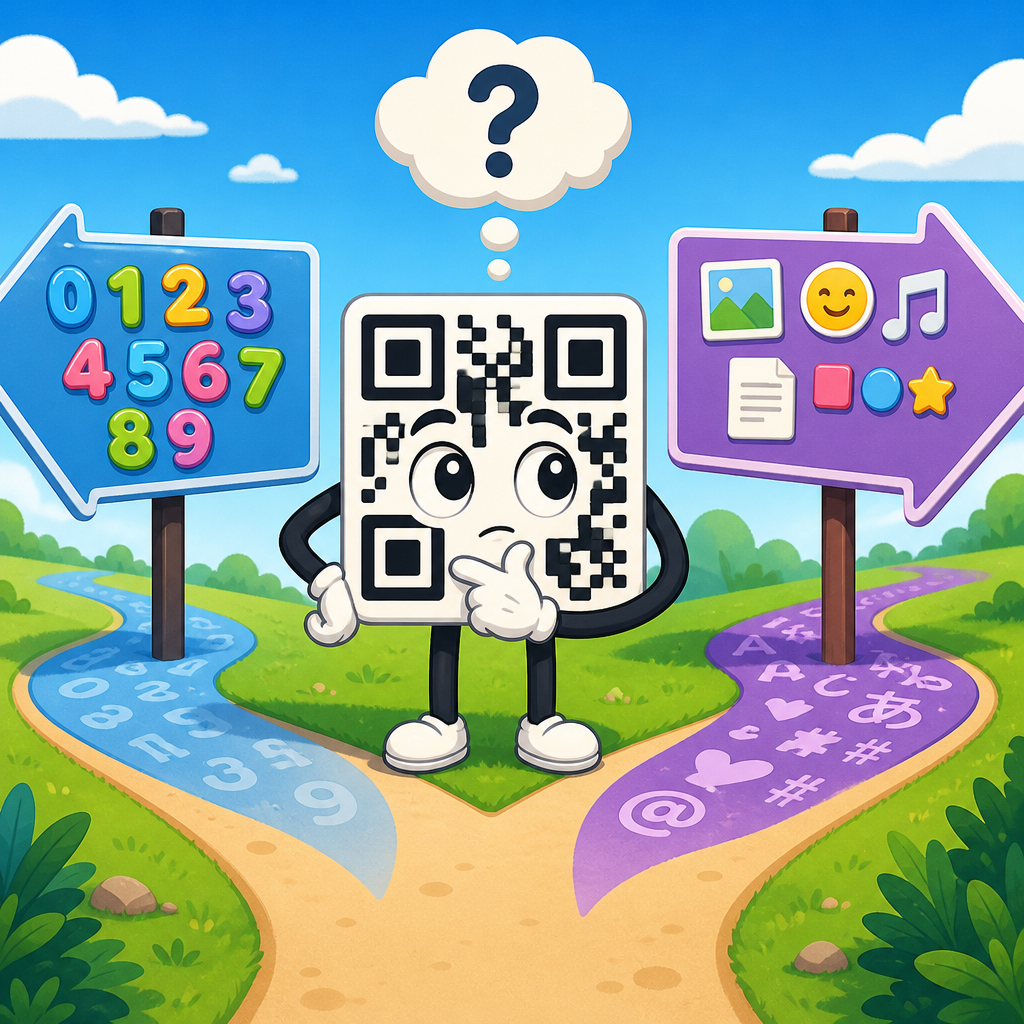
QR codes look simple on the surface, but the black-and-white grid hides a precise decision process that determines how data is stored, protected, and decoded. One of the most important choices inside that process is the encoding mode: whether the payload is written as numeric, alphanumeric, byte, or another specialized format. If you have ever asked, “How does a QR code choose between numeric and byte encoding?” the short answer is this: the encoder analyzes the characters in the input string and selects the mode, or mix of modes, that produces the fewest bits while still representing every character correctly. That choice affects symbol size, scan reliability, compatibility, and even design freedom.
In practice, I have seen this decision matter most when teams try to shrink a code for packaging, labels, menus, or tickets. A string of digits such as an invoice number can fit into a smaller symbol when encoded in numeric mode than when forced into byte mode. A URL with lowercase letters, punctuation, and tracking parameters often requires byte mode for some segments, though a smart encoder may switch modes within the same QR code to save space. Understanding that behavior helps marketers create cleaner links, helps developers select the right library settings, and helps print teams avoid oversized symbols that scan poorly on small surfaces.
To understand why this matters, it helps to define the key terms. Encoding mode is the rule set that tells the QR code how to convert characters into bits. Numeric mode stores digits 0 through 9 very efficiently. Byte mode stores data as 8-bit bytes, usually using ISO/IEC 8859-1 in classic QR implementations, though modern generators often accept UTF-8 input and convert it as needed, sometimes via Extended Channel Interpretation. Character count indicator refers to the bits that specify how many characters follow in a given segment. Version is the size of the QR symbol, from Version 1 at 21 by 21 modules up to Version 40 at 177 by 177. Error correction level determines how much damage the code can survive, using Reed-Solomon codewords.
This article serves as a hub for understanding how QR codes work, with special focus on the numeric-versus-byte decision. By the end, you will know what the encoder checks first, when mode switching is beneficial, how URLs and multilingual text change the calculation, why error correction and version still matter after mode selection, and what practical steps lead to smaller, more reliable QR codes in real projects.
How a QR Encoder Decides Which Mode to Use
A QR encoder does not “guess” in a casual sense. It follows the data capacity rules defined by the QR Code specification, originally standardized in ISO/IEC 18004. The encoder scans the input text and identifies which modes can legally represent each character. If the content contains only digits, numeric mode is available for the entire string. If it contains uppercase letters, spaces, and a limited punctuation set such as dollar sign, percent sign, asterisk, plus, hyphen, period, slash, and colon, alphanumeric mode may also be available. If the content includes lowercase letters, accented characters, most symbols, binary bytes, or mixed-language text, byte mode becomes necessary for at least part of the payload.
The reason numeric mode is preferred for pure digits is density. Three digits are stored in 10 bits, two digits in 7 bits, and one digit in 4 bits. Byte mode would usually require 8 bits per character before overhead, so a long numeric string encoded as bytes wastes capacity. For example, the 12-digit string 123456789012 can be packed in numeric mode using four groups of three digits, or 40 data bits, plus mode and count indicators. In byte mode, those same 12 characters generally consume 96 data bits, again before overhead. That difference often changes the minimum QR version.
However, the encoder must also account for overhead. Every segment needs a mode indicator and a character count indicator. If a string is mostly numeric but includes one lowercase letter, splitting into multiple segments may save bits compared with putting everything into byte mode, but only if the savings exceed the segment overhead. Good libraries such as ZXing, Nayuki QR Code Generator, and Segno evaluate these tradeoffs. Simpler generators sometimes default to byte mode for convenience, which is valid but not always space-efficient.
In plain terms, the QR code chooses numeric when the data is digits only and numeric yields the smallest bitstream. It chooses byte when the content includes characters numeric cannot represent, or when segmentation logic determines byte is more efficient overall for that section. The best encoders optimize the entire message, not just the first character type they encounter.
Numeric Encoding vs Byte Encoding: What Actually Changes
Numeric encoding and byte encoding differ in both capacity and flexibility. Numeric mode is narrow but extremely efficient. It can represent only the ten decimal digits, yet it gives the highest character capacity per version. Byte mode is broad and practical. It handles standard text, URLs, serialized data, and arbitrary binary content, but it uses more bits per character. That tradeoff is the core answer to the article’s title question: QR codes choose numeric when efficiency is the priority and the data allows it, and choose byte when character coverage is required.
Consider a shipping workflow I worked on where carton labels carried either a 20-digit serial number or a full tracking URL. The serial number fit comfortably in a smaller symbol at error correction level M using numeric mode. The URL, because it contained lowercase characters, slashes, periods, question marks, and equals signs, required byte mode for much of the content. The resulting symbol needed a higher version to hold the same practical information. Scanners read both, but the numeric code could be printed smaller on thermal labels without compromising reliability.
| Input Example | Likely Best Mode | Why | Practical Effect |
|---|---|---|---|
| 20240115098765 | Numeric | Digits only, highest compression | Smaller QR version possible |
| HELLO-2024 | Alphanumeric | Uppercase letters and allowed symbols | More efficient than byte |
| https://example.com/a1?x=9 | Mixed, often byte-heavy | Lowercase letters and URL punctuation | Larger symbol than numeric data |
| Café-東京 | Byte with character set handling | Accents and non-Latin text require bytes or ECI support | Compatibility must be checked |
Another key difference is interoperability. Numeric mode is straightforward across virtually all QR readers because digits are unambiguous. Byte mode is also widely supported, but character set handling can become nuanced when the payload includes non-ASCII text. If a generator silently assumes one character encoding and a scanner interprets another, the decoded text may display incorrectly. That is why many production teams standardize on tested libraries and verify multilingual samples on actual devices rather than relying on desktop previews alone.
Why URLs Often End Up in Byte Mode
Many people expect website addresses to be compact inside QR codes because URLs are common, but URLs often push encoders toward byte mode. The reason is simple: modern URLs usually contain lowercase letters, and lowercase letters are not valid in QR alphanumeric mode. A URL such as https://brand.example/sale contains lowercase characters in the scheme, domain, and path. That means byte mode is required unless the content is normalized into a different form, which is rarely practical or desirable.
This is one reason short links matter. When teams use a concise domain and a short path, they reduce the number of bytes the QR code must store. In one campaign audit, replacing a long marketing URL with a branded short link reduced the required version enough to improve scan rates on corrugated packaging, where print gain and surface texture were hurting performance. The QR standard did not change; only the byte payload became shorter.
Some advanced encoders segment URLs. For example, an uppercase portion or a run of digits may be stored in a more efficient mode, while the rest stays in byte mode. Yet many real-world URLs do not contain enough optimizable stretches to offset the overhead of switching. That is why content strategy and encoding strategy are linked: cleaner URLs, shorter parameters, and fewer unnecessary query strings usually produce better QR codes.
Mode Switching and Segmentation Inside One QR Code
A single QR code is not limited to one mode. The specification allows multiple segments, each with its own mode indicator and count. This is where high-quality encoders earn their value. If the input is ABC123456789xyz, a naive byte-only approach will encode every character as bytes. An optimized encoder may use alphanumeric for ABC, numeric for 123456789, and byte for xyz if lowercase must be preserved. The total size then depends on the bit savings from each efficient segment minus the overhead introduced by segment boundaries.
This optimization resembles route planning. The encoder is trying to find the least expensive path through the message. Some libraries use dynamic programming to compare valid segment combinations and choose the minimum bit length. That matters most for mixed content such as coupon codes, IDs with prefixes, structured text, and URLs containing long numeric parameters. In my own tests, mixed-mode optimization can reduce symbol size enough to drop an entire version, which is meaningful when the print area is tight.
There is a practical limitation, though. Not every QR generator exposed in a browser or design tool performs aggressive optimization. Some prioritize speed or simplicity. If your use case depends on fitting maximum data into a minimum area, test multiple libraries. Compare outputs from established tools and inspect the reported version and error correction level. The visual difference between Version 3 and Version 4 may decide whether a small label scans reliably at arm’s length.
How Version and Error Correction Affect the Decision
Encoding mode does not operate in isolation. After the encoder determines the bitstream, the QR code still has to fit within a chosen version and error correction level. Higher error correction levels—L, M, Q, and H—reserve more space for recovery codewords, leaving less room for payload. As a result, the same text may fit in Version 2 at level L but require Version 3 or 4 at level H. If the payload is encoded numerically instead of as bytes, the saved bits can offset the extra redundancy.
This is why packaging teams, event operators, and industrial users should not discuss “QR size” without discussing mode and error correction together. A tiny code with dense byte data and high correction can become difficult to print accurately. Conversely, a numeric-only code carrying a short identifier may remain compact even with robust correction. On factory floors, where dirt and abrasion are expected, I usually recommend starting with the payload trimmed to essentials before raising the symbol version. Smaller efficient data beats larger inefficient data almost every time.
Mask pattern selection, quiet zone preservation, and module contrast also affect scan performance, but they do not change whether numeric or byte is chosen. They influence readability after the data has already been encoded. That distinction matters because teams sometimes try to solve a data-efficiency problem with visual styling. The correct fix is usually shorter content, better mode optimization, or a different redirect strategy, not decorative redesign.
Character Sets, International Text, and Byte Mode Limits
Byte mode sounds universal, but there are subtleties. Traditional QR byte mode is based on 8-bit values, commonly interpreted through ISO/IEC 8859-1 unless another character set is signaled. For multilingual content, many generators use UTF-8 input and may apply Extended Channel Interpretation markers where supported. In practical consumer scanning, support is generally good on modern smartphones, but not every industrial scanner handles every character set equally. If your QR code contains Arabic, Japanese, emoji, or accented product names, test decoding on the exact devices your audience uses.
Kanji mode also exists and can be more efficient for certain Shift JIS characters than generic byte encoding. That means the true answer to “numeric or byte” is sometimes “neither exclusively.” A Japanese address might partly benefit from kanji mode, while embedded digits use numeric segments. The broader lesson is that QR encoding is an optimization problem constrained by character validity, scanner compatibility, and total symbol capacity.
For global brands, the safest workflow is to separate the scan destination from the displayed language when possible. Encode a short URL or identifier, then localize the landing page after the scan. This approach keeps the QR payload small, avoids character set edge cases, and simplifies analytics. It also future-proofs printed materials because the destination can change without reprinting the code.
Best Practices for Smaller, More Reliable QR Codes
If you want a QR code to choose the most efficient encoding, start by giving it efficient data. Use digits-only identifiers when the scan only needs to resolve an ID in your system. For web destinations, shorten URLs, remove unnecessary parameters, and avoid embedding human-readable explanations in the payload itself. Select a proven library that supports segmentation optimization. Verify the resulting version, module count, and error correction level. Then test the final artwork at real print size under actual lighting and scanning distance.
When deciding between direct data and a short redirect, prefer the redirect for most marketing and operational use cases. It preserves flexibility, reduces payload length, and usually leads to smaller byte segments. For static industrial content that must decode offline, numeric or compact byte payloads may be better. There is no single correct pattern for every application, but there is a consistent principle: the best QR code stores only the data needed at scan time and no more.
Documentation also matters. Record the generator, version settings, character encoding assumptions, and test devices used. This prevents future teams from regenerating the same content with a less efficient tool and wondering why the symbol became larger. In enterprise environments, those details save time and reduce costly print revisions.
How does a QR code choose between numeric and byte encoding? It chooses by evaluating the input characters, determining which modes can represent them, and selecting the bit pattern that fits the data most efficiently within the QR standard. Numeric mode wins for digits because it compresses them far better than bytes. Byte mode wins whenever the content includes lowercase letters, broader punctuation, binary data, or international text that numeric cannot express. Advanced generators often mix modes inside one symbol to minimize size further.
That decision matters because encoding mode directly affects QR version, print footprint, error correction headroom, and scan reliability. It also explains why short numeric IDs produce tiny durable codes while full URLs, multilingual strings, and verbose payloads quickly expand. Once you understand that relationship, QR design stops being trial and error. You can shape the input, choose better tools, and predict the output.
As a hub within QR Code Basics and Education, this guide should anchor your understanding of how QR codes work: data analysis, segment selection, versioning, error correction, and character handling are all connected. If you are building or specifying QR codes, audit your current payloads, test an optimized generator, and compare the symbol size before and after. That one step usually reveals the fastest path to a cleaner, more scannable QR code.
Frequently Asked Questions
How does a QR code decide whether to use numeric encoding or byte encoding?
A QR code does not make that choice on its own after it has been printed; the decision happens during encoding, when software examines the text or data you want to store. The encoder scans the input and asks a basic question: what is the most efficient mode that can represent these characters correctly? If the data contains only digits from 0 through 9, numeric mode is usually the best option because it compresses digits very efficiently. If the data includes letters, punctuation, symbols outside the alphanumeric set, accented characters, or arbitrary binary data, the encoder may switch to byte mode because byte mode can represent a much broader range of content.
In practical terms, numeric mode is highly specialized and space-saving, while byte mode is more flexible. A smart encoder typically tries to minimize the total number of bits required, not just choose the broadest mode available. That means a string like 1234567890 is an obvious candidate for numeric encoding, but something like 12345ABC may be better in alphanumeric mode, and something like 12345é or a URL containing nonstandard characters may need byte mode. Some advanced encoders even split the payload into segments, using numeric mode for one portion and byte mode for another, if that produces a smaller overall symbol.
Why is numeric encoding more efficient than byte encoding for digits?
Numeric mode is more efficient because it is designed specifically for decimal digits and packs them tightly into the QR code’s bitstream. Instead of storing each digit as a full byte, the QR standard groups digits together and encodes them in fewer bits. For example, three digits can be stored in 10 bits, two digits in 7 bits, and one digit in 4 bits. That is significantly more compact than byte mode, where each character usually consumes 8 bits before accounting for additional structural overhead.
This matters because QR code capacity is limited. The fewer bits your data needs, the smaller the symbol can be, or the more room remains for error correction. A string made entirely of numbers can often fit into a lower QR version when numeric mode is used, which can improve readability, reduce print area, and make scanning more reliable in challenging conditions. Byte mode, by contrast, is extremely useful for general-purpose text and arbitrary data, but it sacrifices some efficiency for that flexibility. So when an encoder sees digits only, numeric mode is typically the first choice because it delivers the best bit density for that type of content.
What happens if the input contains both numbers and other characters?
When the input mixes digits with letters, spaces, punctuation, or non-ASCII characters, the encoder has to evaluate more than one possibility. In simple implementations, the software may choose a single mode that can represent the entire string, often byte mode if the content includes characters that numeric mode cannot handle. However, more advanced encoders can optimize the data by switching modes midstream. This is called segmented encoding, and it allows different portions of the same payload to use different modes.
For example, a string such as 123456HELLO789 could potentially be encoded as numeric, then alphanumeric, then numeric again, if the encoder determines that the mode switches save more bits than they cost. That last detail is important because changing modes is not free. Each segment needs a mode indicator and a character count indicator, which adds overhead. A good encoder compares the savings from using a more efficient mode against the extra bits required to signal the switch. If the numeric section is very short, it may be better to keep everything in byte or alphanumeric mode rather than segmenting. In other words, the decision is a small optimization problem, not just a character-by-character rule.
Does the QR code standard force one exact encoding choice for every string?
No. The QR code standard defines the available modes and how data is represented in each mode, but it does not require every encoder to make identical optimization decisions for every possible input. As long as the final bitstream follows the specification, different encoding tools can legally produce different QR codes for the same content. One generator may use a single byte segment for simplicity, while another may split the data into numeric and byte segments to reduce the symbol size.
This is why two QR code generators can output different-looking codes even when they store the same text and use the same error correction level. Their internal optimization strategies may differ. Some prioritize smallest possible version, some prioritize speed of generation, and some use simpler heuristics rather than full optimization. From the scanner’s point of view, all of these codes can still decode to the same result. So if you are wondering whether there is one universally mandated answer to “How does a QR code choose between numeric and byte encoding?”, the precise answer is that the encoder chooses according to the standard’s rules and its own optimization logic.
Can choosing byte encoding instead of numeric encoding affect QR code size and scan reliability?
Yes, it can. Because byte mode usually uses more bits to store numeric data than numeric mode does, choosing byte mode for an all-digit payload can increase the amount of data that must fit inside the symbol. That may push the encoder to use a larger QR version, which means more modules in the grid. A larger and denser symbol is not automatically bad, but it can become harder to scan if it is printed very small, distorted, or placed in a low-contrast environment. In that sense, efficient mode selection contributes indirectly to scan reliability.
The effect becomes even more noticeable when combined with error correction. QR codes reserve space not only for data but also for Reed-Solomon error correction codewords. If the raw data takes up more room because it was encoded less efficiently, there is less flexibility overall, and the final code may need to grow. That said, byte mode is not “wrong” when it is required for the content. It is the correct choice for many real-world strings, especially those containing mixed character sets, UTF-8 text, binary payloads, or special symbols. The key idea is that numeric mode is preferred when the content allows it because it preserves capacity, while byte mode is used when flexibility and character coverage matter more than maximum compression.