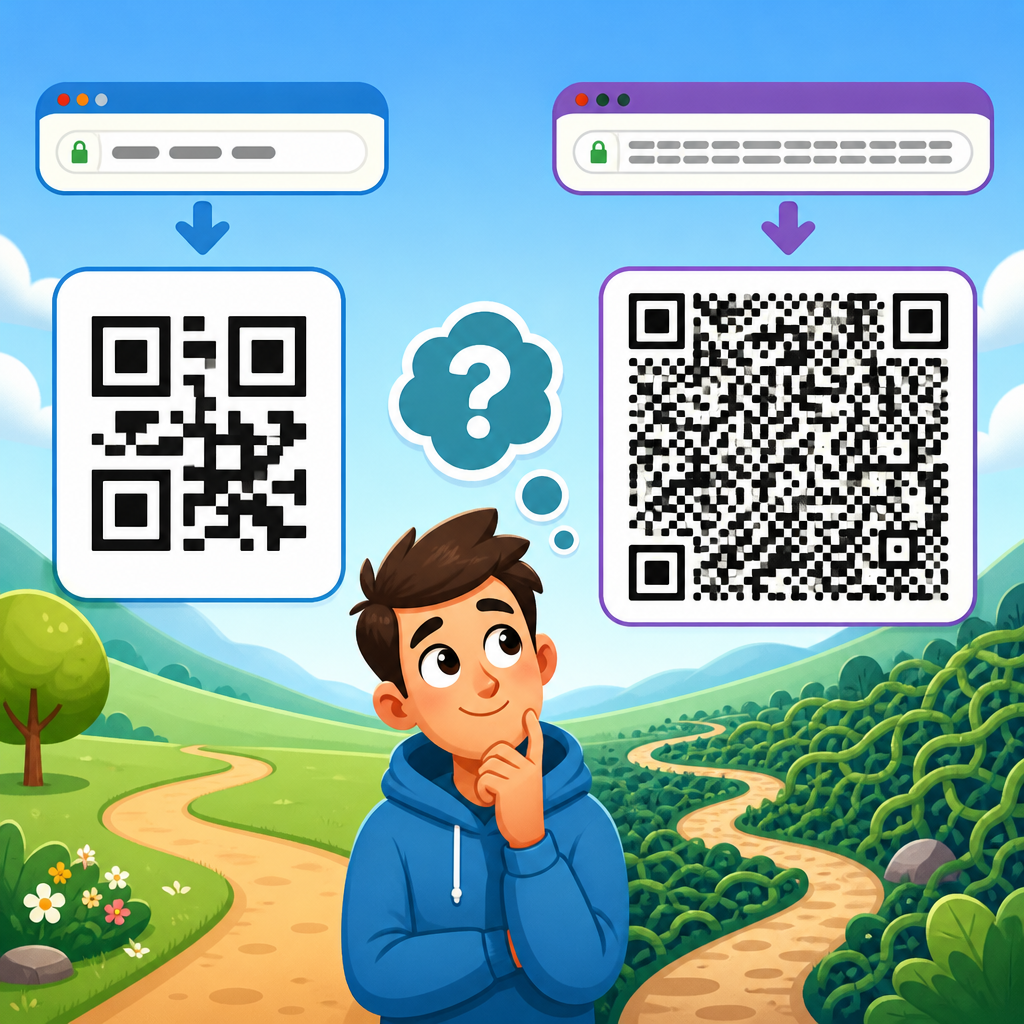
Why does a longer URL create a more complex QR code? The short answer is that a QR code stores every character as data, and more data requires more modules, more error-correction codewords, or both. When the content is a long web address, the symbol must encode additional letters, numbers, punctuation marks, and path parameters, so the pattern becomes denser and visually busier. This matters because QR code complexity directly affects print size, scan reliability, design flexibility, and user experience.
In practical terms, a QR code is a two-dimensional matrix barcode made of black and white squares called modules. A scanner reads those modules, interprets finder patterns, timing patterns, format information, and data codewords, then reconstructs the original content. I have tested thousands of QR codes across packaging, restaurant menus, direct mail, and retail signage, and the same pattern appears every time: as payload length rises, tolerance for poor printing, low contrast, glare, and logo overlays falls. A short destination can often survive design embellishments that would make a long static URL fail.
This topic sits at the center of understanding how QR codes work. If you know why a longer URL creates a more complex QR code, you also understand capacity limits, version sizing, error correction levels, mask patterns, static versus dynamic QR codes, and why some codes scan instantly while others hesitate. For teams building a QR code strategy, that knowledge prevents common mistakes such as embedding campaign parameters directly into a static code, shrinking dense symbols too far, or assuming every smartphone camera handles difficult codes equally well.
Two key terms should be clear from the start. A static QR code directly contains the final destination, such as a full URL. A dynamic QR code usually contains a short redirect URL that points to a server, where the destination can be changed later and analytics can be collected. Complexity refers to the amount of encoded information relative to the symbol size and error-correction settings. More complexity means a larger version, tighter module spacing, or both. The result is not merely aesthetic; it changes how robust the code will be in the real world.
How QR codes store data and why length matters
QR codes do not store words as images. They convert content into bits, organize those bits into codewords, add error-correction codewords using Reed-Solomon algorithms, and place everything in a standardized grid defined by ISO/IEC 18004. The larger the payload, the more codewords are needed. If the chosen error correction level is higher, even more codewords are reserved for recovery, increasing density further. That is the mechanical reason a longer URL produces a more complex QR code.
URLs are especially influential because they contain many characters that must be preserved exactly: the scheme, domain, slashes, path segments, query strings, and fragments. A URL like example.com/sale is compact. A URL like https://www.example.com/category/summer-campaign?utm_source=mailer&utm_medium=print&utm_campaign=june_sale is far longer, and every extra character expands the payload. Even before branding elements are added, the resulting matrix may need a higher version, which means more rows and columns of modules.
Character mode also matters. QR codes support numeric, alphanumeric, byte, kanji, and other encoding patterns, each with different efficiency. Numeric mode is the most space-efficient, alphanumeric is fairly compact, and byte mode is less efficient but necessary for many web addresses because lowercase letters and symbols are common. In other words, a 40-character numeric string and a 40-character lowercase URL do not consume capacity the same way. When marketers paste an unshortened, parameter-heavy link into a generator, they often create byte-heavy payloads that inflate symbol complexity quickly.
The relationship between data length and QR code version is not perfectly linear because capacity is segmented by predefined versions from 1 to 40. Version 1 is 21 by 21 modules, and each higher version adds four modules per side. Once your payload exceeds the available capacity for one version at a given error correction level, the symbol jumps to the next version. In production, those jumps matter more than people expect. A code that moves from one version to the next may still look only slightly busier on screen, yet it can require a noticeably larger printed size for dependable scanning.
What makes one QR code more complex than another
Complexity comes from four variables working together: payload length, character set efficiency, error correction level, and physical rendering conditions. Payload length is the obvious factor, but it is not the only one. Error correction levels L, M, Q, and H recover roughly 7 percent, 15 percent, 25 percent, and 30 percent of damaged codewords. Higher recovery is useful for labels that may scratch, bend, or include a centered logo, but the tradeoff is increased density. I regularly use level M or Q for most business cases and reserve H for harsh environments or branded treatments that justify the extra complexity.
Visual complexity is also shaped by how data is distributed across the matrix. QR codes apply one of eight mask patterns to avoid problematic runs and improve scanner readability. To the eye, some masks look more cluttered than others, but the underlying issue is not style. It is whether the final arrangement maintains reliable contrast and avoids patterns that confuse image processing. A generator selects the best mask automatically, yet long payloads leave less room for generous quiet zones, logo cutouts, rounded modules, or decorative backgrounds.
Another overlooked factor is redundancy created by tracking parameters. Teams often append UTM tags for source, medium, campaign, content, and term. Those are useful for analytics, but embedding them directly into a static QR code is usually inefficient because each parameter increases payload length permanently. A dynamic code with a short redirect preserves measurement while keeping the visible symbol simpler. That single implementation choice often determines whether a code can be printed cleanly on a postcard, shelf tag, or product carton.
| Factor | Effect on QR code complexity | Practical example |
|---|---|---|
| Longer URL | More data codewords, often higher version | Full destination with multiple path segments creates denser modules |
| Byte mode characters | Lower encoding efficiency than numeric or alphanumeric | Lowercase letters, symbols, and query parameters consume more capacity |
| Higher error correction | Adds recovery codewords, reducing available payload space | Adding a logo may require Q or H, making the code larger |
| Static encoding | Stores final URL directly in the symbol | Campaign links with UTMs become hard to scan when printed small |
| Dynamic redirect | Shorter stored URL, easier symbol | Short branded redirect scans better on packaging and posters |
Why longer URLs affect scan reliability in the real world
A denser QR code is not automatically bad, but it becomes less forgiving. Scanners need enough pixels per module to distinguish every square accurately. When modules become too small because a complex code is printed at the same physical size as a simpler one, motion blur, low light, glossy reflections, ink spread, and camera noise all have a greater chance of causing failure. In field testing on retail wobblers and table tents, the most common failure pattern was not catastrophic damage. It was simply insufficient module size for the viewing distance and lighting conditions.
Print production adds another layer. On corrugate, uncoated paper, fabric labels, or etched metal, edge sharpness is never perfect. Dot gain can cause black modules to bleed outward and narrow white spaces. If the code is already dense because it contains a long URL plus high error correction, those small distortions matter more. That is why packaging engineers often favor dynamic QR codes and conservative styling. The goal is to preserve wide enough module separation that ordinary manufacturing variation does not push the symbol outside readable tolerance.
Screen-based QR codes have different constraints. OLED displays, moire patterns, low brightness, and screenshot compression can interfere with scanning, especially when the code is small inside an app or email footer. Again, a shorter payload helps because fewer modules need to be resolved. If you have ever noticed that one event ticket scans instantly while another requires zooming or repeated attempts, the difference is often not the phone. It is the density of the code relative to the display size and contrast.
Distance also changes the equation. A QR code on a billboard, transit shelter, or storefront window must be physically larger because the camera captures it from farther away. Dense codes need disproportionately more size than simple ones to maintain the same modules-per-pixel ratio. I generally advise clients to decide the likely scan distance first, then choose the shortest feasible encoded destination, then set error correction, and only then finalize artwork. Reversing that order leads to attractive layouts that underperform once deployed.
Static versus dynamic QR codes: the simplest fix for complexity
If your goal is a QR code that scans faster, prints smaller, and leaves room for branding, the most effective improvement is usually switching from a static code to a dynamic one. A static QR code may embed the full destination, including every tracking parameter. A dynamic QR code embeds only a short redirect link. Because the encoded string is shorter, the symbol needs fewer codewords and often drops to a lower version. That reduction can be the difference between a reliable code and one that fails when slightly smudged or reduced in size.
Dynamic QR codes also solve operational problems beyond complexity. They let you change the destination after printing, pause a campaign, route by device or geography, and collect scans over time. Platforms such as Bitly, QR Code Generator Pro, Beaconstac, Flowcode, and Adobe Express support this model in different ways. The principle is the same regardless of tool: store a compact redirect in the symbol, manage the real destination server-side. For organizations running seasonal promotions or updating menu links, this is the standard approach because it protects both usability and maintainability.
There are tradeoffs. Dynamic codes depend on a redirect service, so uptime, security, and domain reputation matter. A broken redirect domain can disable scans even if the printed symbol is flawless. That is why mature teams use branded short domains, HTTPS, link monitoring, and clear ownership policies. Static codes still make sense for permanent destinations, offline records, or applications where redirects are not acceptable. But when the question is why a longer URL creates a more complex QR code, dynamic delivery is the most practical answer to the problem.
Best practices for creating scannable QR codes
Start with the shortest meaningful destination. Remove unnecessary parameters, avoid duplicate path segments, and use a concise redirect when possible. Then choose an error correction level that matches the environment rather than defaulting to the highest setting. For clean indoor prints with no logo, M is often sufficient. For packaging exposed to wear or codes with modest branding, Q may be appropriate. Test before committing. Assumptions made on a laptop screen rarely survive production without adjustment.
Maintain a proper quiet zone around the symbol, usually at least four modules wide on all sides. Preserve high contrast, ideally dark modules on a light background. Avoid placing the code over photos, gradients, metallic inks, or textured substrates without rigorous testing. If you add a logo, keep it small and centered, and confirm the generator recalculates safely rather than simply covering modules. Use vector files such as SVG or EPS for print whenever available, because raster exports can soften edges when resized.
Size should match context. A common baseline for close-range print is around 2 by 2 centimeters for simple codes, but dense codes may need substantially more. For signage viewed from several feet away, increase size aggressively. Test with multiple devices, including older Android phones and midrange iPhones, not just current flagship models. Native camera apps are better than they were five years ago, yet differences remain in autofocus speed, low-light performance, and tolerance for glare. Real-world validation is still essential.
This hub page should guide the rest of your QR code learning. From here, explore deeper topics such as QR code error correction, static versus dynamic QR codes, QR code minimum size, QR code testing checklists, and QR code design rules. Those related subjects all connect back to one core principle: the amount and type of data you encode determine how forgiving the final symbol will be. Understanding that principle makes every later decision, from analytics setup to print production, far easier.
Conclusion
A longer URL creates a more complex QR code because every added character must be encoded, protected with error correction, and arranged inside a finite grid of modules. As the payload grows, the symbol typically becomes denser or larger, which reduces tolerance for small print sizes, weak contrast, imperfect materials, and decorative modifications. That is the fundamental mechanics behind how QR codes work, and it explains why two codes linking to similar pages can perform very differently in the field.
The practical takeaway is straightforward. Keep encoded destinations short, prefer dynamic redirects for campaigns and analytics, choose error correction based on actual risk, and test under the same conditions where people will scan. When you do that, you improve scan speed, print flexibility, and long-term maintainability at the same time. If you are building your QR Code Basics and Education resources, use this page as the hub, then map related guides around sizing, testing, design, and redirects so every implementation starts from sound technical decisions.
Before publishing your next QR code, audit the URL inside it. If it is long, parameter-heavy, or likely to change, shorten the payload or switch to a dynamic setup and test again. That single step prevents most scanning problems before they ever reach customers.
Frequently Asked Questions
Why does a longer URL make a QR code look more complex?
A QR code is a visual way of storing data, and every character in a URL has to be encoded into that pattern. That includes the domain name, slashes, page names, numbers, query strings, tracking parameters, and other symbols. As the amount of data increases, the QR code needs more modules, which are the small black and white squares that make up the symbol. It may also need additional error-correction codewords so the code can still be read if part of it is damaged or obscured. The result is a denser, more intricate pattern that appears busier to the eye. In simple terms, a short URL produces a simpler symbol because there is less information to store, while a long URL forces the QR code to work harder to fit everything in.
Does a more complex QR code affect scan reliability?
Yes, it can. A more complex QR code typically has smaller modules packed into the same physical space, which means scanners have less margin for error. If the code is printed too small, placed on a textured surface, shown in poor lighting, or partially distorted, those tiny modules can become harder for a camera to distinguish. This is one reason long URLs can lead to practical scanning issues, especially on business cards, labels, product packaging, posters viewed from a distance, or any application where the code cannot be printed large and crisp. Scan reliability is not determined by URL length alone, but longer URLs do increase the likelihood that the symbol will need a larger size or better production quality to remain easy to scan. In real-world use, that makes content length an important design and usability consideration.
How does URL length impact QR code size and printing requirements?
The longer the URL, the more data the QR code must encode, and that usually means the final symbol needs either a higher version, a larger printed size, or both. Higher-version QR codes contain more modules across and down, creating a finer grid. If that grid is printed too small, individual modules may blur together, reducing readability. To compensate, designers often need to enlarge the QR code so each square remains distinct when printed or displayed. This directly affects layout decisions in marketing materials, menus, signage, packaging, and labels. A short URL gives you more flexibility because the QR code can stay relatively simple and still scan well at smaller dimensions. A long URL limits that flexibility, often requiring more space, higher print quality, stronger contrast, and more careful testing before publication.
What role does error correction play in QR code complexity?
Error correction is one of the reasons QR codes are so durable. It allows scanners to recover data even if part of the code is smudged, scratched, covered by a logo, or affected by print imperfections. However, that resilience comes at a cost: higher error-correction levels require additional codewords, which adds to the total amount of information the QR code must store. When the original content is already long, adding stronger error correction can push the code into a denser and more complex layout. This is why a QR code containing a long web address plus a high error-correction level may look especially crowded. The tradeoff is important. Stronger error correction improves durability and branding flexibility, but it also increases visual complexity. For that reason, QR code design is often a balancing act between data length, symbol size, scan reliability, and how much visual customization the code needs to support.
Can shortening a URL make a QR code better?
In many cases, yes. A shorter URL reduces the amount of data that must be encoded, which often results in a cleaner, less dense QR code. That can improve scan performance, allow for smaller print sizes, and provide more room for design treatments without compromising readability. It can also make the code more practical for use in places where space is limited or scanning conditions are less than ideal. Beyond appearance, shorter URLs are frequently used in dynamic QR code systems, where the visible QR code points to a brief redirect link and the destination can be updated later without changing the printed symbol. That said, shortening should be done thoughtfully. The link should still be trustworthy, stable, and ideally branded so users feel confident scanning it. When used well, URL shortening is one of the simplest and most effective ways to reduce QR code complexity while improving usability and design flexibility.