
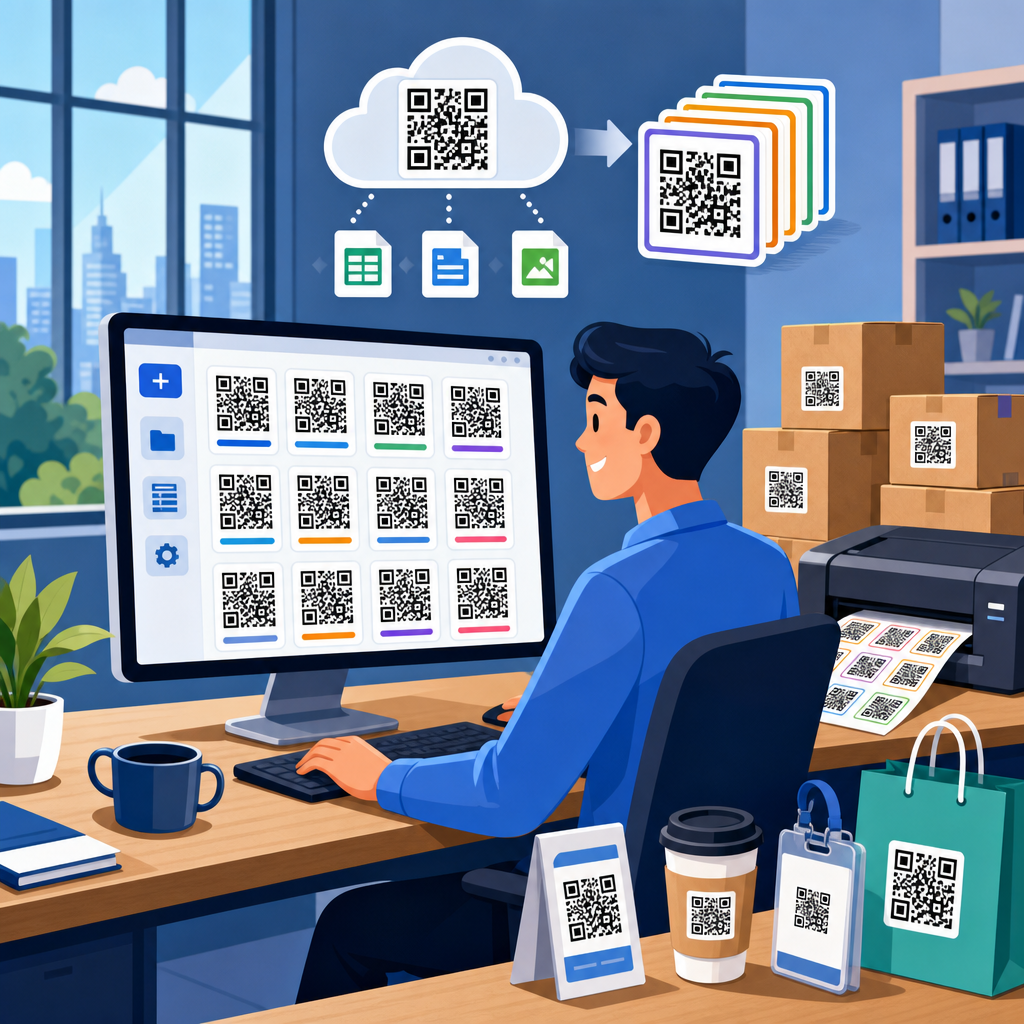
Bulk QR code creation for enterprises is the process of generating, managing, and governing large volumes of QR codes at once for products, locations, documents, campaigns, assets, or customer touchpoints. In practice, that means creating hundreds, thousands, or even millions of unique codes from structured data instead of designing each code one by one. Enterprise teams use bulk QR code creation when scale, consistency, and traceability matter: retail packaging runs, manufacturing labels, direct mail, event badges, field service manuals, patient information sheets, and serialized inventory tags all depend on repeatable workflows. The core terms are straightforward. A static QR code stores a fixed destination or payload that cannot be changed after printing. A dynamic QR code points to a short redirect URL, allowing the destination, tracking, and rules to change later without reprinting the symbol. Bulk generation usually starts from a CSV, database export, product information management system, or API feed. It matters because manual creation breaks down quickly. I have seen marketing operations teams lose days correcting naming inconsistencies and broken links from spreadsheet-driven one-off code creation. Enterprise bulk workflows reduce those errors, preserve brand controls, connect codes to analytics, and support governance across departments. They also unlock operational use cases beyond marketing, including compliance documentation, authentication, maintenance records, and supply chain visibility. When organizations treat QR codes as managed digital assets rather than simple images, they gain speed, accountability, and measurable performance.
What Bulk QR Code Creation Means in an Enterprise Environment
Enterprise bulk QR code creation is not just a faster way to export many PNG files. It is a system for mapping records to destinations, enforcing design and security policies, and connecting each code to the business object it represents. A single batch might link every product SKU to a localized landing page, every hotel room to a digital service directory, or every warehouse bin to an internal inventory screen. The batch needs identifiers, naming conventions, error correction settings, file formats, ownership metadata, and access controls. Without that structure, large QR code programs become impossible to audit.
The operational distinction between static and dynamic codes is critical. Static codes are appropriate for immutable data such as Wi-Fi credentials in a conference room or a permanent equipment ID. Dynamic codes are better for campaigns, packaging, or service content because the destination can be updated later. In enterprise settings, dynamic codes usually win because they support redirects, analytics, expiration rules, password protection, geolocation rules, and A/B testing. They also preserve print investment. If a product microsite moves or a legal notice changes, the redirect can be updated centrally.
Most enterprises generate bulk QR codes from one of three sources: spreadsheet imports, platform integrations, or direct API calls. Spreadsheet imports work for smaller teams and one-time batches. Integrations with systems like Salesforce, HubSpot, Shopify, SAP, or Microsoft Dynamics support repeatable workflows. APIs are best when QR generation is embedded in production systems, such as packaging lines or customer onboarding. In every case, the mature approach is to define a data model first, then generate codes from validated records.
Common Enterprise Use Cases Across Departments
Marketing is the most visible user of bulk QR code creation, but it is only one part of the picture. Consumer packaged goods brands place unique or segmented codes on packaging to route customers by region, retailer, or promotion. Direct mail teams use individualized codes to connect recipients to personalized landing pages. Event teams assign codes to badges, session check-ins, sponsor activations, and lead capture. In these cases, scale and attribution drive the decision to create codes in bulk.
Operations and field service teams rely on bulk QR code creation for asset management and maintenance workflows. A manufacturing company may generate one code for every machine, line component, or spare part, linking to service histories, operating procedures, and replacement documentation. Facility managers often label rooms, fire safety equipment, and network cabinets with QR codes that open digital records. Healthcare organizations use controlled workflows for patient education materials, specimen tracking, and device labeling, where audit trails are nonnegotiable.
Retail and logistics teams use bulk QR codes for inventory, shelf-edge interactions, click-and-collect processes, and returns. Serialized QR labels can tie each item to batch records, warranty forms, or authentication pages. Education organizations use them for campus wayfinding, digital ID cards, resource packets, and equipment checkout. The unifying pattern is simple: one physical object or printed surface maps to one digital action, and bulk generation makes that mapping reliable at scale.
How Enterprises Build a Bulk QR Code Workflow
A reliable workflow begins with source data. Each record should include a unique identifier, destination URL or payload, campaign or object metadata, owner, expiration policy, and output requirements. Before any QR code is generated, the data should be validated for duplicate IDs, malformed URLs, unsupported characters, and missing mandatory fields. This preflight stage prevents expensive print and deployment errors. In my experience, most failures happen before generation, not during it.
After validation, enterprises define design rules. These include QR version, error correction level, quiet zone, color contrast, logo usage, frame text, file type, and minimum print dimensions. ISO/IEC 18004 provides the underlying QR code specification, while print teams often apply additional quality standards based on substrate, scanning distance, and camera conditions. A code on corrugated packaging has different constraints than a code on glossy direct mail or a tiny equipment label.
Generation then happens in the platform or through an API. The outputs may include PNG for web use, SVG or EPS for print, and accompanying metadata files for downstream systems. The best workflows also assign folder structures, tags, and naming conventions automatically. Finally, every batch should go through scan testing across devices and lighting conditions before release. That step sounds obvious, yet I have repeatedly seen enterprise teams test only on flagship phones in bright offices, then discover failures on older Android devices in retail aisles or warehouses.
Platform Features That Actually Matter at Scale
Not every QR code generator is built for enterprise bulk needs. The basics, such as batch upload and downloadable files, are table stakes. What matters at scale is governance and integration. Role-based access control, SSO through SAML or OpenID Connect, audit logs, redirect editing history, approval workflows, and API rate limits become essential once multiple departments are involved. The platform should also support custom domains, because branded short links improve trust and often increase scan-through rates compared with generic redirect domains.
Analytics depth is another differentiator. Enterprises need more than a total scan count. Useful reporting includes timestamp, device type, operating system, approximate location, unique versus repeat scans, campaign tags, and conversion paths when integrated with analytics tools. Google Analytics 4, Adobe Analytics, or a customer data platform can turn QR scans into attributable customer journeys. For operations use cases, logs may need to flow into business intelligence tools such as Power BI, Tableau, or Looker.
Security and resilience are equally important. The platform should offer HTTPS redirects, domain verification, malicious destination controls, retention settings, and reliable uptime. If QR codes are tied to regulated information, data processing terms, regional hosting options, and encryption practices matter. For global organizations, localization support and content routing by market can eliminate the need to print separate codes for each region while still respecting legal and language requirements.
Best Practices for Design, Print, and Scannability
Bulk QR code creation fails when design decisions override usability. High contrast remains the rule: dark modules on a light background scan best. Inverted colors can work, but only with thorough testing. Quiet zones should never be crowded by text or graphics. Logos in the center are acceptable when the error correction level supports them and the symbol is large enough, but oversized logos are a common cause of scan failure. Practical minimum size depends on scan distance, yet a useful baseline for print is at least 2 x 2 centimeters for standard consumer interactions.
Material and environment also matter. Gloss coatings, curved bottles, metallic foils, and low-light settings can degrade scanning. For industrial labels, I recommend field testing with damaged, dusty, or partially obscured samples because ideal lab scans are misleading. If codes will be scanned from moving lines or at awkward angles, increase the symbol size and simplify surrounding artwork. For digital displays, avoid animation or compression artifacts that distort edges.
| Factor | Recommended Practice | Enterprise Example |
|---|---|---|
| Color contrast | Use dark code on light background | Retail shelf signage readable under mixed store lighting |
| File format | Use SVG or EPS for print, PNG for digital | Packaging art teams preserve sharp edges at any size |
| Error correction | Increase level only when logos or wear require it | Equipment labels remain scannable after abrasion |
| Testing | Scan across devices, distances, and lighting conditions | Hospital wayfinding codes work on older staff phones |
The best bulk programs document these rules in a reusable brand and production standard. That reduces friction between marketing, print vendors, product teams, and operations, especially when new batches are launched quickly.
Data Management, Governance, and Security Controls
Enterprise QR programs succeed when every code has an owner, purpose, and lifecycle. Governance starts with naming conventions and metadata. Each code should be associated with a campaign, asset, SKU, location, or record ID so teams can answer basic questions later: Who created this code, where is it printed, what does it link to, and when should it be retired? A QR library without metadata becomes unmanageable within months.
Redirect governance is just as important. Dynamic codes should have approval controls for destination changes, especially if they appear on public packaging or regulated materials. A single unauthorized redirect can create legal exposure, phishing risk, or brand damage. Mature organizations restrict editing rights, require change logs, and monitor redirects for uptime and destination status. Some also use allowlists so codes can point only to approved domains.
Privacy and data protection require careful planning. A QR scan by itself is usually low risk, but personalization, geolocation, and downstream analytics can bring privacy obligations. Teams should align scan tracking with consent policies, retention rules, and regional laws. If codes appear in healthcare, financial services, or employee contexts, legal review is prudent before deployment. Security reviews should cover API authentication, key rotation, access provisioning, and vendor incident response commitments.
Measuring Performance and Connecting QR Codes to Business Outcomes
The right success metric depends on the use case. For marketing, start with scan rate, unique scanners, landing page engagement, conversion rate, and revenue influenced. For packaging, compare scan activity by retailer, geography, or production batch. For operations, measure task completion time, first-time fix rate, documentation access frequency, or reduced support calls. A QR code is not successful because it gets scanned; it is successful because it improves a business outcome.
Attribution improves when each code carries structured campaign parameters and is tied to a unique object or audience segment. UTM parameters remain useful for web analytics, while CRM integrations can connect scans to leads, accounts, or service records. In one rollout I supported, individualized direct mail QR codes improved response analysis because each household had a unique code, allowing the team to compare offer, region, and creative treatment without guesswork.
Enterprises should also monitor failure indicators. High scan volume with low page engagement often signals a mismatch between expectation and destination. Low scan rates may point to poor placement, weak call-to-action text, or scannability issues. Operational programs should review dormant codes, redirect errors, and content that has not been updated. Performance management is continuous, not a post-campaign exercise.
Choosing the Right Approach for Your Organization
The best bulk QR code creation approach depends on volume, integration needs, compliance requirements, and team maturity. A regional marketing team with quarterly campaigns may do well with a managed platform and CSV imports. A manufacturer printing serialized labels every day will usually need API-driven generation tied to ERP, MES, or product data systems. Global companies often require both: self-service workflows for campaign teams and controlled integrations for production environments.
When evaluating options, ask practical questions. Can the platform support your peak batch size and file export needs? Does it provide dynamic redirects, custom domains, analytics integration, and role controls? Can it generate vector files for print and maintain code-level metadata? Does the vendor document uptime, support response times, and security practices? If your organization works across business units, also ask whether templates, permissions, and naming standards can be enforced centrally.
Bulk QR code creation for enterprises delivers its full value when it is treated as infrastructure, not artwork. The advantage is speed with control: faster launches, fewer manual errors, reusable governance, and measurable outcomes across marketing, operations, service, and compliance. Start by defining your use cases, data model, and ownership rules, then pilot a small but realistic batch with end-to-end testing. From there, standardize what works and connect QR generation to the systems your teams already use. If you are building a scalable QR program, make this page your hub, map the related workflows you need next, and turn each code into a managed business asset.
Frequently Asked Questions
What is bulk QR code creation for enterprises, and how is it different from generating QR codes one at a time?
Bulk QR code creation for enterprises is the structured process of generating large numbers of QR codes in a single workflow rather than creating each code manually. Instead of designing one code, assigning one destination, and exporting one file at a time, enterprise teams typically upload a spreadsheet, connect a database, or use an API to produce hundreds, thousands, or even millions of unique QR codes from predefined records. Each code can represent a different product, package, serial number, location, document, asset, campaign, or customer interaction point, while still following the same brand, governance, and tracking standards.
The difference is not just volume. Enterprise bulk generation also introduces repeatability, data integrity, and operational control. Teams often need naming conventions, metadata fields, folder structures, permission controls, expiration rules, scan analytics, and consistent output formats across departments and regions. For example, a manufacturer might need a unique QR code for every unit on a production line, while a retailer may need separate codes for each SKU, store, and seasonal promotion. Doing that manually is slow, error-prone, and difficult to audit. Bulk creation makes the process scalable and reliable by tying each QR code to structured data and standardized rules.
In practical terms, enterprise bulk QR code creation is usually part of a broader system for managing the full lifecycle of codes: generation, distribution, print production, scan tracking, updates, compliance, and retirement. That is why enterprises treat it as an operational capability rather than a simple design task. The value comes from speed, consistency, traceability, and the ability to support high-volume business processes without losing control.
When should an enterprise use bulk QR code creation instead of standard QR code tools?
An enterprise should use bulk QR code creation when the number of codes, the complexity of the data, or the need for governance goes beyond what a basic QR code generator can reasonably support. If a team is creating codes for a one-off flyer, a single landing page, or a small event, a standard tool may be enough. But once the organization needs unique QR codes across product lines, packaging runs, warehouse assets, service documents, locations, loyalty programs, or omnichannel campaigns, bulk workflows become the more practical and secure option.
Common enterprise use cases include retail packaging, manufacturing labels, logistics tracking, field service documentation, real estate signage, healthcare asset identification, event credentialing, restaurant table ordering, and multi-location marketing. In each of these scenarios, the company is not simply making many copies of the same code. It is creating distinct codes tied to specific records, each with its own destination, identifier, or tracking context. Bulk QR code creation is especially useful when those records change frequently, need to be regenerated on schedule, or must be distributed across multiple teams and vendors.
Another clear signal is the need for controls. Enterprises often require approval workflows, role-based access, audit logs, analytics segmentation, dynamic redirect management, and integration with ERP, CRM, DAM, PIM, or inventory systems. Standard QR code tools rarely handle these needs well. Bulk platforms are better suited when accuracy, compliance, and reporting matter as much as design and output. In short, if QR codes are becoming part of core operations rather than isolated marketing assets, it is time to move to an enterprise-grade bulk approach.
What data and systems are typically involved in enterprise bulk QR code creation?
Enterprise bulk QR code creation usually starts with structured data. That data may come from spreadsheets, CSV files, product information systems, inventory tools, CRM platforms, document repositories, manufacturing execution systems, or custom databases. Each row or record typically maps to a unique QR code and may include fields such as product ID, serial number, batch number, location code, campaign name, region, landing page URL, file reference, owner, expiration date, and custom metadata. This structured input is what allows organizations to generate large volumes of unique codes with accuracy and consistency.
From there, enterprises often connect QR code generation to operational systems through APIs or automated workflows. For example, a packaging team may pull SKU-level data from a PIM, a manufacturing line may generate unique identifiers from an MES, and a marketing team may associate campaign-specific destinations from a CMS or marketing automation platform. The output is not just the QR image itself. It may also include naming schemas, print-ready files, design templates, embedded identifiers, redirect rules, and records pushed back into downstream systems for fulfillment, analytics, or asset management.
Governance is another major component. Mature enterprise workflows often include user permissions, version control, audit history, environment separation, quality assurance checks, and rules for handling dynamic versus static QR codes. Security and compliance teams may also be involved when codes link to regulated documents, customer-specific experiences, or internal resources. The most effective implementations treat QR codes as managed digital assets tied to enterprise data, not as standalone images. That approach makes bulk creation more dependable and easier to scale across departments, geographies, and use cases.
How do enterprises maintain quality, consistency, and traceability when generating QR codes at scale?
Maintaining quality at scale requires a combination of technical standards, workflow controls, and operational discipline. Enterprises typically begin with templates that define visual parameters such as size, color contrast, quiet zone, error correction level, logo treatment, file format, and naming structure. These standards ensure that QR codes remain scannable while aligning with brand requirements and print constraints. Without such standards, teams may end up producing visually inconsistent codes or designs that scan poorly on packaging, labels, signage, or documents.
Consistency also depends on data validation. Before codes are generated, enterprises often validate source data for missing values, malformed URLs, duplicate identifiers, unsupported characters, or broken mappings between records and destinations. This is especially important in large batch jobs, where even a small error rate can lead to significant operational problems. Quality assurance may include test scans across different devices, print samples, environment-specific checks, and approval gates before production files are distributed to printers, suppliers, or internal teams.
Traceability is what turns a large QR code deployment into a manageable enterprise system. Each code should ideally be associated with a record that documents when it was created, from which dataset, by whom, for what purpose, and where it was deployed. Dynamic QR code management can extend traceability by allowing redirect updates, event logging, and performance reporting over time. Audit logs, batch histories, and metadata tagging help teams identify which code belongs to which asset or campaign, diagnose problems quickly, and meet internal accountability requirements. In enterprise environments, traceability is not optional; it is what makes large-scale QR code operations sustainable and governable.
What should enterprises look for in a bulk QR code platform or solution?
Enterprises should evaluate a bulk QR code platform based on scalability, control, integration, and long-term manageability. At a minimum, the platform should support high-volume generation from structured datasets, flexible output formats, dynamic and static QR code options, and strong template controls for brand consistency. It should also be able to handle large batch jobs reliably without slowing down teams or introducing file management chaos. For organizations working across regions or business units, multi-user collaboration, shared asset libraries, and role-based permissions are especially important.
Integration capabilities are often the deciding factor. A strong enterprise solution should fit into existing systems rather than forcing teams to work in isolation. API access, webhook support, bulk import and export options, and compatibility with product, inventory, marketing, and document systems can dramatically reduce manual work and improve data accuracy. Analytics and reporting should also be robust enough to segment scans by campaign, location, product line, or other business dimensions. If QR codes are being used beyond marketing, the platform should support lifecycle management, audit trails, and operational reporting as well.
Finally, enterprises should look closely at governance, security, and support. Features such as access control, approval workflows, batch history, redirect management, expiration policies, and data retention settings can make a major difference in regulated or high-complexity environments. Vendor reliability matters too. The best platform is not simply one that generates codes quickly; it is one that can support enterprise rollout, print and production requirements, evolving use cases, and internal compliance expectations over time. Choosing with those broader needs in mind helps ensure the solution remains useful as QR code programs expand across the organization.





