
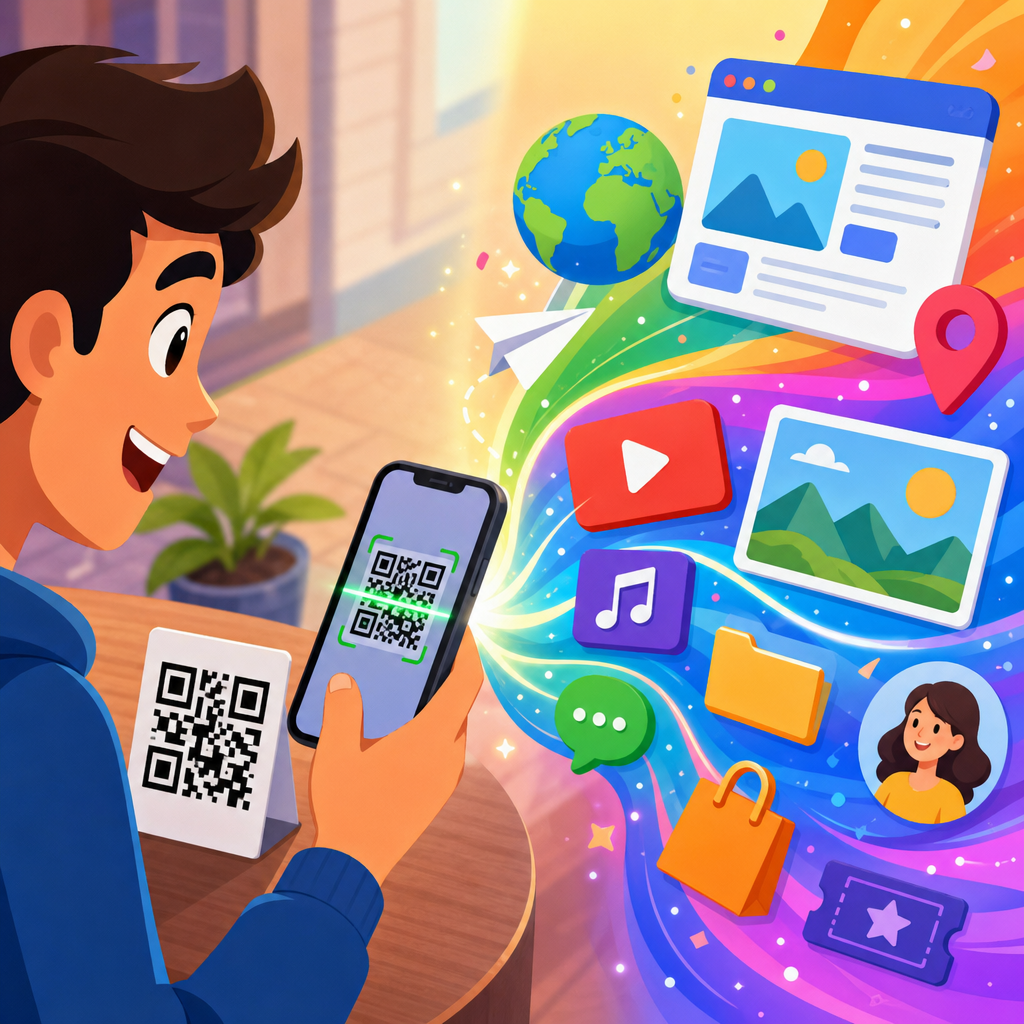
Scanning a QR code feels instant, but several technical steps happen between pointing your phone camera and reaching a webpage, payment screen, menu, or login prompt. A QR code, short for Quick Response code, is a two-dimensional barcode that stores data in a grid of black and white modules. Unlike a traditional one-dimensional barcode, which usually holds a product number, a QR code can contain far more information and can be read quickly from multiple angles. That combination of capacity and speed is why QR codes now appear on packaging, restaurant tables, event tickets, warehouse labels, utility bills, marketing mailers, and secure authentication systems.
When people ask what happens when you scan a QR code, they are usually asking two related questions. First, what is the technical process inside the phone and the code itself? Second, what can a QR code actually do in real life? Both matter because QR codes have moved from niche industrial tools to everyday digital bridges. In my work with businesses launching QR code campaigns, the most common issue is not generating the symbol. It is understanding what the scan experience will trigger, what data is encoded, how reliable the destination is, and whether the code is static or dynamic.
This article serves as a hub for QR Code Basics and Education, so it also answers the broader question, what are QR codes? A QR code is a machine-readable matrix invented by Denso Wave in 1994 for tracking automotive parts. Its design includes finder patterns, alignment patterns, timing patterns, format information, encoded data, and error correction. Those structural elements let scanners detect the code, determine orientation, rebuild damaged sections, and extract the payload. The payload might be a URL, plain text, contact details in vCard format, Wi-Fi credentials, an SMS template, an email draft, a geographic location, or a payment instruction depending on the standard being used.
Understanding this process matters for users and organizations alike. For users, it explains why some codes open instantly while others fail, why a trustworthy preview matters, and why not every square code is safe to tap through. For organizations, it shapes design, placement, analytics, accessibility, and conversion rates. A code printed too small, placed in glare, or linked to a slow page creates friction even if the symbol itself is valid. A code tied to a dynamic redirect can provide scan metrics and editable destinations, while a static code cannot be changed after printing. Once you know what happens during a scan, QR codes stop seeming mysterious and become easier to use well.
What a QR code contains and how its structure works
A QR code is not just random blocks. It is a carefully structured matrix designed for fast optical decoding. The three large squares in the corners are finder patterns. They help the scanner locate the code in the camera view and determine orientation, even if the image is tilted. Smaller alignment patterns help correct perspective distortion, which matters when a code is printed on curved packaging or photographed at an angle. Timing patterns, which appear as alternating modules, define the grid so the scanner can map each square accurately. Format and version information tell the scanner how the content is encoded and what level of error correction is used.
The data itself is stored in binary form using encoding modes such as numeric, alphanumeric, byte, or Kanji. Error correction is built in using Reed-Solomon algorithms, which allow scanners to reconstruct data even if part of the symbol is dirty, scratched, or obscured by a logo. In practice, this is why many branded QR codes still scan despite custom styling. However, there are limits. I have seen marketers place oversized logos in the center, reduce contrast, or invert colors in ways that technically preserve the pattern but materially reduce scan reliability on older phones and in poor lighting. Good design respects the underlying geometry.
QR codes also vary by type. Static QR codes directly encode the destination data and cannot be edited after creation. Dynamic QR codes encode a short redirect URL that points to a server-managed destination, allowing later edits, campaign tracking, geo-routing, device-based routing, and expiration rules. Micro QR codes, Model 1, Model 2, and other variants exist, but Model 2 is what most people encounter. The important takeaway is simple: the visible symbol is only the container. What matters is the payload, the encoding method, and the quality of the printed or displayed image.
What happens during the scan step by step
When you open your camera or a QR scanning app and point it at a code, the device begins analyzing the live image for recognizable patterns. Modern smartphone operating systems, including iOS and Android, often include native QR detection directly in the camera app. The software looks for the finder patterns and checks whether the geometry matches a valid matrix code. Once detected, the scanner corrects skew, samples the grid, reads the encoded modules, applies error correction, and converts the binary payload into usable data such as a web link or contact card.
The phone then interprets the payload according to its format. If the code contains a URL, the operating system typically shows a banner, preview, or open prompt. If it contains Wi-Fi credentials, the phone may offer to join the network. If it contains a vCard, it may open a contact import flow. If it contains a payment string, a wallet or banking app may handle it. This is why scanning is not one action but a chain: image capture, code detection, data decoding, payload recognition, then an operating-system or app-level response.
Several factors affect whether this process succeeds. Focus matters, but so do print size, contrast ratio, distance, screen brightness, glare, and motion blur. A practical rule many print teams use is a scanning distance ratio of roughly 10 to 1, meaning a code intended to be scanned from ten inches away should be about one inch wide. On posters or billboards, the code must scale dramatically larger. Quiet zone space around the code is equally important. Without sufficient blank margin, scanners can struggle to separate the code from surrounding graphics or text.
| Scan stage | What the device does | What can go wrong | Best practice |
|---|---|---|---|
| Detection | Finds corner patterns and confirms code geometry | Low contrast, cluttered background, glare | Use dark code on light background with clear quiet zone |
| Decoding | Reads modules, applies error correction, extracts payload | Damage, tiny print, excessive logo coverage | Choose appropriate size and moderate customization |
| Interpretation | Classifies data as URL, text, Wi-Fi, vCard, payment, or app link | Unsupported format or malformed payload | Test on multiple devices and operating systems |
| Action | Opens browser, wallet, contact card, or settings flow | Broken destination, slow page, security warning | Use reliable landing pages and visible destination context |
What a scanned QR code can open or trigger
The most common result of scanning a QR code is opening a webpage, but that is only one use case. QR codes can launch app deep links, prefill an SMS message, compose an email, add a contact, open a map location, connect to Wi-Fi, download a file, authenticate a session, or initiate a payment flow. In restaurants, the code often points to a hosted digital menu. In transit, it may represent a ticket token validated by the operator’s scanner rather than a link. In manufacturing and logistics, scanning can trigger inventory lookup, part identification, maintenance records, or traceability logs inside an enterprise system.
Payment QR codes deserve special attention because the result is not always a standard webpage. Depending on region and payment network, the code may encode merchant identifiers, transaction references, and amount fields. Standards differ across markets. EMVCo specifications have shaped many merchant-presented payment QR implementations, while UPI QR dominates person-to-merchant payments in India. In practice, a customer scans the code using a banking or wallet app, reviews payment details, and authorizes the transaction. The QR symbol itself is just the initiation layer; settlement still happens through the payment rail behind the app.
Authentication QR codes work differently again. Services like WhatsApp Web, Discord, Slack, and various enterprise identity platforms display a QR code on a desktop screen. Scanning it with a logged-in mobile app proves possession of the authenticated device and links the browser session. This method is convenient, but it must be designed carefully to resist phishing and relay attacks. Expiring tokens, origin binding, and explicit confirmation screens all improve security. The code should never be treated as secure simply because it is visual; security comes from the protocol around it.
Why some QR codes fail to scan
Most failed scans come down to design or deployment errors, not flaws in the QR standard. The classic issues are poor contrast, insufficient size, missing quiet zone, glossy placement, and low-resolution export. I regularly see codes dropped into flyers as small raster images copied from a screenshot. They may look acceptable on a laptop but become unreliable in print because edges blur and module boundaries soften. Vector export formats such as SVG or EPS preserve sharpness much better for print production. For digital display, high-resolution PNG files usually work, but they still need enough pixel density and margin.
Destination problems are another common cause of bad outcomes. The code scans correctly, yet the landing page is broken, blocked by regional settings, too slow on mobile networks, or overloaded with pop-ups. From a user perspective, that still feels like a QR failure. The landing page should be fast, mobile-first, and immediately relevant to the context of the scan. A code on product packaging should not dump users onto a generic homepage where they must search again. It should resolve to the exact product guide, warranty form, ingredients page, or support article they expect.
Environmental conditions also matter more than people think. Codes behind glass can reflect overhead lights. Codes on moving vehicles or digital displays can be affected by motion, refresh artifacts, or viewing angle. Curved surfaces distort geometry enough to challenge lower-end scanners. These are solvable problems. Increase size, improve placement, reduce styling, and test in the actual environment where scanning will occur. Field testing is non-negotiable. A QR code that scans in the designer’s office but fails in a dim retail aisle is not production-ready.
Security, privacy, and trust when scanning QR codes
QR codes are convenient, but they do not tell users at a glance where they lead. That makes them a potential vehicle for phishing, malicious downloads, fake login pages, and payment redirection. The code image itself is not inherently dangerous; the risk lies in the destination or action it triggers. Good scanning interfaces therefore show a preview URL or confirmation prompt before opening the result. Users should pause if the domain looks misspelled, uses an unfamiliar shortener, or does not match the context. A bank notice linking to a random domain is a clear red flag.
Organizations can reduce risk by using recognizable branded domains, HTTPS, and clear on-page context around the code. For example, a parking meter can display the official payment domain next to the code so users know what to expect. Dynamic QR platforms should support access controls, audit logs, expiration, and destination editing protections. In regulated settings, such as healthcare or finance, the linked experience must also respect data handling requirements and authentication standards. A QR code can route the user into a compliant workflow, but it does not remove the need for secure forms, encrypted connections, and proper identity checks.
Privacy considerations depend on implementation. A static code printed on a poster does not automatically track a person, but a dynamic redirect can log scan time, device type, approximate location, referral metadata, and campaign identifiers. That can be useful for measurement, yet it should be handled transparently and within applicable privacy rules. The same applies to QR-enabled check-ins, event badges, and product registrations. The convenience of the scan should not obscure what data is being collected, stored, or shared.
How to use QR codes effectively in business and everyday life
The best QR code experiences remove friction. In business settings, that means connecting the physical moment to the most relevant digital action. A product box should link to setup instructions, not a homepage. A conference badge should open a profile or lead capture screen, not just display plain text. A restaurant table code should load quickly, work on poor Wi-Fi, and present an accessible menu. In everyday life, the same principle holds. Wi-Fi QR codes save typing, ticket QR codes speed entry, and payment QR codes reduce card handling, but only when the handoff is obvious and fast.
Choosing between static and dynamic QR codes is usually the first operational decision. Static works well for permanent information such as Wi-Fi credentials or a simple URL that will not change. Dynamic is better for campaigns, printed assets that may need future updates, scan analytics, or A/B testing across destinations. Teams should also decide who owns the redirect domain, how long codes will remain active, and what happens if a vendor subscription ends. I have seen printed campaigns fail because the dynamic service was abandoned, leaving thousands of live codes unresolved.
For this QR Code Basics and Education hub, the core lesson is practical: a QR code is a visual shortcut that converts a camera view into a digital action. That action can inform, authenticate, pay, register, download, or connect, but success depends on structure, scanning conditions, destination quality, and trust. If you create or use QR codes, test them across devices, keep the destination relevant, and make the next step obvious. Done well, QR codes are one of the simplest ways to bridge offline attention and online action. Review your current codes, scan them as a customer would, and improve the weak points you find.
Frequently Asked Questions
What actually happens the moment you scan a QR code?
When you point your phone camera at a QR code, the process feels immediate, but your device is doing several things in quick succession. First, the camera captures the image and the phone’s software looks for the distinctive square pattern of black and white modules arranged in a grid. It identifies the QR code’s position, orientation, and size, even if the code is tilted, partially angled, or viewed under uneven lighting. The larger square markers in the corners help the scanner recognize where the code begins and how it should be aligned for reading.
Once the phone isolates the QR code from the rest of the image, it converts the visual pattern into digital data. The black and white modules correspond to encoded bits of information, which may represent a website URL, contact details, Wi-Fi credentials, payment instructions, a menu link, or a login token. The scanner also uses built-in error correction to recover data if part of the code is smudged, damaged, or obscured. After decoding the contents, your phone decides what kind of action to offer next. If it detects a web address, it may show a prompt to open the link in a browser. If it detects a payment payload, it may launch a wallet or banking app. In other words, scanning a QR code is really a chain of image recognition, decoding, validation, and action handling that happens in seconds.
How does a QR code store information differently from a regular barcode?
A traditional barcode stores data in one dimension, usually as a sequence of vertical lines of varying widths and spaces. That format works well for simple identifiers like product numbers, but it is limited in how much information it can hold. A QR code is different because it is two-dimensional. Instead of storing data only across a horizontal line, it stores data both horizontally and vertically in a square grid of modules. That design dramatically increases its storage capacity and makes it more versatile for modern uses.
Because of this structure, a QR code can hold many kinds of data directly inside the symbol itself. Depending on the encoding, it can contain plain text, URLs, phone numbers, email addresses, calendar events, authentication data, or app-specific instructions. It also includes functional patterns that help the scanner determine orientation, timing, and alignment, which is why QR codes can be read quickly from different angles. Another major advantage is error correction. QR codes are designed so that even if part of the image is dirty, scratched, or covered, the scanner can often reconstruct the missing information. This combination of higher capacity, faster recognition, and greater resilience is what makes QR codes so useful compared with the older one-dimensional barcode format.
Why does scanning a QR code sometimes open a website, but other times launch a payment screen, menu, or login prompt?
What happens after a scan depends entirely on the type of data encoded in the QR code and how your device or installed apps are set up to interpret it. A QR code does not always contain a simple website address. It might hold a URL that opens a webpage, but it could just as easily contain a payment standard recognized by a wallet app, a special deep link intended to launch a mobile application, Wi-Fi network credentials, a vCard for saving contact information, or a one-time authentication token for secure sign-in. The scanner reads the underlying data and then hands it off to the appropriate app or operating system feature.
For example, a restaurant menu QR code often contains a standard web link, so your browser opens a webpage. A payment QR code may encode merchant and transaction details in a format understood by banking or wallet software, which is why a payment interface appears instead of a browser tab. A login QR code used on a desktop website may contain a temporary token that your mobile app recognizes to verify your identity and authorize access. In short, the QR code itself is just a delivery mechanism for data. The result you see depends on the content inside the code and the software rules your phone uses to decide what to do with that content.
Is scanning a QR code safe, and what are the main risks to watch for?
Scanning a QR code is usually safe, but it is not automatically risk-free. A QR code is simply a machine-readable container for data, and like any link or digital instruction, it can point to something legitimate or something malicious. One of the most common risks is being sent to a fraudulent website designed to steal passwords, payment details, or personal information. Since the destination is hidden until after the scan, attackers sometimes use QR codes to disguise suspicious links in places where people are likely to trust them, such as flyers, parking meters, posters, emails, or fake labels placed over real codes.
There are a few practical ways to reduce risk. First, preview the destination if your phone offers that option before opening it. Look closely at the domain name and be wary of misspellings or strange extensions. Second, avoid scanning codes from sources that seem tampered with, especially in public spaces where stickers can be placed over legitimate signage. Third, do not enter sensitive information unless you are sure the site or app is authentic. Fourth, keep your phone and apps updated so the built-in scanner and browser security protections are current. QR codes themselves are not dangerous in a magical or automatic sense, but they can serve as shortcuts to harmful content if used deceptively. Treat them the same way you would treat an unfamiliar link: convenient, but worth verifying.
Why do some QR codes scan instantly while others fail or take longer to read?
Scanning speed and reliability depend on both the quality of the QR code and the conditions under which it is being read. A well-designed QR code with strong contrast, sufficient size, clear printing, and a clean margin around the edges is usually recognized very quickly. Your phone also needs enough light and focus to distinguish the individual modules accurately. If the code is too small, blurry, low-contrast, glossy, warped, poorly printed, or partially blocked, the scanner may struggle to detect the grid and decode the information correctly.
Content complexity can matter too. Larger amounts of encoded data generally produce denser QR codes with more modules, which can be harder to scan if displayed at a small size. Error correction helps, but only up to a point. If too much of the code is damaged or obscured, the device may not be able to reconstruct the missing data. Screen glare, camera shake, extreme angles, or weak autofocus can also slow the process. On top of that, older phones or third-party scanner apps may perform differently from newer devices with more advanced image processing. In practical terms, the fastest scans happen when the code is sharp, high-contrast, properly sized, and viewed in good lighting by a device with a capable camera and modern scanning software.





