
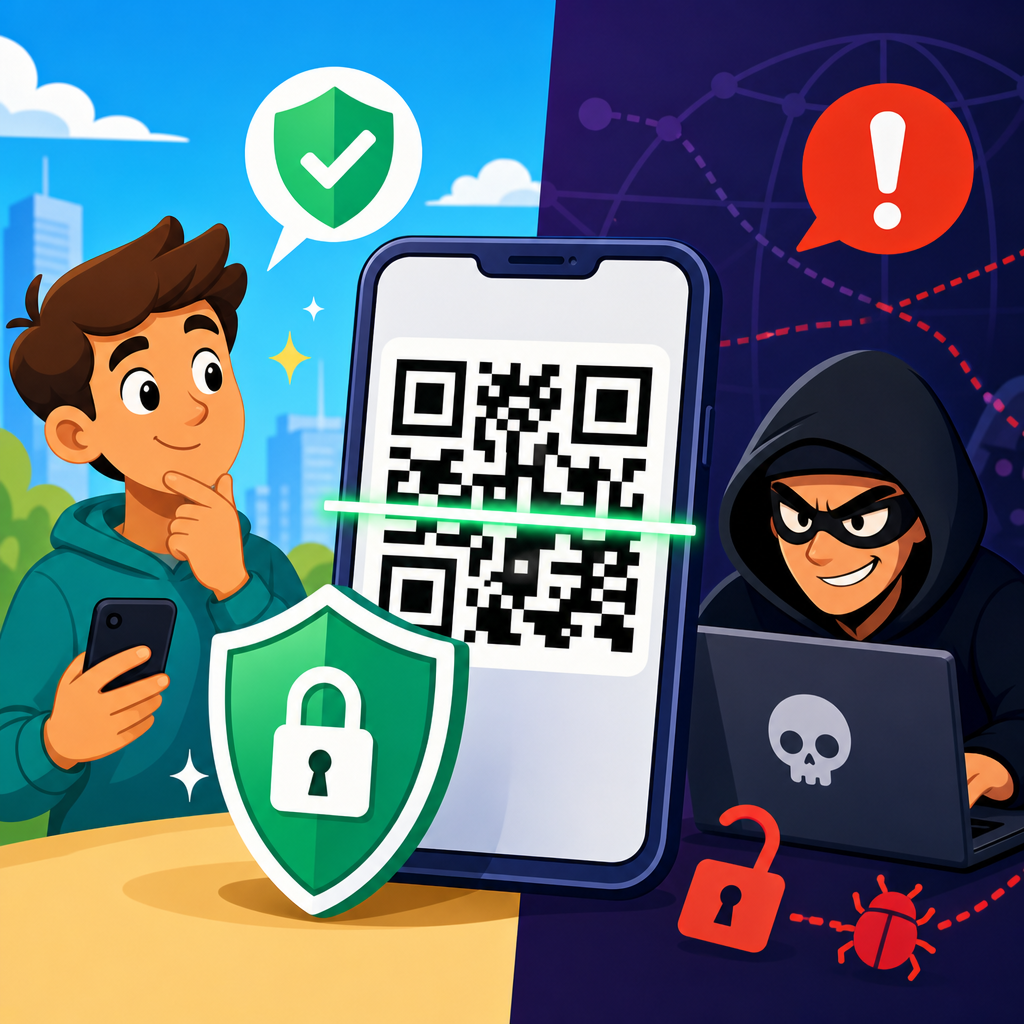
QR codes are everywhere now, printed on restaurant tables, product packaging, utility bills, event tickets, parking meters, and login screens, yet most people still ask the same basic question: how secure are QR codes? The short answer is that a QR code itself is not inherently safe or unsafe. It is simply a machine-readable way to store data, most often a web address, and the real security risk depends on what the code contains, where it came from, and what your device does after you scan it.
To understand QR code security, it helps to start with what QR codes are. QR stands for Quick Response. The format was created in 1994 by Denso Wave, a Toyota subsidiary, for tracking parts in manufacturing. Unlike a traditional one-dimensional barcode, which stores data in a single line of varying widths, a QR code stores data in two dimensions using black and white modules arranged in a square grid. That design allows it to hold much more information and remain readable even when partially damaged, thanks to Reed-Solomon error correction.
I have worked with QR code campaigns, mobile onboarding flows, and payment systems, and the same pattern shows up repeatedly: the code is rarely the problem. The problem is trust. Users cannot visually inspect a QR code the way they can read a printed URL. When a person clicks a link in an email, they may at least notice the domain. When they scan a code, they often hand control to a phone camera and browser in a single motion. That convenience is exactly why QR codes matter and why they deserve careful explanation.
This article serves as a hub for the broader topic of QR code basics and education. It explains what QR codes are, how they work, what kinds exist, where they are used, what can go wrong, and what practical steps make them safer for businesses and consumers. If you want a plain-language answer, here it is: QR codes are generally secure when they are created by a trusted source, point to expected destinations, and are scanned with sensible device protections in place. They become risky when they hide malicious links, trigger unwanted actions, or are placed where users assume legitimacy without verification.
What a QR Code Actually Contains
A QR code does not contain magic. It contains encoded data. In most consumer use cases, that data is a URL, but QR codes can also store plain text, contact cards in vCard format, Wi-Fi credentials, app deep links, calendar events, email templates, SMS prompts, geolocation coordinates, and payment instructions. When a camera app detects the code, it decodes the pattern and presents the underlying content. Security depends on that payload.
There are two broad categories to know. Static QR codes contain fixed information embedded directly in the symbol. Once printed, the destination cannot be changed without replacing the code. Dynamic QR codes usually contain a short redirect URL managed through a platform. The printed code stays the same, but the destination can be updated later in a dashboard. Dynamic codes are popular in marketing because they support analytics, campaign changes, and link rotation. They also introduce an extra trust layer because the redirect service itself must be secured.
Error correction is another important concept. QR codes come in four standard levels: L, M, Q, and H, which restore about 7 percent, 15 percent, 25 percent, and 30 percent of damaged codewords respectively. That is why a slightly scratched code on a poster can still scan. It is also why branded QR codes with logos in the center often work, as long as testing confirms readability. Error correction improves resilience, but it does not improve security. A perfectly scannable code can still lead to a malicious destination.
Common QR Code Uses and Why Adoption Keeps Growing
QR code adoption grew for practical reasons. They reduce friction between physical and digital experiences. A package can send a buyer to setup instructions. A poster can open a map. A tabletop card can launch a menu without printing dozens of pages. During the pandemic, contactless interactions accelerated consumer familiarity, especially in hospitality, healthcare check-in, ticketing, and payments. According to industry reporting from payment networks and mobile platforms, scan-based payments and authentication flows have expanded quickly in Asia, Europe, and North America, with merchants valuing low hardware requirements and fast deployment.
Business uses generally fall into a few buckets: access, information, payments, authentication, and tracking. In warehouses, QR codes identify inventory. In marketing, they connect offline ads to landing pages. In customer support, they direct users to manuals, warranty registration, or chat. In payments, standards such as EMV QR support merchant-presented and consumer-presented transaction flows. In identity and login systems, a code may pair one device with another or confirm a session. Each use case carries a different risk profile. A QR code on a cereal box mostly raises phishing concerns if tampered with. A QR code used for a payment or login demands much stricter controls because the action involves money or account access.
| Use Case | Typical Data | Main Benefit | Main Security Risk |
|---|---|---|---|
| Restaurant menu | URL to hosted menu | Fast updates without reprinting | Sticker replacement linking to phishing site |
| Product packaging | URL, serial lookup, manual | Support and authenticity checks | Counterfeit packaging using fake support pages |
| Payments | Merchant ID, amount, payment URI | Low-cost contactless checkout | Funds redirected to attacker-controlled account |
| Login pairing | Session token or device bind request | Quick authentication across devices | Session hijacking if implementation is weak |
| Wi-Fi access | SSID and password | Easy guest onboarding | Joining rogue networks or exposing credentials |
How Attackers Abuse QR Codes
The most common QR code threat is quishing, a phishing attack that uses a QR code instead of a visible link. Attackers place fake codes on parking meters, utility notices, package delivery cards, or office posters. The victim scans the code, lands on a credential-harvesting page, and enters payment details or login information. Because the destination was hidden before scanning, the attacker gains an advantage traditional phishing links do not always have.
Another abuse pattern is code replacement. An attacker simply prints a sticker with a malicious QR code and places it over a legitimate one. I have seen this risk discussed most often in public payment kiosks and restaurant table tents, where staff may not inspect every printed surface daily. The attack is low-tech but effective because it exploits trust in the physical environment. A user sees a familiar brand or official-looking sign and assumes the code belongs there.
More advanced attacks involve malicious redirects, mobile malware delivery, fake app download pages, and abuse of shortened URLs. Some QR codes trigger specific actions, such as composing an email or connecting to Wi-Fi. On their own, those actions are not dangerous, but they can be used in social engineering. For example, a code may prefill an SMS to a premium number or connect a device to a hostile captive portal that imitates a legitimate service. Modern phones typically require user confirmation before sensitive actions, but rushed users often click through prompts.
What Makes a QR Code Safer or Riskier
Several factors determine whether a QR code is relatively safe. Source authenticity comes first. A code printed by a known retailer on sealed packaging is lower risk than a random sticker on a lamppost. Destination transparency matters too. Many smartphone camera apps now preview the URL before opening it, which gives users a chance to inspect the domain. HTTPS is helpful because it encrypts the connection and authenticates the site through TLS certificates, but HTTPS alone does not prove the site is legitimate. Attackers also use HTTPS.
Context is another strong signal. If a parking sign asks for payment through a domain unrelated to the city or payment provider, that mismatch is meaningful. The same is true when a QR code requests unexpected permissions, asks for credentials unrelated to the task, or routes through multiple obscure redirects. On the business side, safer implementations use short, memorable branded domains, secure redirect management, least-privilege access to campaign dashboards, and change logs that show who modified a dynamic code destination and when.
Device protections reduce risk further. Updated mobile operating systems, browser safe-browsing features, mobile threat defense tools in enterprise settings, and password managers that recognize legitimate domains all help. Password managers are especially useful because they will not autofill credentials on a lookalike domain. That failure to autofill is often the first practical warning a user notices.
Best Practices for Businesses Creating QR Codes
Organizations that publish QR codes should treat them like any other customer-facing entry point. Start by choosing the right QR code generator or platform. Reputable services support custom domains, HTTPS by default, access controls, audit logs, and analytics without excessive data collection. For enterprise use, teams should document who owns each code, where it is displayed, what destination it should resolve to, and how often it is reviewed. This is basic governance, but many companies skip it and later discover orphaned codes pointing to expired pages.
Physical security matters as much as digital security. Inspect public-facing codes for tampering, especially in payments, transit, parking, and events. If a code appears in high-risk locations, add human-readable text beneath it, such as the exact domain or a short instruction that tells users what they should expect after scanning. In my experience, this small design choice cuts confusion significantly. When users know the official domain and expected action, spoofed replacements stand out faster.
Testing is non-negotiable. Verify scan performance across iPhone and Android cameras, low-light conditions, different print sizes, and varying distances. Follow ISO/IEC 18004 for encoding standards and print-quality guidance, and for industrial workflows consider verifier tools that grade symbol quality under ISO/IEC 15415. Good scan reliability is not just about convenience. When codes fail intermittently, staff often improvise with unapproved replacements, and that creates security and brand inconsistency.
Best Practices for Consumers Scanning QR Codes
For consumers, QR code safety comes down to a handful of habits. First, pause before opening the result. If your phone shows a URL preview, read it. Look for the real domain, not just a familiar word in a long address. Second, avoid scanning codes that look newly pasted over another code or appear in places where the source is unclear. Third, do not enter passwords or payment details unless the destination clearly matches the organization you intended to reach.
Use your phone’s default camera or a trusted scanner rather than obscure third-party apps. Keep the operating system updated. Enable safe-browsing protections in the browser. If you are making a payment, prefer official merchant apps or known payment platforms over generic browser pages. In workplaces, follow mobile device management policies and report suspicious codes the same way you would report a suspicious email. The security mindset is identical: verify before you trust.
One more practical point: if a QR code claims to install software, update your bank details, unlock a package, or fix an urgent account problem, treat it as high risk. Legitimate organizations do use QR codes for support and onboarding, but urgency combined with a scan request is a classic social engineering pattern.
Are QR Codes Secure Enough for Payments and Authentication?
Yes, QR codes can be secure enough for payments and authentication, but only when the full system around them is designed correctly. In payment environments, security depends on standards, tokenization, transaction signing, merchant verification, and fraud monitoring, not on the printed square alone. EMV-based QR payment systems can be robust because they define how payment data is structured and validated. Even so, merchant-presented codes remain vulnerable to physical tampering if operational controls are weak.
Authentication flows show the same principle. A QR code used to pair a desktop login with a mobile authenticator can be very secure because the signed approval happens in the trusted app, not in the code itself. Services such as WhatsApp Web and various identity platforms use this model effectively. The risk rises when the code embeds long-lived tokens, lacks binding to a specific session, or fails to require secondary confirmation. Secure systems make QR codes short-lived, single-use, and tied to a known device or transaction.
The bottom line is simple: QR codes are convenient carriers of instructions or identifiers. Their security comes from the controls around destination integrity, user verification, device protections, and operational discipline.
QR codes are neither a gimmick nor a built-in threat. They are a versatile data container that connects physical objects to digital actions quickly and cheaply. That explains why they have become standard across marketing, support, inventory, payments, and authentication. It also explains why attackers use them: people trust convenience, and hidden destinations make deception easier.
If you remember one principle, make it this one: do not judge a QR code by the pattern itself; judge it by the source, the destination, and the action it requests. Businesses should publish codes with clear ownership, secure redirects, inspection routines, and tested user flows. Consumers should preview links, verify domains, avoid suspicious stickers, and stay cautious when money, passwords, or app installs are involved.
Used well, QR codes are secure enough for many everyday and even sensitive tasks. Used carelessly, they become a shortcut for phishing and fraud. Review your current QR code touchpoints, tighten the weak spots, and build trust into every scan.
Frequently Asked Questions
Are QR codes safe to scan?
QR codes are not automatically safe or dangerous. A QR code is simply a way to encode information that a phone or scanner can read quickly, and in most cases that information is a website address. The security issue comes from the destination, not the black-and-white square itself. If a QR code points to a legitimate business website, payment page, menu, app download, or login flow, scanning it may be perfectly fine. If it points to a phishing site, a fake payment page, a malware download, or a malicious prompt designed to steal credentials, then it becomes risky.
That is why context matters so much. A QR code printed on official packaging from a trusted brand is generally lower risk than a random sticker placed on a parking meter or a code sent in an unsolicited email. Modern smartphones often show a preview of the link before opening it, which gives users a chance to inspect the domain and decide whether it looks legitimate. In practical terms, QR codes should be treated the same way you would treat any link: useful when they come from a source you trust, but worth checking before you tap through.
What are the biggest security risks associated with QR codes?
The biggest QR code security risk is that they hide their destination from plain sight. Unlike a printed web address, a QR code does not tell you where it leads until your device decodes it. That makes it easier for attackers to trick users into visiting fake websites that imitate banks, delivery companies, login portals, payment processors, or customer support pages. This tactic is often called QR phishing, or “quishing,” and it has become more common because people tend to trust QR codes in physical spaces.
Other risks include fraudulent payment requests, credential theft, malicious app downloads, and device misdirection. For example, a scammer can place a fake QR code sticker over a real one on a parking meter or restaurant table and redirect users to a lookalike payment page. In business environments, attackers may use QR codes in emails or printed notices to bypass link-filtering habits, since users may scan with a phone instead of clicking on a desktop. While simply scanning a code usually does not infect a device by itself, problems can begin if the user then enters personal information, downloads software, grants permissions, or completes a payment on an untrusted site.
Can a QR code infect your phone with malware?
In most everyday situations, scanning a QR code alone does not infect your phone. A QR code is not magic and it does not execute harmful code just because your camera reads it. Typically, it triggers an action such as opening a URL, adding contact information, connecting to Wi-Fi, launching a payment app, or displaying plain text. The real danger starts after the scan, when the user chooses to visit a website, install an application, download a file, or approve a system action prompted by the destination.
That said, QR codes can still play a role in malware attacks. A malicious code may send you to a fake app store page, a compromised website, or a download that contains spyware or other harmful software. In rare cases, older or poorly secured apps that process QR content may also behave unsafely. The best defense is simple: keep your phone updated, use official app stores, avoid sideloading apps from unknown sources, read prompts carefully, and do not assume that a QR code is trustworthy just because it appears in a public place. The code is just the entry point; your next actions determine most of the risk.
How can you tell whether a QR code is legitimate before scanning it?
You often cannot verify everything about a QR code before scanning it, but you can reduce risk by checking the surrounding context. Look at where the code appears and whether it makes sense there. Is it printed professionally on official product packaging, signage, or business materials, or does it look like a sticker placed over another code? Does the message around it create urgency, such as demanding immediate payment, account verification, or password reset? Scammers rely on pressure and convenience, so anything that feels rushed or out of place deserves extra caution.
After scanning, pay close attention to the link preview before opening it. The domain name matters more than the page design. Attackers often use addresses that look similar to real ones, with misspellings, extra words, unusual subdomains, or unfamiliar country-code endings. If the QR code claims to belong to your bank, utility provider, or employer, the web address should clearly match that organization. If you are unsure, do not proceed through the QR code at all. Instead, navigate manually by typing the official website, using a saved bookmark, or contacting the organization directly. That extra step is often the difference between a safe interaction and a successful scam.
What are the best practices for using QR codes securely?
The safest way to use QR codes is to approach them with the same caution you would use for links in emails, texts, or social media messages. Scan codes only when they come from sources you recognize and trust. Review the destination preview before opening it, and be skeptical of shortened links, odd-looking domains, or pages that immediately ask for passwords, payment information, or one-time verification codes. If a QR code is posted in a public place, inspect it physically for tampering, especially if it appears to be a sticker layered on top of another sign.
It is also smart to strengthen your device and browsing habits. Keep your operating system and apps updated, use built-in security protections, and download software only from official marketplaces. Avoid logging in to sensitive accounts through a QR code unless you are certain the process is legitimate. For payments, confirm that the merchant name, domain, and app workflow match what you expect. In workplaces, employees should be trained to treat QR codes as potential phishing vectors, not harmless shortcuts. Ultimately, QR code security comes down to source verification, destination awareness, and resisting the impulse to trust convenience over caution.





