
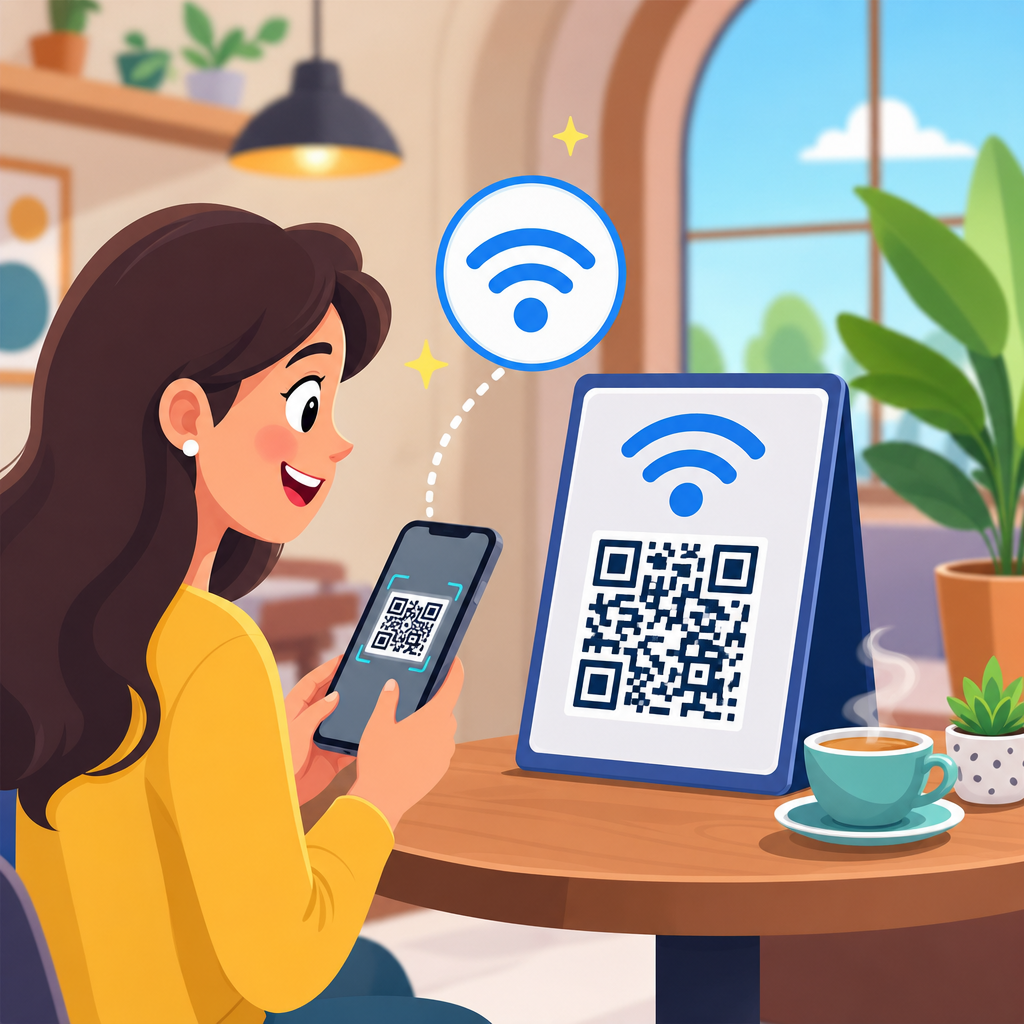
A WiFi QR code is a scannable code that stores a wireless network’s login details so a phone, tablet, or laptop can join that network without someone typing the network name and password by hand. In practical terms, it packages the SSID, security type, and password into a standardized text string that compatible devices can read instantly through the camera or a QR scanning app. I have deployed these codes in offices, retail counters, events, and guest lounges, and the result is consistently the same: fewer connection errors, less staff time spent repeating passwords, and a noticeably smoother visitor experience.
Understanding how a WiFi QR code works matters because wireless access is now a default expectation in homes and businesses, yet network credentials are still often shared inefficiently. People misread uppercase letters, confuse zero with the letter O, or type a long WPA2 key incorrectly three times before giving up. A WiFi QR code removes that friction. It also sits within a broader family of QR code types, including URL, vCard, PDF, app download, email, SMS, menu, payment, social media, and location codes. As a hub topic under QR Code Basics and Education, this guide explains the WiFi format in depth while also showing where it fits among other common QR code types.
The key terms are straightforward. SSID means the visible name of the wireless network. Encryption refers to the security method, usually WPA or WPA2 in most environments, with WPA3 appearing on newer equipment. A static QR code stores fixed information that cannot be edited after printing. A dynamic QR code points to content that can be updated later, typically through a short URL managed on a QR platform. WiFi QR codes are usually generated as static codes because the credentials themselves are encoded directly, though some organizations use dynamic workflows for managed guest access pages. Knowing these distinctions helps you choose the right QR code type, use it securely, and connect the article to the wider map of QR code use cases.
How a WiFi QR Code Works
A WiFi QR code works by encoding network credentials into a string that devices recognize. The common format is: WIFI:T:WPA;S:NetworkName;P:Password;;. In that structure, T defines the security type, S defines the SSID, and P defines the password. Some generators also support a hidden network flag using H:true. When a user scans the code, the operating system parses the data and prompts the device to join the network. On modern iPhone and Android devices, this process is usually native, meaning no special enterprise app is required for standard guest access.
In real deployments, the setup is simple but the details matter. If the SSID contains punctuation, spaces, or special characters, the generator must preserve them exactly. If the password is case sensitive, the QR code must reflect that precisely. If the network uses captive portal authentication after connection, the WiFi QR code only completes the first step; the user still has to accept terms or enter an access code on the portal page. That distinction is important in hotels, airports, campuses, and coworking spaces where a scan connects the device to the access point but does not replace the portal workflow.
Compatibility is broad but not universal. Most current Android versions support scanning WiFi QR codes directly from the camera or network settings. Apple devices commonly recognize them through the camera as well, though behavior can vary by iOS version and enterprise restrictions. Older laptops may not join from a camera scan, but they can often use built-in QR reading through companion apps. In public-facing installations, I recommend testing with current iPhone and Android models, one older device, and one tablet before printing permanent signage.
Why Businesses and Households Use WiFi QR Codes
The main reason people use a WiFi QR code is convenience, but the business value goes further than convenience alone. In a café, every minute the staff spends repeating the guest password is a minute not spent serving customers. In a clinic waiting room, a visible WiFi QR code reduces front-desk interruptions. In a home, it makes it easy for visitors, babysitters, contractors, or family members to connect without asking, “What’s your WiFi again?” The reduction in typing errors is especially helpful when passwords are long enough to meet good security practice.
There is also a branding and experience benefit. A well-designed table tent, framed sign, or welcome card with a QR code looks cleaner than a sticky note with a handwritten password. For events, I have seen organizers place separate WiFi QR codes at registration desks, presentation rooms, and exhibitor booths so attendees can connect within seconds. That lowers the perceived friction of the event. In short, a WiFi QR code improves access, saves time, and makes a routine task feel polished.
Security is often raised as a concern, and it should be discussed honestly. A WiFi QR code does not make a weak network secure. It simply makes access easier. If the code is printed publicly, anyone who sees it can attempt to join the network. That is why guest networks should be segmented from internal systems, isolated through VLANs or access controls, and protected with sensible rotation policies. For businesses, the best practice is to create a dedicated guest SSID rather than expose credentials for the staff network.
Static and Dynamic QR Codes Across WiFi and Other Types
To understand WiFi QR codes fully, it helps to compare them with other QR code types and with the static versus dynamic model. A static QR code contains the final destination or content directly inside the code. If you encode a website URL, the printed code always leads to that exact URL. If you encode WiFi credentials, the printed code always carries that exact SSID and password. A dynamic QR code, by contrast, usually contains a short redirect URL managed by a platform. The destination can be changed later without changing the printed symbol.
Most WiFi QR codes are static because phones expect credentials in a direct standardized format. Dynamic QR codes are more common for marketing, product packaging, restaurant menus, event registrations, digital business cards, and campaign landing pages. They offer analytics such as scan count, time, device category, and approximate location. If you are building a broader QR strategy, this difference matters: use static WiFi QR codes for direct network access, and use dynamic QR code types when you need flexibility, measurement, or content updates after print.
| QR code type | What it stores | Typical use case | Usually static or dynamic |
|---|---|---|---|
| WiFi | SSID, security type, password | Guest network access | Usually static |
| URL | Website link | Landing pages, promotions | Often dynamic |
| vCard | Contact details | Digital business cards | Either |
| PDF/File | Document link or file | Manuals, brochures, menus | Often dynamic |
| Email/SMS | Pre-filled message data | Support requests, opt-ins | Usually static |
| Payment | Payment payload | Checkout and peer transfers | Varies by standard |
| App store | App destination link | Downloads and onboarding | Often dynamic |
| Location | Map coordinates or address | Store directions | Either |
Types of QR Codes: The Full Hub Overview
As the hub page for QR code types, this section maps the landscape clearly. URL QR codes send users to a webpage and are the most common type in marketing. vCard QR codes store contact information so a user can save a person or business directly to their address book. PDF and file QR codes provide access to brochures, menus, manuals, warranty cards, and reports. App QR codes route users to an app listing, sometimes using smart redirection by device type. Email QR codes open a drafted email to a specified address, while SMS QR codes prefill a text message. Phone QR codes initiate a call. Location QR codes open directions in a mapping app.
Other widely used types include social media QR codes that consolidate multiple profiles into one landing page, event QR codes that add calendar details, coupon QR codes for offers, form QR codes for registrations or feedback, and payment QR codes that pass billing or wallet information according to regional standards. In restaurants, digital menu QR codes became mainstream because they reduce reprint costs and update quickly. In manufacturing and logistics, QR codes are used on labels for traceability, maintenance records, and documentation access. The important point is that the underlying square pattern is versatile; what changes is the data structure or destination behind it.
WiFi QR codes stand out because they solve an operational problem rather than primarily a marketing one. They are utility driven. That makes them highly practical in hospitality, healthcare, education, multifamily housing, and smart homes. Yet they still belong in the same learning framework as other QR code types because the core decisions remain similar: what information to encode, whether content must change later, who will scan it, what device they will use, and what outcome you want after the scan.
How to Create, Test, and Deploy a WiFi QR Code
Creating a WiFi QR code starts with gathering the exact network details: SSID, password, and security type. Use a reputable generator from an established QR platform or network management tool. Enter the credentials carefully, then generate the code in a high-resolution format such as SVG or PNG for print. If the network is hidden, specify that. If the network is open, the password field may be blank and the security type should reflect that. Once generated, test it on multiple devices before publishing it anywhere.
Testing is not optional. I usually run four checks: scan speed, connection success, password accuracy, and post-connection behavior. Scan speed tells you whether the code is large enough and printed with good contrast. Connection success confirms the device recognizes the payload. Password accuracy catches character mistakes early. Post-connection behavior verifies whether users land behind a captive portal or connect immediately to the internet. If a portal appears, your sign should say so plainly to avoid confusion.
Deployment involves placement and maintenance. Put the code where users naturally look while waiting: reception counters, meeting room signs, tabletop displays, room directories, welcome packets, and event badges. Maintain a quiet zone around the code and ensure high contrast, typically dark modules on a light background. Avoid glossy surfaces in bright areas because glare slows scanning. If you rotate guest passwords monthly, replace all printed signs at once. For larger sites, keep an asset inventory so old codes do not remain in circulation after credentials change.
Security, Limitations, and Best Practices
A WiFi QR code should be treated like a posted password. If the network is sensitive, do not display it publicly. Instead, create a guest SSID with internet-only access, rate limits if needed, client isolation where appropriate, and a separate DHCP scope from internal devices. On enterprise networks using 802.1X with per-user credentials or certificates, a basic WiFi QR code may not be sufficient because onboarding requires a profile, identity, or mobile device management workflow. In those cases, a QR code may still help by linking to the onboarding portal rather than carrying raw credentials.
There are also technical limitations. Not every camera app parses WiFi strings identically. Some desktop users cannot join from a printed sign without a secondary scanner. Hidden networks are more troublesome than visible networks and often create more support issues than they prevent. WPA3 improves security but may introduce compatibility issues on older devices. Captive portals can confuse users who expect a scan to mean “fully online.” For these reasons, the best implementations pair the code with one plain-language instruction line such as “Scan to join guest WiFi, then tap Continue on the login page.”
The strongest best practices are simple: use a guest network, keep passwords strong, rotate them when appropriate, test across devices, print clearly, and never assume the code replaces broader network security. If you are building a larger educational content cluster on QR code basics, link this hub to deeper articles on static versus dynamic QR codes, QR code security, menu QR codes, vCard QR codes, and troubleshooting scan failures. That structure helps users find the exact QR code type they need.
WiFi QR codes are one of the clearest examples of how QR technology solves a real everyday problem. They encode wireless login details into a format that devices can scan in seconds, cutting out typing errors and making guest access easier in homes, offices, stores, clinics, hotels, and events. They are typically static, utility-focused QR codes, but they belong within the wider ecosystem of QR code types that includes URL, vCard, file, email, SMS, payment, app, social, and location codes. When you understand that ecosystem, choosing the right code becomes far easier.
The biggest benefit is efficiency without complexity. A good WiFi QR code reduces support questions, shortens connection time, and creates a better first impression for visitors. The tradeoff is that convenience must be balanced with network security, device testing, and clear deployment practices. Use guest segmentation, print the code well, and verify the full connection path before rolling it out. If you are building your QR knowledge base, use this page as the starting hub for all QR code types, then move into deeper guides for each specific format and use case.
If you manage a space where people regularly ask for internet access, create a guest WiFi QR code, test it on multiple devices, and review your broader QR code strategy at the same time. That single step often improves usability more than people expect.
Frequently Asked Questions
What exactly is a WiFi QR code?
A WiFi QR code is a QR code that contains the information a device needs to connect to a wireless network without manually entering the network name and password. Instead of asking a guest, customer, or employee to search for the correct network, type the SSID precisely, and enter a long password character by character, the code allows them to scan and connect in seconds. Behind the scenes, the code stores a standardized text string that includes the WiFi network name, the security type such as WPA or WPA2, and the password. When a compatible phone, tablet, or laptop scans the code, it reads that data and uses it to initiate the connection process automatically.
In real-world use, WiFi QR codes are especially useful anywhere fast, friction-free access matters. Offices use them in reception areas and conference rooms, retailers place them at counters, event organizers print them on signage and badges, and hospitality spaces display them in guest lounges or hotel rooms. The biggest advantage is convenience, but there is also a consistency benefit: people connect to the right network with the right credentials every time. That reduces support questions, minimizes typing errors, and creates a smoother first impression for anyone needing internet access.
How does a WiFi QR code actually work when someone scans it?
When someone scans a WiFi QR code, their device reads the encoded string inside the QR image and interprets it as network connection data rather than ordinary text or a website URL. That string typically contains three core pieces of information: the SSID, which is the network name; the security protocol, such as WPA/WPA2 or, in some cases, no password; and the password itself. Supported devices recognize this format and present a prompt to join the network, or in some environments they connect almost immediately after the scan is approved.
The process feels simple to the user, but it solves several common connection problems at once. It eliminates misspellings in the network name, avoids errors caused by case-sensitive passwords, and speeds up onboarding in busy environments where many people need access quickly. For example, at an event or in a waiting area, one printed code can help dozens or hundreds of people connect with minimal staff involvement. From an operational perspective, that means fewer interruptions, fewer repeated password requests, and a more professional experience overall. As long as the code was generated correctly and the device supports WiFi QR scanning, the connection process is straightforward and highly reliable.
Is using a WiFi QR code secure?
A WiFi QR code can be secure, but its safety depends on how it is used and where it is displayed. The code itself is not encrypting or protecting the network in a new way; it is simply presenting the existing network credentials in a scannable format. That means if someone can see and scan the QR code, they can potentially gain access to that WiFi network just as they would if they were handed the password. For that reason, WiFi QR codes are best used on guest networks or segmented access networks rather than on private internal systems with broad access to sensitive business resources.
In practice, the smartest approach is to pair the convenience of a QR code with good network management. Use a separate guest SSID, apply strong passwords, rotate credentials periodically, and limit what devices on that network can access. Businesses often benefit from network segmentation, bandwidth controls, and guest isolation so visitors can get online without reaching internal systems. It is also wise to place the code only where intended users can access it and to update or replace printed materials if credentials change. So yes, WiFi QR codes are secure enough for many common public and semi-public use cases, but they should be treated as a convenient delivery method for credentials, not as a security feature by themselves.
What information is stored in a WiFi QR code?
A WiFi QR code usually stores the network’s SSID, the security type, and the password in a specific text format that compatible devices know how to read. The SSID tells the device which wireless network to join, the security type tells it what authentication method to use, and the password provides the credential needed to complete the connection. In some cases, the format may also indicate whether the network is hidden, which can matter for networks that do not broadcast their name openly.
Importantly, a standard WiFi QR code does not typically store advanced account information, browsing history, device-level permissions, or anything beyond what is necessary to connect to the wireless network. It is not the same as a login portal, user profile, or identity management system. If a network uses additional captive portal steps after connection, the QR code only handles the WiFi join process, not the secondary sign-in or acceptance screen. This distinction matters because many people assume the QR code does more than it actually does. In most cases, it is best understood as a fast, standardized shortcut for transmitting connection details accurately and efficiently.
Why should businesses and venues use WiFi QR codes instead of sharing the password manually?
Businesses and venues use WiFi QR codes because they remove friction at the exact moment people want immediate access. Manually sharing a password often sounds simple, but in practice it creates repetitive work and frequent mistakes. Staff have to repeat credentials, guests may enter them incorrectly, people sometimes connect to the wrong network, and long or complex passwords can lead to frustration. A QR code replaces that entire process with a quick scan, which is especially valuable in high-traffic environments like retail stores, medical waiting rooms, coworking spaces, trade shows, restaurants, and office reception areas.
There are also operational and branding advantages. A printed or digital WiFi QR code makes the experience feel organized and modern, and it reduces the number of interruptions employees face from routine connectivity questions. In many deployments, the result is faster guest access, fewer support requests, and better overall satisfaction. It can also encourage more consistent use of a designated guest network rather than accidental sharing of internal credentials. For organizations that care about efficiency and user experience, WiFi QR codes are one of the simplest upgrades they can make. They do not change the fundamentals of how wireless access works, but they make the connection process significantly cleaner, faster, and more reliable.





