
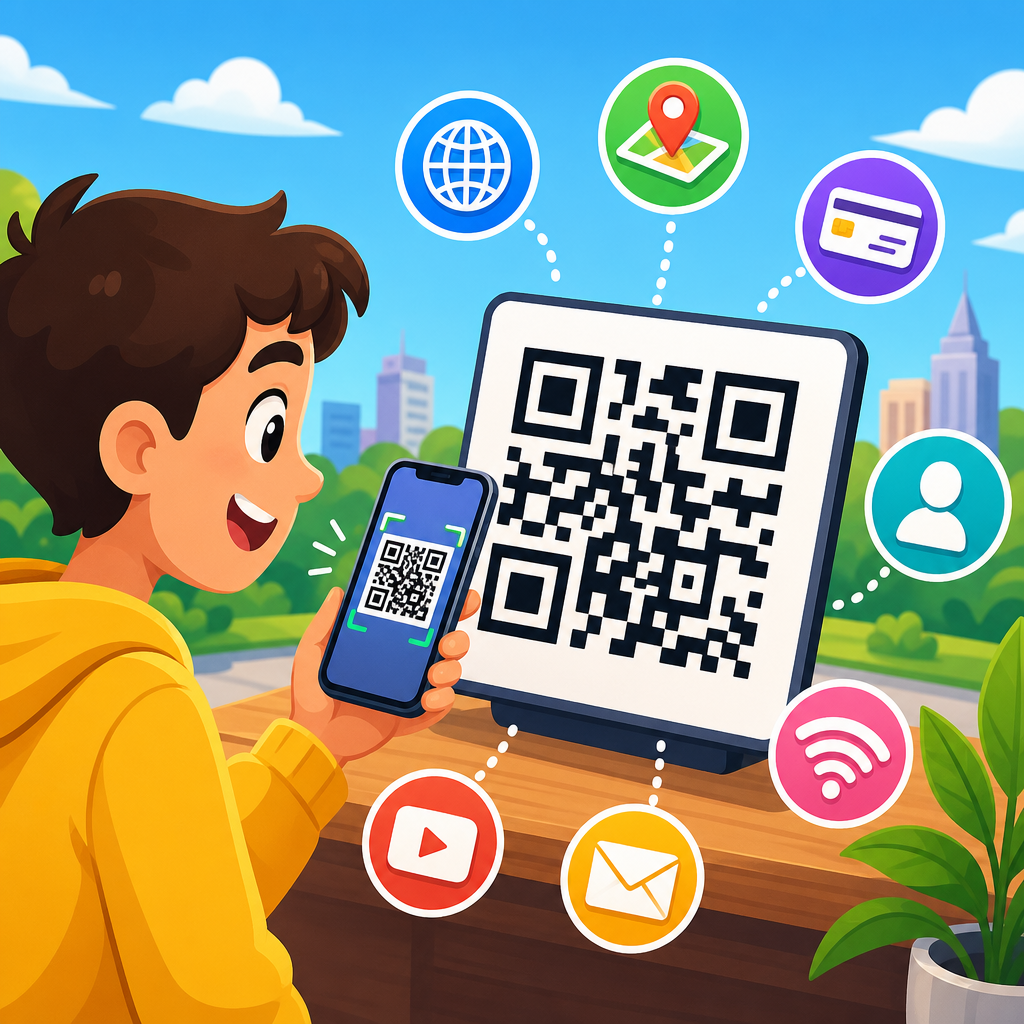
A QR code is a square, machine-readable barcode that stores information in a pattern of black and white modules and can be scanned quickly by smartphone cameras, payment terminals, and industrial readers. The term stands for “Quick Response,” a name chosen because the code was designed to be decoded at high speed. If you have ever opened a restaurant menu, joined a Wi-Fi network, paid for parking, tracked a package, or logged into a website with your phone, you have likely used a QR code even if you never thought about the technology behind it.
For beginners, the simplest definition is this: a QR code is a modern barcode that can hold much more data than the traditional striped barcode seen on retail products. Instead of storing information in one horizontal direction, a QR code stores data in two dimensions, both across and down. That design lets it contain website addresses, plain text, contact details, app links, payment credentials, event information, and more. Because most modern phones include built-in scanning through the camera app, QR codes have become one of the easiest bridges between physical objects and digital actions.
This topic matters because QR codes now sit at the center of everyday customer journeys. In my own work with marketing teams, restaurant operators, and event organizers, I have seen the same pattern repeatedly: when a QR code is well designed and clearly explained, it reduces friction. People do not need to type a long web address, search for a page, or install special software first. They scan, arrive, and act. That speed makes QR codes valuable not just for convenience but also for measurement, accessibility, operations, and cost control.
Understanding what QR codes are is the foundation for every related question, from how QR codes work to whether QR codes are safe, static or dynamic, free or paid, and useful for business, education, healthcare, logistics, and personal sharing. This guide explains the basics in plain language, while also giving enough technical context to help you make smart decisions when creating, printing, or scanning them.
How QR codes work
A QR code works by encoding data into a grid of tiny squares called modules. When a device scans the code, software identifies specific structural patterns, determines the code’s orientation, reads the module arrangement, and converts that binary pattern back into usable information. Three large squares in the corners, called finder patterns, help the scanner recognize the code instantly from different angles. Smaller alignment patterns improve readability when the code is printed on curved or uneven surfaces. Timing patterns and format information help the scanner interpret size, error correction level, and masking.
The key reason QR codes are reliable is error correction. Standard QR codes use Reed-Solomon error correction, which allows part of the code to be damaged, dirty, or obscured while still remaining scannable. Depending on the chosen setting, a QR code can often still work even if a meaningful portion of the printed image is missing. That is why you may see branded QR codes with a logo in the center. The code is not surviving by luck; it is using built-in redundancy. In practical use, this means a label on packaging can remain readable after shipping wear, or a poster can still scan after minor weather exposure.
Another beginner-friendly way to think about a QR code is as a container. The code itself usually does not “do” anything on its own. It holds data, and the scanner decides what action to take. If the encoded content is a URL, the phone offers to open a webpage. If it is a vCard, the phone may save a contact. If it is Wi-Fi configuration data, the device can prompt the user to join the network. The experience feels simple because camera software and operating systems now interpret common QR payload types automatically.
What information a QR code can store
QR codes can store many kinds of data, and that flexibility explains their broad adoption. The most common use is a website link, but the format supports plain text, phone numbers, SMS prompts, email addresses, calendar events, geolocation coordinates, and digital business cards. In business settings, QR codes also point to PDFs, menus, forms, app download pages, product manuals, warranty registration pages, support portals, and inventory records. Payment systems in many countries rely on QR codes to carry merchant identifiers and transaction details.
There are limits, and beginners should understand them. A QR code does not have infinite capacity. The amount of data it can store depends on the character set, the version of the code, and the error correction level. More data means a denser pattern, and a denser pattern is harder to scan if printed too small or displayed on poor screens. In practice, that is why short URLs are preferred over very long links. If a team encodes a huge tracking URL full of parameters directly into the code, the result may be visually crowded and less reliable on packaging or signage.
A useful distinction is between the visible code image and the destination behind it. When the QR code contains a direct, fixed destination, it is often called static. When the code points to a short redirect URL that can be changed later, it is commonly called dynamic. That distinction affects editing, analytics, and campaign management, and it is one of the most important concepts for anyone moving beyond basic personal use.
Types of QR codes beginners should know
Not every QR code serves the same purpose. The table below outlines the main categories most people encounter first and shows where each type fits best.
| Type | What it contains | Best use case | Main limitation |
|---|---|---|---|
| Static QR code | Fixed data such as a URL, text, or Wi-Fi credentials | Permanent information that will not change | Destination cannot be edited after printing |
| Dynamic QR code | A short redirect that points to editable content | Marketing, analytics, seasonal campaigns, updated menus | Usually depends on a QR platform or subscription |
| URL QR code | A webpage address | Landing pages, product pages, forms, downloads | Long URLs can create dense patterns |
| vCard QR code | Contact details | Business cards, trade shows, networking | Some fields may render differently across devices |
| Wi-Fi QR code | Network name, password, and security type | Homes, offices, hotels, guest access | Credentials must be updated if the network changes |
| Payment QR code | Merchant or transaction data | Retail, cafes, peer-to-peer payments | Requires compatible banking or wallet apps |
From experience, beginners often assume every QR code is dynamic and trackable. That is not true. A printed QR code on a flyer may simply contain a direct website address with no analytics at all. On the other hand, a restaurant menu QR code often uses a dynamic platform so the menu link can be updated without reprinting every table tent. Knowing which type you need prevents wasted time and rework.
Where QR codes are used in everyday life
QR codes became mainstream because they solve a practical problem: moving someone from a physical moment to a digital action with almost no friction. Restaurants use them for menus and ordering. Retailers place them on packaging for setup guides, assembly videos, authenticity checks, and loyalty programs. Event organizers use them for registration, ticket validation, agenda updates, and exhibitor information. Schools use them to distribute worksheets, video lessons, and library resources. Logistics teams use QR labels to track bins, pallets, and assets through warehouses and service routes.
Healthcare and public service organizations also use QR codes, though with more caution. Clinics may place them on appointment reminders, patient education material, and check-in kiosks. Municipal agencies use them on signs that link to permit forms, maps, and service requests. During the pandemic, QR codes accelerated touchless workflows, especially for menus, check-ins, and public information. That period changed user behavior permanently. Many people who first scanned out of necessity now scan without hesitation because the interaction has become familiar.
One reason QR codes remain popular is low implementation cost. A small business can generate a simple code in minutes and print it on existing materials. A larger organization can integrate QR codes into CRM systems, packaging lines, field service software, and analytics dashboards. The same core technology works at both ends of the scale, which is rare.
Benefits, limitations, and common mistakes
The biggest benefit of a QR code is speed. It removes typing and reduces the number of steps between interest and action. It can also improve measurement when used with campaign tracking and landing pages. In printed environments, QR codes create a measurable bridge that traditional posters, brochures, and product labels often lack. I have seen direct mail response improve simply because the landing page became one scan away instead of one search away. They also save space. A tiny square can replace a long URL, a printed password, or several paragraphs of instructions.
Still, QR codes are not magic. They depend on context, trust, and execution. If users do not know what the code does, many will not scan. If the landing page is slow, confusing, or not mobile friendly, the scan is wasted. If the code is too small, printed with poor contrast, or placed where glare blocks cameras, performance drops. A reliable best practice is to include a clear call to action next to the code, such as “Scan to view the menu” or “Scan to download the setup guide.” Specific instructions consistently outperform unexplained codes.
Common mistakes include linking to a desktop-only page, using low-resolution artwork, placing the code too close to other design elements, and failing to test across multiple phones. Another frequent error is changing the destination URL after printing a static code. That breaks the workflow entirely. Businesses that need flexibility should choose a dynamic setup from the start. For print, vector files such as SVG or EPS are usually safer than raster screenshots because they remain sharp at different sizes.
Are QR codes safe to scan?
QR codes themselves are not dangerous, but they can be used to direct people to harmful destinations, just as links in email or text messages can. The main risk is phishing. A malicious code might lead to a fake login page, a fraudulent payment screen, or a download prompt for unwanted software. Because the code image does not reveal the destination to the human eye, users should treat unknown QR codes with the same caution they apply to suspicious links.
Most modern smartphones reduce some risk by previewing the URL before opening it, giving users a chance to inspect the domain. That helps, but it is not foolproof. Attackers can use lookalike domains or shortened links. The practical rule is simple: scan codes from trusted sources, check the web address before submitting information, and be especially careful with payment, password, and banking requests. Organizations should also protect their printed codes from tampering. In public spaces, bad actors sometimes place a sticker with a replacement QR code over the original one.
For businesses, safety also means governance. Use owned domains when possible, maintain HTTPS, avoid unnecessary redirects, and review destination pages regularly. If a QR campaign is tied to a third-party generator, make sure the service is reputable and that you control the account. I have seen organizations lose campaign continuity because a free generator changed terms, inserted ads, or disabled links.
How to create and use a QR code well
Creating a QR code is easy; creating one that performs consistently is a design and operations task. Start by defining the action you want the user to take. Then choose the right payload type, preferably a short URL or dynamic destination if future edits may be needed. Generate the code with sufficient error correction, export it in a high-quality format, and test it on iPhone and Android devices under real lighting conditions. For print, size the code based on expected scanning distance. A common rule is that the scanning distance should be roughly ten times the code’s width, though testing matters more than rules of thumb.
Next, support the scan with context. Add a label, explain the benefit, and place the code where people can access it comfortably. On packaging, put it near setup or support information. On posters, avoid corners that curve or wrinkle. On digital screens, maintain enough contrast and avoid animation that interferes with focusing. If analytics matter, connect the destination to tools such as Google Analytics with campaign parameters or use a platform that records scan time, device, and location at an aggregated level.
As the hub for QR Code Basics & Education, this page should help you answer the essential beginner question clearly: QR codes are versatile, two-dimensional barcodes that turn a scan into an immediate digital action. They are easy to use, inexpensive to deploy, and powerful when paired with the right destination and a mobile-friendly experience. They can store many data types, support everything from menus to payments, and remain readable because of built-in error correction.
The main benefit is simplicity. A good QR code shortens the path between curiosity and completion. Whether you are sharing a website, contact card, event ticket, Wi-Fi password, or product guide, the technology works best when the code is trustworthy, clearly labeled, tested, and matched to the user’s situation. Remember the fundamentals: choose the right type, keep the destination useful, design for scanning, and never assume every code is editable or safe by default.
If you are just getting started, scan a few examples around you, notice what happens after the scan, and then create a basic QR code for one practical task. That hands-on step will teach you more than theory alone and prepare you for deeper topics like static versus dynamic QR codes, QR code sizing, tracking, design, and security best practices.
Frequently Asked Questions
What exactly is a QR code, and how does it work?
A QR code is a two-dimensional barcode made up of small black and white squares, often called modules, arranged inside a square grid. Unlike a traditional barcode that stores data in a single horizontal line, a QR code stores information both horizontally and vertically. That design allows it to hold more data and be scanned much faster from different angles. The name “QR” stands for “Quick Response,” which reflects the code’s original purpose: enabling fast decoding in real-world environments.
When you scan a QR code with a smartphone camera, payment terminal, or dedicated industrial reader, the device detects the code’s position and orientation using the larger square markers in the corners. It then interprets the pattern of modules and converts that pattern into usable data, such as a website URL, contact information, Wi-Fi login details, payment instructions, or tracking information. In practical terms, a QR code acts like a bridge between the physical world and digital content, letting people access information instantly without typing it manually.
What can a QR code be used for in everyday life?
QR codes are used in far more places than many beginners realize. In everyday life, they commonly link people to restaurant menus, product pages, event tickets, app downloads, online forms, videos, and directions. They are also widely used for practical tasks such as joining a Wi-Fi network, making contactless payments, confirming identity, checking into venues, authenticating accounts, and tracking packages. Because scanning is fast and familiar, QR codes have become a simple way to deliver information or trigger an action with minimal effort from the user.
Businesses also rely on QR codes in retail, logistics, healthcare, manufacturing, and customer service. A store may place a QR code on packaging so customers can view product details or warranty information. A delivery company may use one to connect a shipment to its tracking record. A payment system may use a QR code to transfer transaction details securely and quickly. Even if someone does not think of themselves as “using QR codes,” they likely interact with them regularly whenever they scan to pay, log in, register, verify, or learn more.
Do QR codes store a lot of information?
Yes, QR codes can store a meaningful amount of information, especially compared with standard one-dimensional barcodes. The exact amount depends on the type of data being encoded, the version of the QR code, and the level of error correction being used. A QR code can hold plain text, numbers, web addresses, email details, phone numbers, calendar information, and other structured data. In many common uses, however, the code does not need to store large content directly. Instead, it simply stores a short instruction, such as a URL, that sends the scanner to information hosted online.
That is why a small printed square can unlock a surprisingly rich experience. A code on a poster might contain only a website address, but scanning it could open a page with video, maps, forms, support resources, or product documentation. In other words, the QR code itself may store only the access point, while the destination holds the fuller experience. This makes QR codes efficient, flexible, and easy to update when businesses use dynamic QR systems that change the destination without changing the printed code.
Can a QR code still work if part of it is damaged or hard to scan?
One of the most useful features of a QR code is that it includes error correction. This means the code can often still be read even if part of it is smudged, scratched, partially covered, or printed on a curved surface. The built-in redundancy helps scanning devices recover missing or damaged data, which is one reason QR codes are so effective in real-world settings like packaging, warehouses, payment displays, and outdoor signs. This durability gives them an advantage over simpler barcodes that may fail more easily when damaged.
That said, error correction has limits. If a code is too blurry, too small, badly distorted, low contrast, or blocked in important areas, scanning may fail. Good design matters. A QR code should be printed clearly, placed where lighting is adequate, and sized appropriately for the expected scanning distance. The surrounding quiet space, usually a blank margin around the code, also helps scanners recognize it correctly. So while QR codes are resilient, reliable scanning still depends on thoughtful placement and quality reproduction.
Are QR codes safe to scan?
QR codes themselves are not automatically dangerous, but they should be treated with the same common-sense caution you would use with links in emails or text messages. A legitimate QR code might open a trusted website, payment page, login screen, or product guide. However, a malicious QR code can also direct someone to a fake website, trigger a scam, or encourage the download of unwanted software. The risk comes from the destination behind the code, not from the black-and-white pattern alone.
To stay safe, it is smart to preview the link before opening it if your device offers that option, scan codes from reputable sources, and be cautious if a code appears tampered with or placed as a sticker over another sign. Avoid entering passwords or payment details on pages that seem suspicious, unfamiliar, or poorly designed. In business settings, using professionally managed QR codes and trusted domains helps reduce risk and build user confidence. In short, QR codes are generally safe and extremely useful, but like any digital shortcut, they work best when paired with basic security awareness.





