
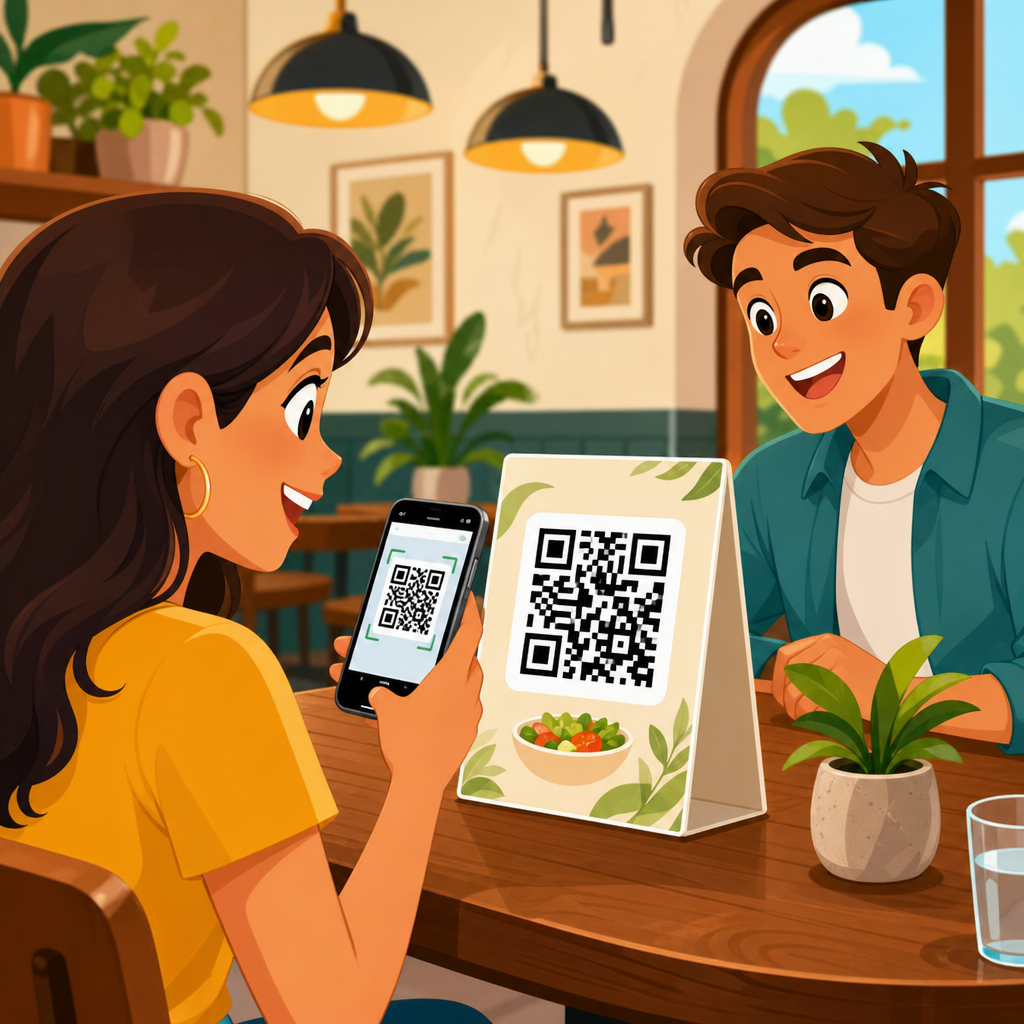
A menu QR code is a scannable code that opens a restaurant menu on a phone, tablet, or other mobile device, replacing or supplementing printed menus with a digital experience that is faster to update, easier to distribute, and often more useful for guests. In practice, I have seen menu QR codes move from emergency pandemic workaround to permanent operating tool because they solve several everyday problems at once: worn paper menus, slow reprints, inconsistent pricing, and limited space for photos, dietary notes, or language options. To understand them well, it helps to define two core ideas. First, a QR code, short for Quick Response code, is a two-dimensional barcode that stores information such as a web address, PDF file, or text. Second, a menu QR code is not a separate barcode technology; it is a use case built on standard QR code formats that point diners to menu content. That distinction matters because the quality of the experience depends less on the black-and-white square itself and more on the destination, the code type, and the restaurant’s update workflow.
This topic matters because digital menus now affect customer service, operational efficiency, accessibility, and even revenue. A good menu QR code can reduce ordering friction, support allergen transparency, and let operators update prices instantly across one location or hundreds. A poor one can frustrate guests with broken links, oversized PDFs, weak mobile design, or menus hidden behind unnecessary app downloads. As the hub for types of QR codes, this article explains how menu QR codes fit into the broader QR landscape, what technical options exist, and how restaurants, cafes, bars, hotels, food halls, and ghost kitchens should choose between them. It also clarifies related questions searchers commonly ask: Are menu QR codes static or dynamic? Do they need internet access? Can they track scans? Are they secure? What content format works best? By the end, you should know not only what a menu QR code is, but which type to use, when to use it, and what standards separate a reliable implementation from a disposable one.
How a Menu QR Code Works
A menu QR code works by encoding a destination that a smartphone camera can read. Most modern iPhones and Android devices have built-in QR detection in the camera app, so guests usually scan without installing anything. Once scanned, the phone resolves the code’s content. In restaurant use, that content is most often a URL leading to a hosted digital menu, but it can also be a PDF, a landing page, a contactless ordering system, or a multi-link page with dine-in, takeaway, and delivery options. The fastest implementations open directly in the phone’s browser. That is usually the right choice because every extra step reduces completion rates.
From an operational standpoint, there are three layers. The first layer is the printed or displayed code placed on a table tent, sticker, wall sign, receipt, or packaging insert. The second layer is the encoded data, which can be fixed or editable depending on the code type. The third layer is the menu destination itself, which may be a simple file, a mobile webpage, or software integrated with a point-of-sale system such as Square, Toast, Clover, or Lightspeed. In projects I have audited, restaurants often focus heavily on designing the QR symbol while neglecting the landing page. That is backwards. Scan success means little if the page loads slowly, uses tiny text, or makes guests pinch and zoom through a nine-page PDF.
Types of QR Codes Used for Menus
The main types of QR codes used for menus are static QR codes and dynamic QR codes. A static QR code contains a fixed destination. If you encode a direct PDF link today, that exact link is permanently embedded in the symbol. Static codes are simple, often free, and useful for situations where the content will rarely change, such as a wine list for a one-night event or a temporary catering menu. Their limitation is significant: if the URL changes, the code must be reprinted. For restaurants with seasonal menus, price updates, limited-stock specials, or multiple branches, that becomes expensive and error-prone.
A dynamic QR code uses a short redirect URL managed through a QR platform. The printed code stays the same, but the destination can be changed later in a dashboard. This is the preferred option for most ongoing menu use because it supports updates without reprinting. Dynamic systems often include scan analytics, device data, location approximations, scheduling, password protection, and campaign management. They are common on platforms such as QR Code Generator, Uniqode, Bitly, Beaconstac, Flowcode, and restaurant-specific menu tools. The tradeoff is dependency on the provider. If the subscription lapses or the service is mishandled, scans may fail, so vendor reliability matters.
Beyond static versus dynamic, menu QR implementations vary by content type. Some point to a live HTML menu optimized for mobile reading. Others open a PDF, image gallery, digital ordering app, vCard-style profile, or multi-URL landing page. In the broader family of QR code types, those destinations matter because the encoded action affects usability. For education purposes, think of menu QR codes as a hub use case that can be built from several QR approaches: URL QR codes for browser-based menus, PDF QR codes for printable replicas, app store QR codes for branded ordering apps, and multi-link QR pages when one code must serve dine-in, pickup, delivery, and loyalty enrollment. The best choice depends on update frequency, guest behavior, internet reliability, and whether the menu is informational or transactional.
Best Content Formats for a Menu QR Code
The best content format for a menu QR code is usually a mobile-friendly webpage rather than a PDF. A webpage loads faster, adapts to screen sizes, supports structured headings, enables search, and can expose data such as allergens, ingredients, calorie information, and availability more clearly. It also gives operators stronger control over analytics and indexing. Search engines can understand an HTML menu page better than a scanned image or image-heavy PDF, which helps discovery beyond the table scan itself. When businesses ask me why their QR menu usage is low, the issue is often not scanning behavior but poor menu formatting after the scan.
PDF menus still have a place. They are easy to create, preserve a carefully designed print layout, and work for banquet packets, wine books, or compliance documents that need exact formatting. However, PDFs can be cumbersome on mobile. They often require zooming, scroll awkwardly, and can become outdated if staff upload a revised file to a new URL rather than replacing the old one. Image-based menus are even weaker because text may be unreadable for accessibility tools and search engines. If a restaurant wants a premium experience, it should publish a responsive webpage with clear categories, prices, modifiers, dietary icons, high-contrast text, and compressed images.
| Format | Best Use Case | Main Advantage | Main Limitation |
|---|---|---|---|
| HTML webpage | Daily restaurant menus, multi-location sites | Mobile-friendly, searchable, easy to update | Requires web setup and maintenance |
| Formal menu layouts, events, wine lists | Preserves print design exactly | Often hard to read on phones | |
| Ordering platform page | Table ordering, pickup, delivery | Supports transactions and modifiers | May add fees or branding constraints |
| Multi-link landing page | One code for menu, order, loyalty, reviews | Flexible for varied guest intents | Adds one extra tap |
Static vs Dynamic Menu QR Codes: Which Should You Choose?
If the question is which type of QR code is best for a restaurant menu, the answer is dynamic in most cases. Dynamic menu QR codes are better because they allow edits after printing, reduce replacement costs, and provide reporting that helps operators understand usage. I recommend static codes only when the destination is permanent, the budget is extremely limited, and the operational risk of reprinting is acceptable. A school cafeteria with one standardized menu page might manage with static codes. A cafe rotating pastries daily or a full-service restaurant changing wine vintages weekly should not.
The difference becomes clearer in real operations. Imagine a three-location brunch brand updating egg prices and adding weekend specials. With static codes tied directly to PDFs, each location may end up displaying a different version after a hurried reprint cycle. With dynamic codes, the manager updates one destination centrally, and every tabletop sign points to the latest menu immediately. Another example is compliance. If an allergen notice must be corrected quickly, a dynamic code can route all guests to the updated page within minutes. That speed is not a convenience; it is a risk-management tool.
There is, however, an important caution. Dynamic codes rely on redirects and third-party infrastructure. Choose a platform that supports custom domains, export options, and clear service terms. A custom short domain such as menu.yourrestaurant.com is better than a generic shortener because it strengthens branding and reduces guest hesitation. It also gives more control if you ever change providers. For businesses treating QR as a long-term channel rather than a quick fix, ownership of the final URL structure and menu content is a nonnegotiable best practice.
Benefits, Limitations, and Accessibility Considerations
The benefits of menu QR codes are practical and measurable. They cut printing costs, speed menu updates, reduce physical contact with shared surfaces, support richer content, and create cleaner version control. They can also increase average order value when the menu design highlights add-ons, pairings, or limited-time offers in context. A dessert photo shown next to a category can influence behavior more effectively than a text-only insert. For multilingual venues, one QR code can route guests to language-specific versions automatically or through a simple selector, improving service without expanding print complexity.
Menu QR codes also have limits. They depend on phone access, battery life, camera functionality, and internet connectivity. Some guests prefer printed menus for comfort, readability, or privacy. Fine-dining rooms may decide that screens disrupt the atmosphere. Older customers or tourists on limited data plans may resist scanning. That is why good service design keeps a printed backup available and trains staff to offer it without making the guest ask twice. QR menus should expand choice, not force a single behavior.
Accessibility deserves special attention. A compliant digital menu should use readable font sizes, strong color contrast, descriptive heading structure, alt text where relevant, and text that works with screen readers. Allergens should never rely on color alone. If prices or modifier options are hidden behind tiny icons or hover effects that fail on touchscreens, the menu is functionally broken. The Web Content Accessibility Guidelines provide a solid baseline, and many restaurant systems still fall short. In audits, I routinely find PDFs exported as images with no selectable text, which undermines both accessibility and search visibility. A menu QR code is only as inclusive as the content it opens.
Implementation Best Practices for Restaurants and Multi-Location Brands
Successful menu QR code deployment starts with placement and testing. Codes should be large enough to scan easily, printed with strong contrast, and positioned where guests naturally look: tabletop displays, host stands, counters, drive-thru windows, and takeout packaging. Avoid glossy lamination that causes glare under overhead lights. Maintain a quiet zone around the code so smartphone cameras can distinguish it from surrounding graphics. Before rollout, test with multiple devices, camera apps, and network conditions. I always test from at least arm’s length and in dim light because that is how many real scans happen at dinner service.
For multi-location brands, governance is the difference between a smooth system and content chaos. Use a naming convention for codes, maintain a destination inventory, and decide whether each location gets a unique QR code or a shared one with geolocation logic. Unique codes are better when locations have different hours, stock, pricing, or alcohol policies. Shared codes work when the menu is centrally controlled and standardized. Connect the menu destination to analytics platforms such as Google Analytics 4 and monitor page load time, bounce behavior, and top-scanned placements. If table tents outperform window decals, invest accordingly.
Security and trust are also central. Because QR codes can hide destinations, guests need confidence that scanning is safe. Use branded domains, HTTPS, and clear call-to-action text such as “View our menu” rather than generic “Scan me.” Keep redirects minimal. If a code opens a suspicious-looking short URL, some users will abandon it. Restaurants should also establish a review cadence. Broken links, expired certificates, removed PDFs, and outdated seasonal offers are common failure points. A monthly scan audit per location prevents embarrassment and lost orders. The most effective menu QR code program is not the fanciest one; it is the one that remains accurate every day.
How Menu QR Codes Fit Within the Broader Types of QR Codes
As a hub topic under QR code basics and education, menu QR codes are best understood as one branch of a larger category system. QR codes can encode websites, files, text, contact details, email actions, Wi-Fi credentials, payment requests, app downloads, and more. A menu QR code usually relies on a URL type, but restaurants often combine it with adjacent types to support the full dining journey. A receipt might include a review QR code. A loyalty card may use an app download QR code. A countertop sign can share Wi-Fi credentials. A delivery insert might point to a reorder page or promotional landing page. Understanding these types helps businesses design one coherent ecosystem instead of scattering unrelated codes across guest touchpoints.
The key takeaway is simple: a menu QR code is not merely a square that replaces paper. It is a flexible digital access point built from specific QR code types, usually URL based, and its effectiveness depends on choosing the right format, update model, and destination design. Static codes work for fixed content, but dynamic codes are the standard for active restaurant operations. HTML menu pages usually outperform PDFs on mobile, while accessibility, security, and branded trust signals determine whether guests complete the journey comfortably. If you are building or improving a restaurant menu system, start by auditing your current menu format, decide whether you need dynamic control, and map how this code should connect to your wider QR strategy across ordering, loyalty, and guest communication.
Frequently Asked Questions
What is a menu QR code, and how does it work?
A menu QR code is a type of scannable barcode that sends a customer directly to a digital restaurant menu on their phone, tablet, or other mobile device. When a guest opens their camera app or a QR scanner and points it at the code, the device recognizes the embedded link and opens a web-based menu page. Instead of handing out a printed menu, a restaurant can place the code on tables, counters, receipts, windows, or takeout packaging so guests can access the menu instantly.
In practical terms, a menu QR code replaces or supports paper menus by making the menu easier to distribute and much simpler to update. If prices change, a dish sells out, or new seasonal items are added, the restaurant can update the digital menu without reprinting anything. That is one of the biggest reasons menu QR codes became so popular: they solve everyday operational issues like worn-out menus, slow reprint cycles, pricing inconsistencies, and limited space for detailed descriptions or food photos. For many restaurants, it has evolved from a temporary convenience into a long-term tool for better service and smoother menu management.
Why do restaurants use menu QR codes instead of only printed menus?
Restaurants use menu QR codes because they offer speed, flexibility, and cost savings that printed menus alone cannot match. A printed menu is static. Once it is produced, every change requires a reprint, whether that change is a new price, a sold-out item, a limited-time promotion, or a corrected ingredient list. A digital menu accessed through a QR code can be updated in minutes, which helps restaurants keep information accurate without wasting time or money on constant redesigns and reprints.
There is also a strong guest-experience advantage. A digital menu can include more than just item names and prices. It can show photos, ingredient details, dietary labels, modifiers, combo options, and sometimes even multiple languages. That makes the menu more useful, especially in busy environments where staff may not be able to answer every question immediately. While many restaurants still keep some printed menus available, QR codes are often used to reduce friction, improve consistency, and give guests a faster, more informative way to browse what is available.
Are menu QR codes better for restaurants and customers?
In many cases, yes. For restaurants, menu QR codes can improve day-to-day operations by reducing printing costs, minimizing outdated information, and making menu changes easier to manage. If an item sells out during service, the restaurant can remove it from the digital menu right away instead of disappointing customers who try to order something no longer available. If there is a pricing update across several locations, that can often be handled centrally instead of requiring each location to swap out printed materials individually.
For customers, the benefits usually come down to convenience and access to better information. A digital menu can be easier to read, easier to zoom in on, and more detailed than a traditional paper version. Guests may be able to see allergen notes, nutritional information, photos, upsell suggestions, or pairing recommendations that would never fit neatly on a printed menu. That said, “better” depends on execution. The QR code should open quickly, the menu should be mobile-friendly, and restaurants should still consider guests who prefer or need a physical menu. The best approach is often a flexible one that combines digital convenience with accessible service options.
Do menu QR codes require a special app or technical setup?
Usually, no special app is required for the customer. Most modern smartphones can scan QR codes directly through the built-in camera, which means guests can open the menu with just a quick tap. On the restaurant side, the setup can be quite simple as well. The business needs a digital menu hosted online and a QR code that links to that menu. Once the code is generated, it can be printed and displayed almost anywhere customers are likely to look when deciding what to order.
The complexity depends on the restaurant’s goals. A basic setup might involve linking the QR code to a simple PDF or a web page. A more advanced setup could use an interactive menu platform with item photos, categories, editing tools, analytics, ordering integrations, or location-specific pricing. The most important technical consideration is usability. The linked menu should load quickly, look good on mobile screens, and be easy to navigate. If the experience is clunky, customers notice immediately. A menu QR code does not need to be technologically complicated, but it does need to be thoughtfully implemented.
Can a menu QR code be updated, customized, and used long term?
Yes, and that long-term flexibility is one of its biggest advantages. Many restaurants use dynamic QR codes, which allow the destination link or menu content to be changed without replacing the printed code itself. That means the same QR code on a tabletop sign or window decal can continue to work even as the menu changes over time. Restaurants can update prices, remove unavailable dishes, add seasonal specials, promote events, or highlight limited-time offers without having to redesign and redistribute every physical menu asset.
Menu QR codes can also be customized to fit branding and operational needs. A restaurant may use branded landing pages, color-matched code designs, separate menus for breakfast and dinner, or different codes for dine-in, takeout, bar service, or catering. Some businesses even track scans to understand customer behavior, such as which locations or tables get the most engagement. Because of this flexibility, menu QR codes are no longer viewed as a short-term workaround. They are widely used as a permanent menu management tool that helps restaurants stay accurate, responsive, and more helpful to guests in a fast-changing service environment.





